Family, friends, colleagues

One calendar per circle of life. You decide who sees what.

Share events, reminders and trips with the people close to you, person by person. And follow your train in real time.

LU · FR · BE · DE · NL · CH · IT  ·  Free for the essentials · 7-day trial, no card · Ad-free · GDPR compliant

✈️
One calendar per circleyou choose who sees
🚆
Next trainyou'll make it, live
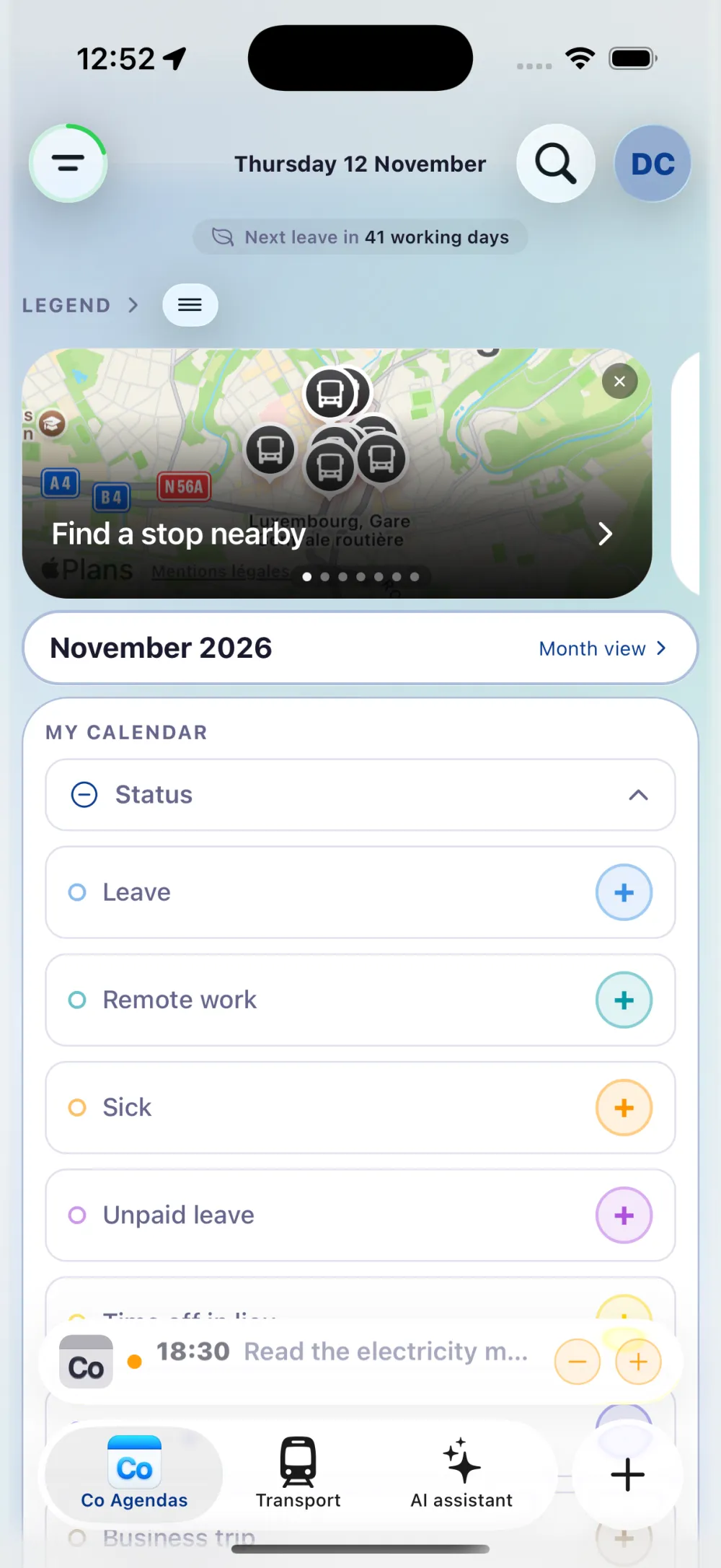
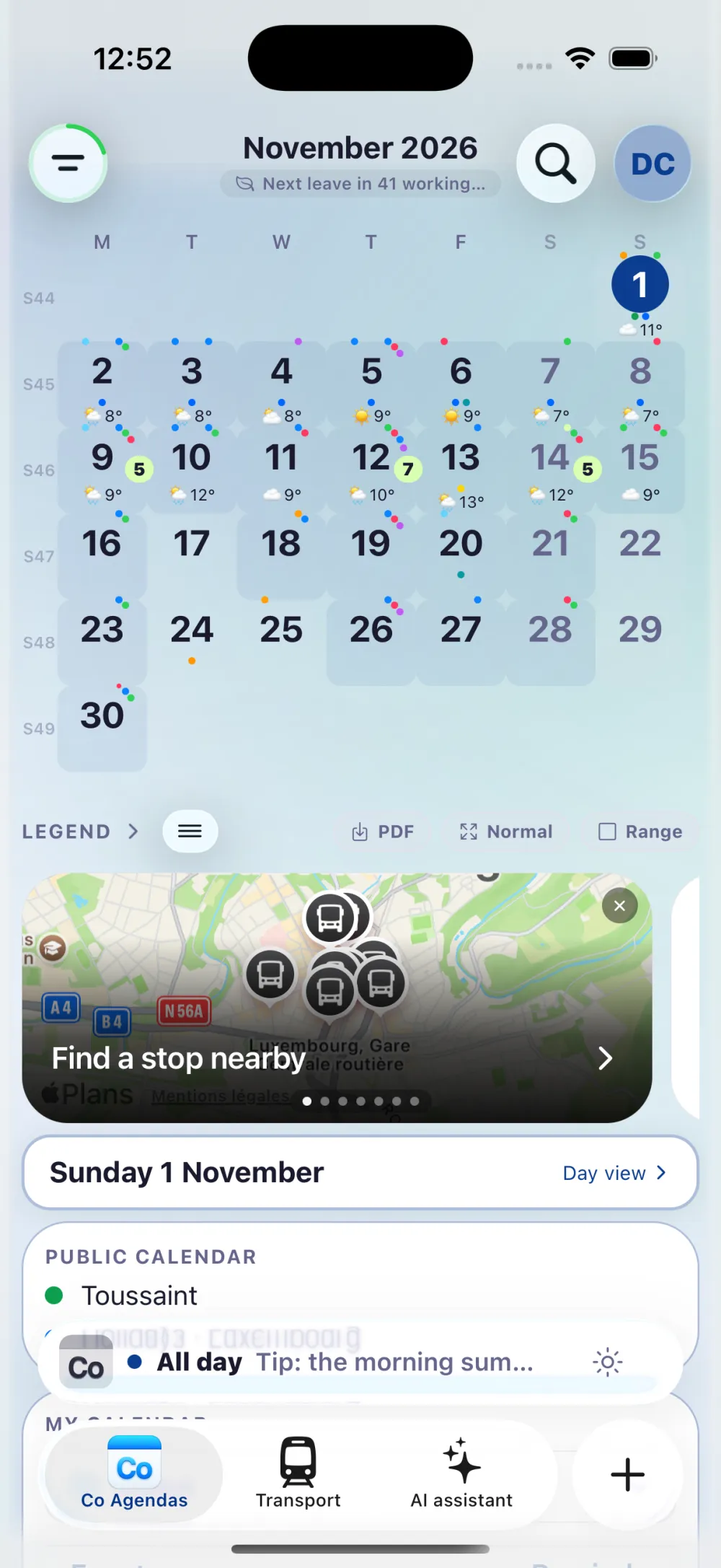
Co Agendas - month view with the weather in each day, the nearby stops map and today's agenda
The demo

The app in action

From the month at a glance to your real-time train route: discover Co Agendas as if you already had it in hand.

Real demo, filmed directly in the app.

On video

Co Agendas in 20 seconds

Four ways to use it, filmed in the app.

Your appointments, on time
The Paris metro, to the minute
Cross-border commuters, heading to Switzerland
Berlin - Potsdam, live

See all videos

More videos on Instagram TikTok

The month at a glance

Everything that shifts your days, in one place

Leave, remote work, public holidays and school holidays from seven countries, the weather in each cell, and the day's agenda right below.

  • LU
  • FR
  • BE
  • DE
  • NL
  • CH
  • IT
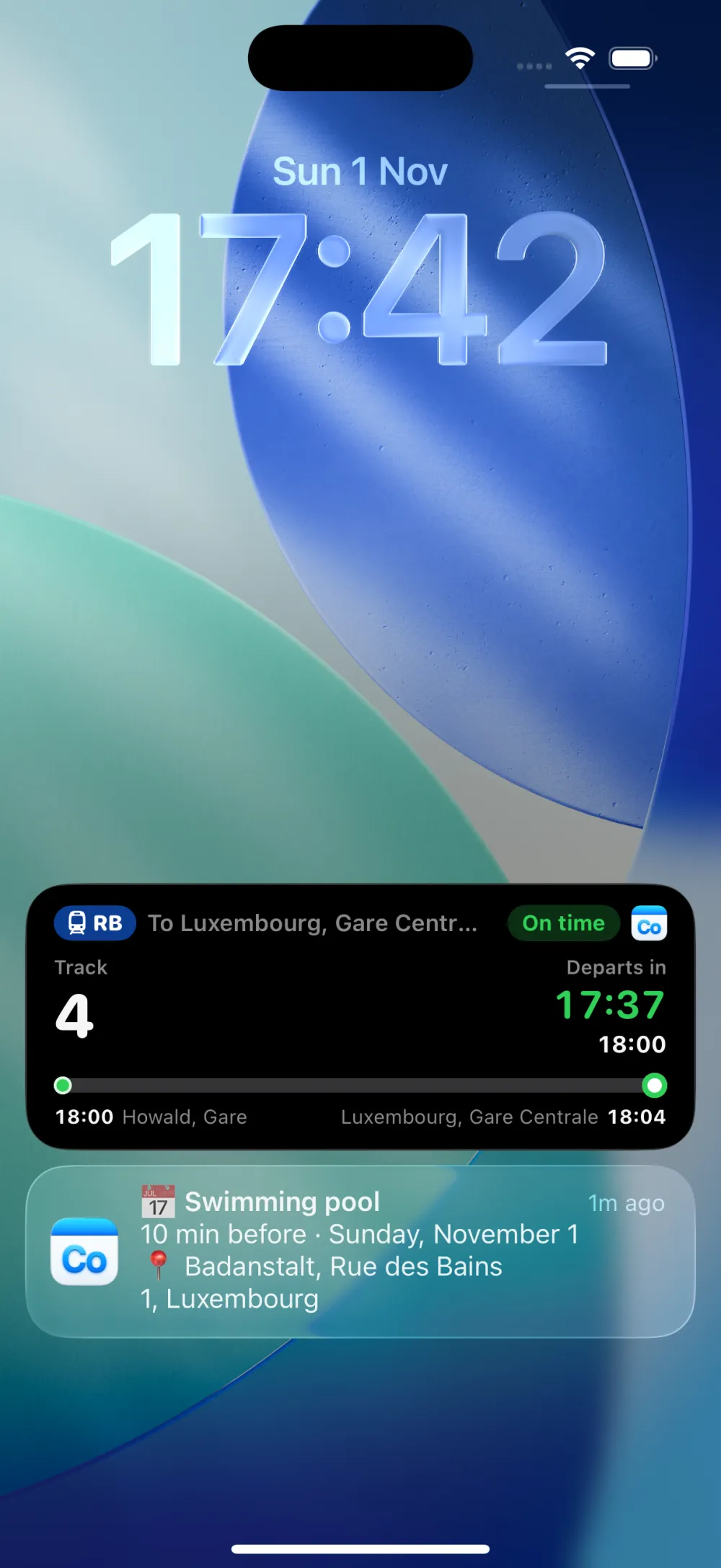
Live Activity

Your train on the lock screen, without opening the app

The arrival time, the next stop and the platform number update by themselves, on iPhone and on your wrist. You glance at the time, and you know where you stand.

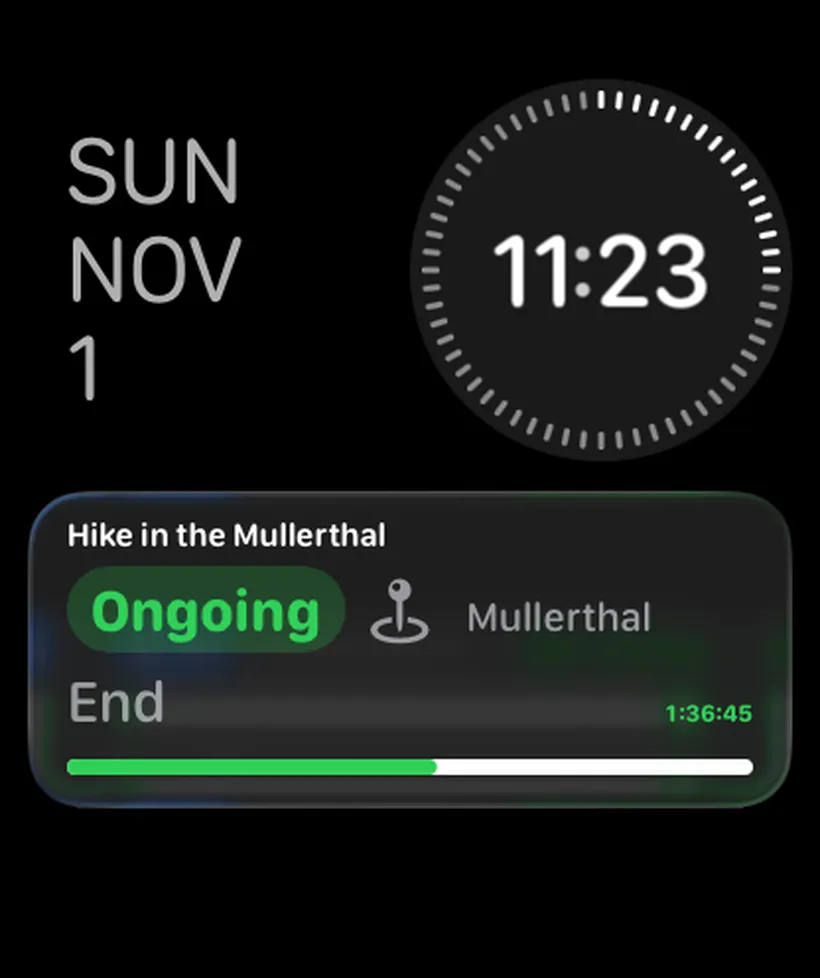
Live Activity

And the event under way, on your wrist

The appointment that has started shows its countdown on the lock screen and in the Apple Watch Smart Stack. It clears itself when it ends.

Transport, in real time

Your train, tracked to the platform

Delays, cancellations and platform number, stop by stop, with the map following the journey.

Disruptions

Warned before you leave

The lines you follow alert you as soon as a delay or a cancellation lands. You choose the days you take the train, and you are only alerted on those days.

Leave and remote work

Book two days, take five

The planner looks for the best stretches of the year: the bridging days, the adjoining weekends, the public holidays of both countries. The quota updates at the same time.

Sharing

You choose what gets shared, status by status

Leave, remote work, sick leave, time off in lieu: each has its own switch. A link, a QR code, or an iCal feed for other people's calendars.

Assistant

Your schedule, in one sentence

“Next week’s appointments”, “what time do I have to pick up Léa”. It reads your calendar, looks up your trains and drafts the answer. You confirm with one gesture.

Widgets

On the home screen, and on your wrist

Your day, the next departures out and back, and the Apple Watch complications. In seven languages, Luxembourgish included.

One calendar for every circle of your life

🚆

Family

A household agenda, reminders for everyone and school holidays: each person sees what matters.

👨‍👩‍👧

Friends

An outing, a weekend, an event: invite, share, and keep the rest private.

💻

Colleagues

Show your availability without the detail: "Busy" is enough to get organised.

🔒

You, first

Your personal calendar stays yours: nothing is shared by default, and every share can be withdrawn with one gesture.

Peace of mind,
optimised leave.

🧠No more mental load of 3 calendarsSchool holidays, public holidays and leave of every country in one place.
✨Every day off counts doubleThe planner finds the bridge days that turn 5 booked days into 10 days off.
🚆Leave on time, arrive on timeTrain alerts targeted at your route, across the 7 countries.
🕒Your free slots, at a glanceWhen booking an appointment, instantly see the hours when you're available.
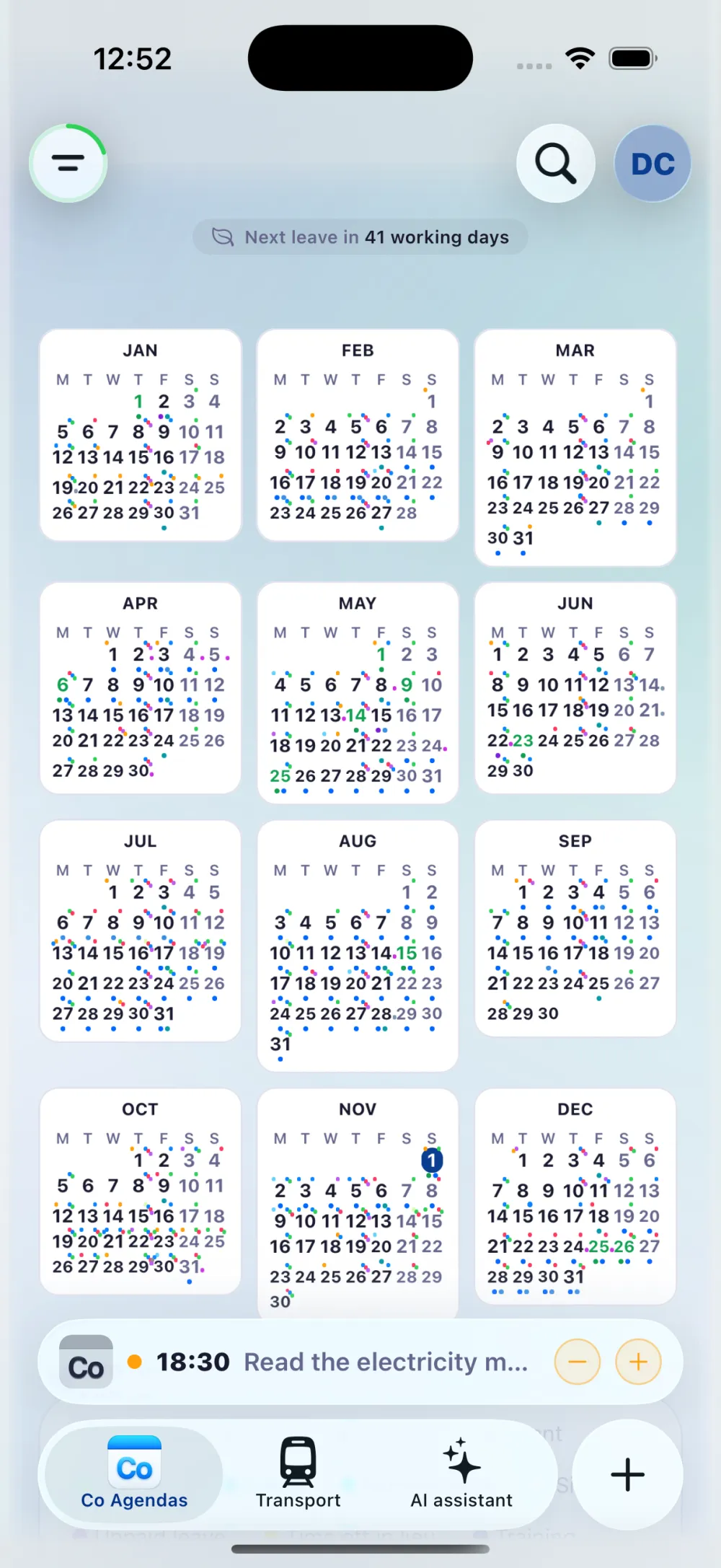
Year view 2026: the 12 months with the legend for public holidays, bridging days, leave and remote work

Co Agendas brings all the essentials into one app :

Sharing, your way

Who sees what? You decide

For each person and each calendar: the detail, just "Busy", or nothing at all. And until when.

  • One calendar per circle: family, friends, colleagues
  • Detail, "Busy" or "Unavailable", person by person
  • One-tap filter: a person's calendar, or just their availability
  • Contacts sorted into groups (family, friends, colleagues), no more alphabetical list
Day view with the Status panel, the hourly agenda and the day's events
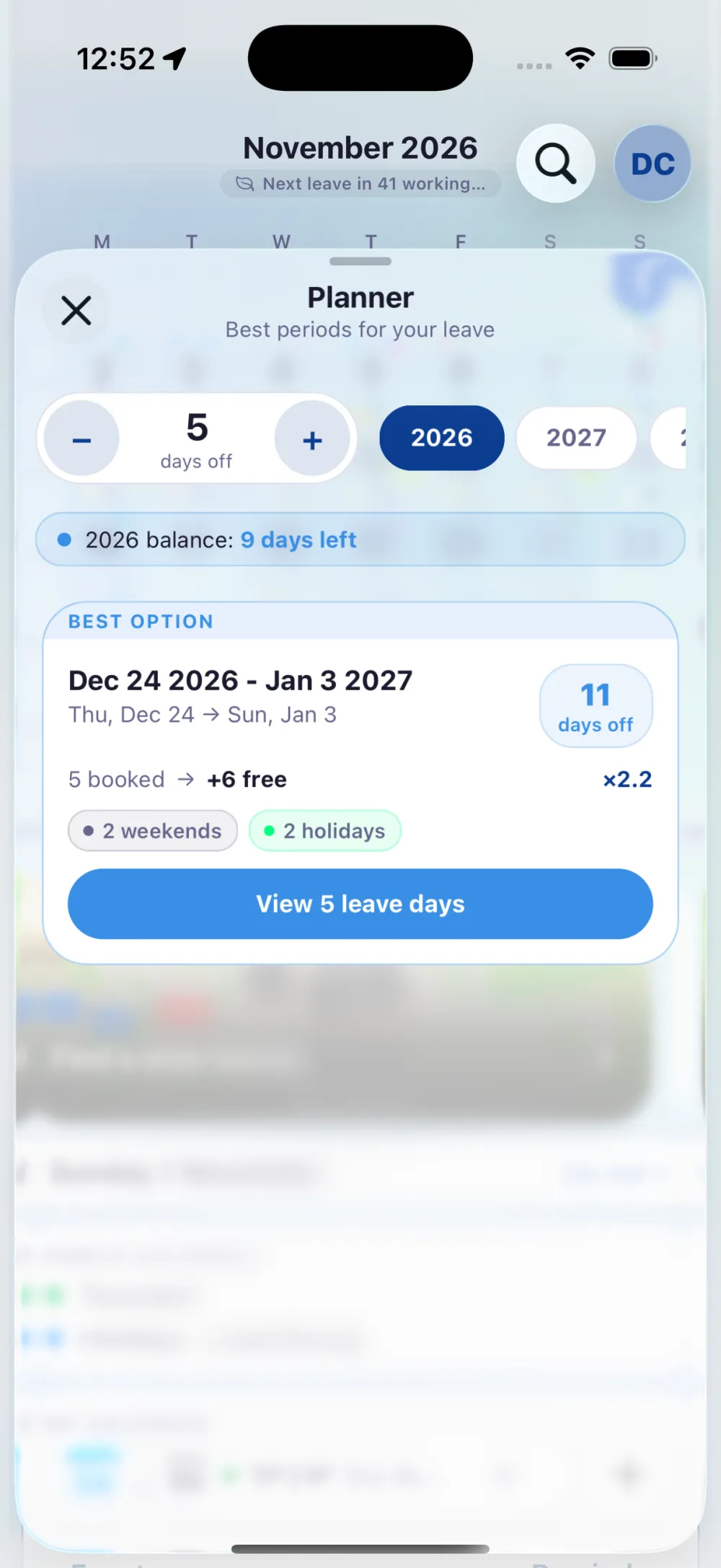
Long-weekend planner: 5 days booked from 24 December to 3 January give 11 days off, multiplier x2.2
Bridge-day planner

Book 5 days, get 10 off

The algorithm combines public holidays, weekends and your balance to find the best period.

  • Best periods calculated for your work country
  • Leave balance and remote-work quota tracked live
  • Multiplier shown: ×2.0 on your booked days
  • Book in one tap, straight in the calendar
Getting around

Stop chasing your train

In real time and smoothly, know whether you will catch your next train, bus or tram. And share your route live with your people.

  • Know live whether you'll catch your next train, bus or tram
  • Route shared live with your people
  • Schedule your journey: we tell you which train or bus to take to arrive on time
  • Networks in 7 countries, nearby stations by GPS
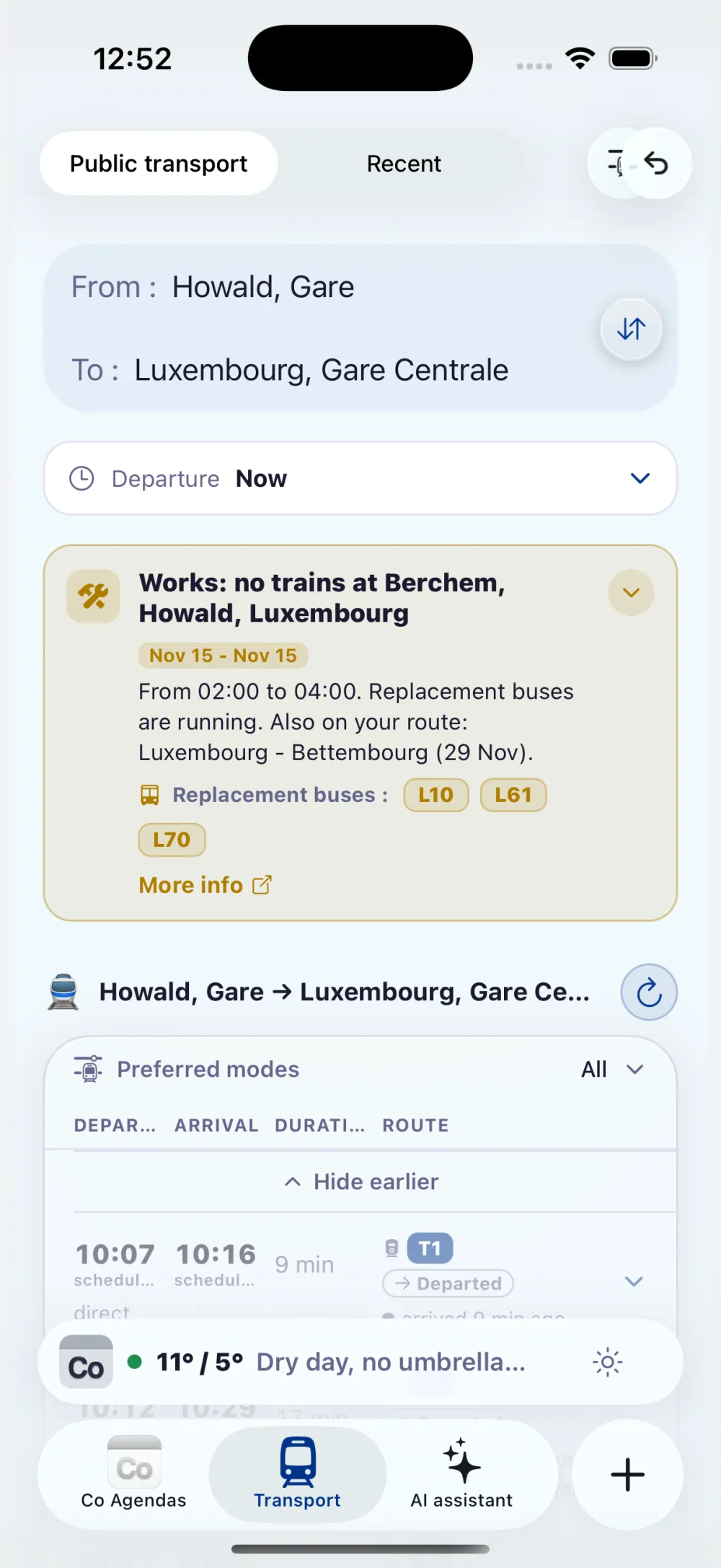
Howald to Luxembourg route in real time: map, next departures, stops minute by minute and the Follow this journey button

Real-time data (departure platform, delay) depends on what the transport networks broadcast live: it complements the scheduled times when available, but cannot be guaranteed on every journey. Learn more

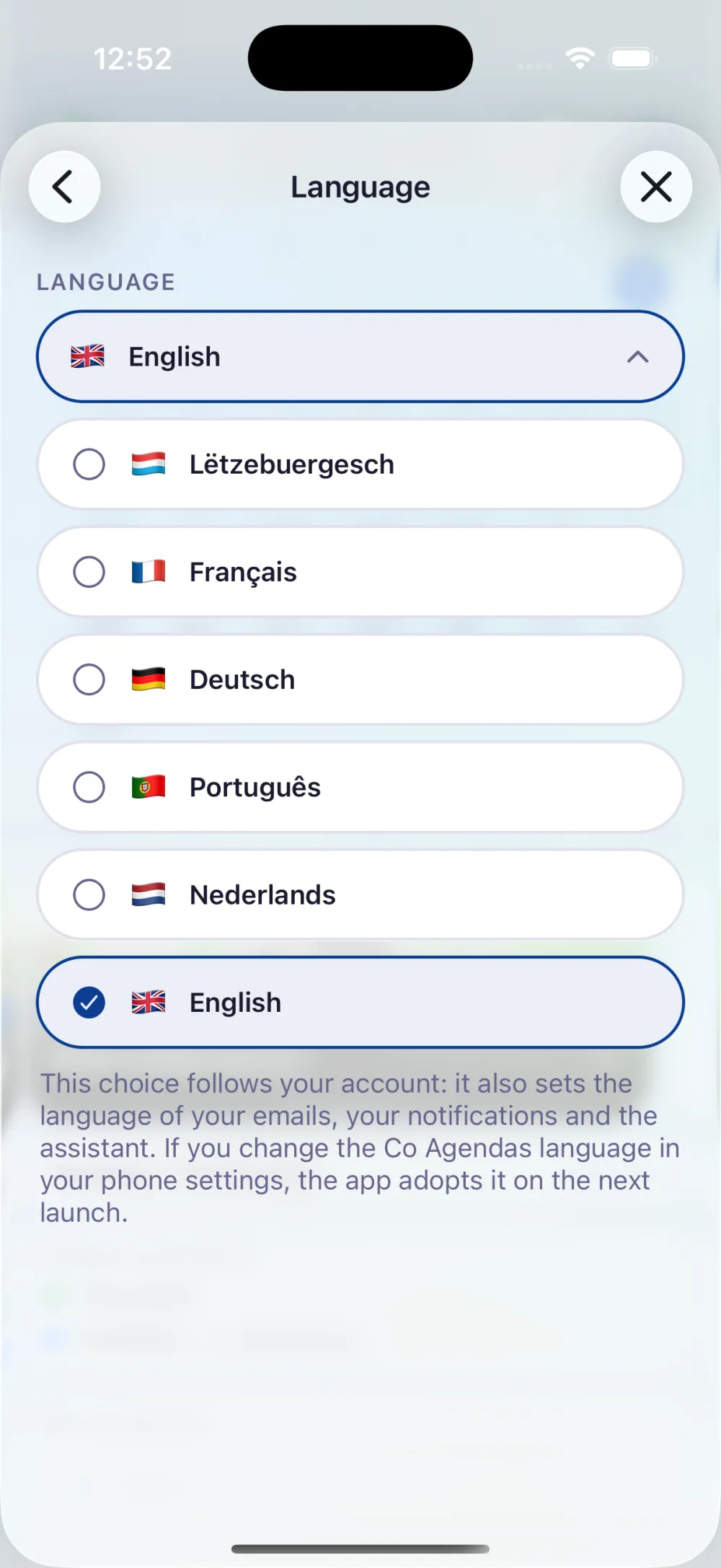
Language picker open: Luxembourgish, French, German, Portuguese, Dutch and English
Made for you

Dark, light, and in 7 languages

A refined interface that adapts to your habits - and to your language.

  • Full dark mode, manual or automatic
  • FR · EN · DE · LB · NL · PT
  • Colours customisable per category
  • Adjustable text size throughout the app
Widgets

Your day on the home screen

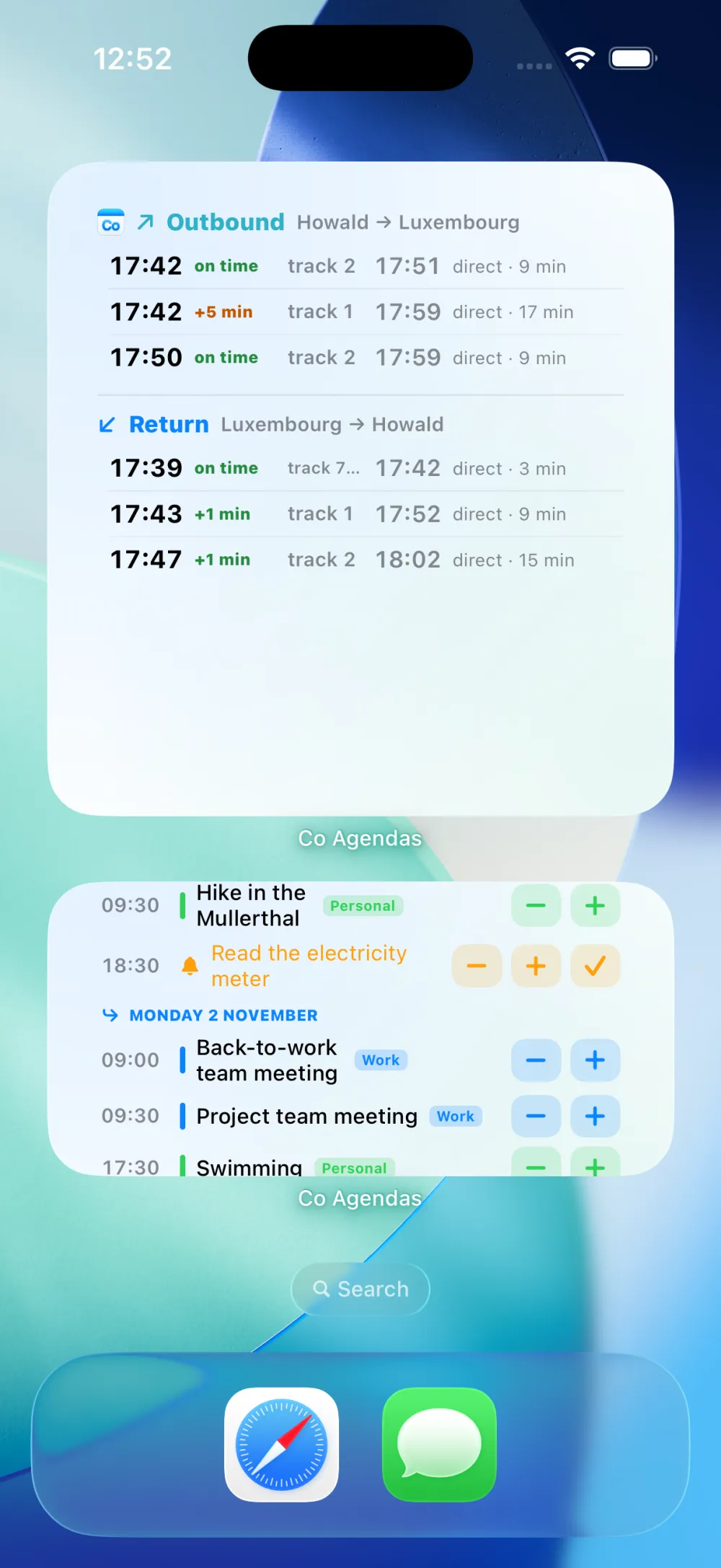
Without opening the app: put the Co Agendas widgets on your home screen AND your lock screen. Today's agenda and your next trains, both directions, updating by themselves.

  • Day's agenda widget: your appointments, hour by hour
  • Next trains widget: outbound AND return, up to five departures each way
  • Always up to date, without opening the app
  • On the lock screen too, and in Control Center controls
Home screen with the Co Agendas widgets: next trains out and back in real time, and today's agenda
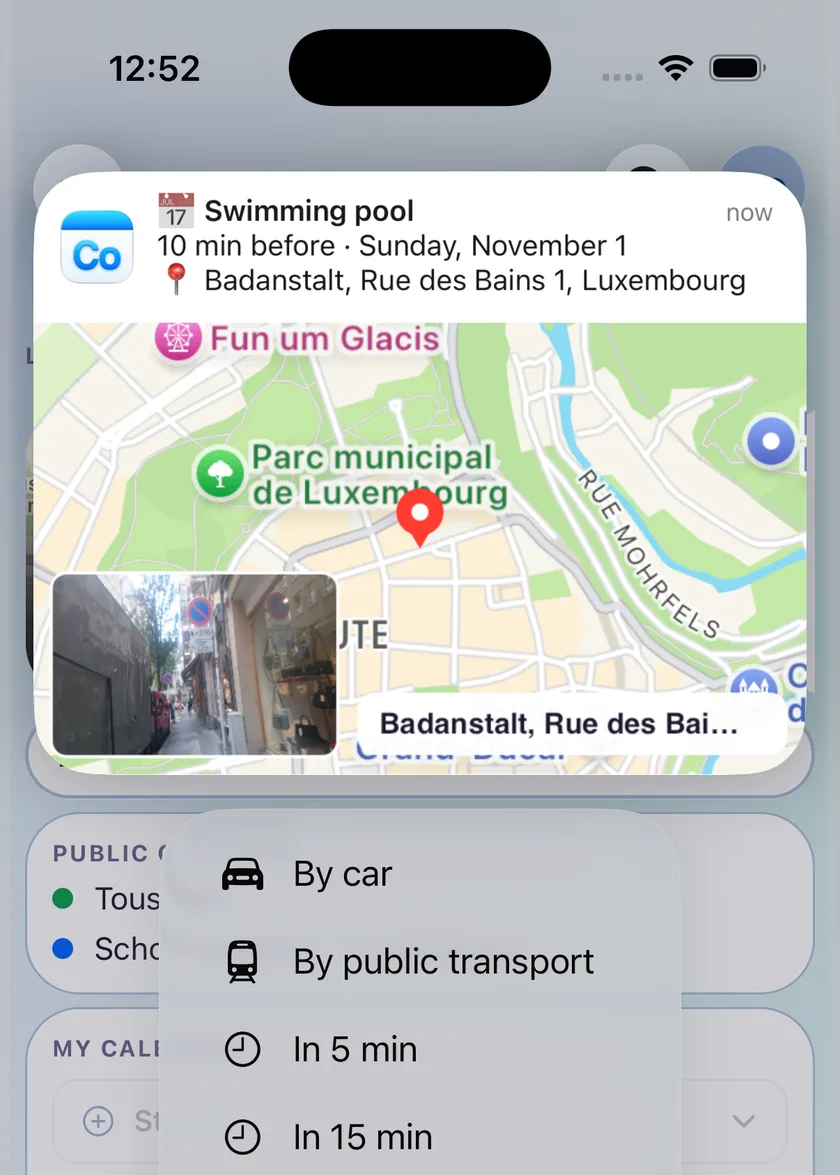
Appointment notification showing the place on a mini map with a street thumbnail, and the actions By car, By public transport and snooze
Notifications

Notifications that tell you more

Not just a line of text: the notification already shows you your day, or the meeting place on the map. And you act without opening the app.

  • The location on the map, with call and directions straight from the notification.
  • Mini-map and address in the event details
  • Street photo thumbnail (where available)
  • A preview of your day inside the reminder, with one-tap snooze: in 5 min, 15 min or 1 h.
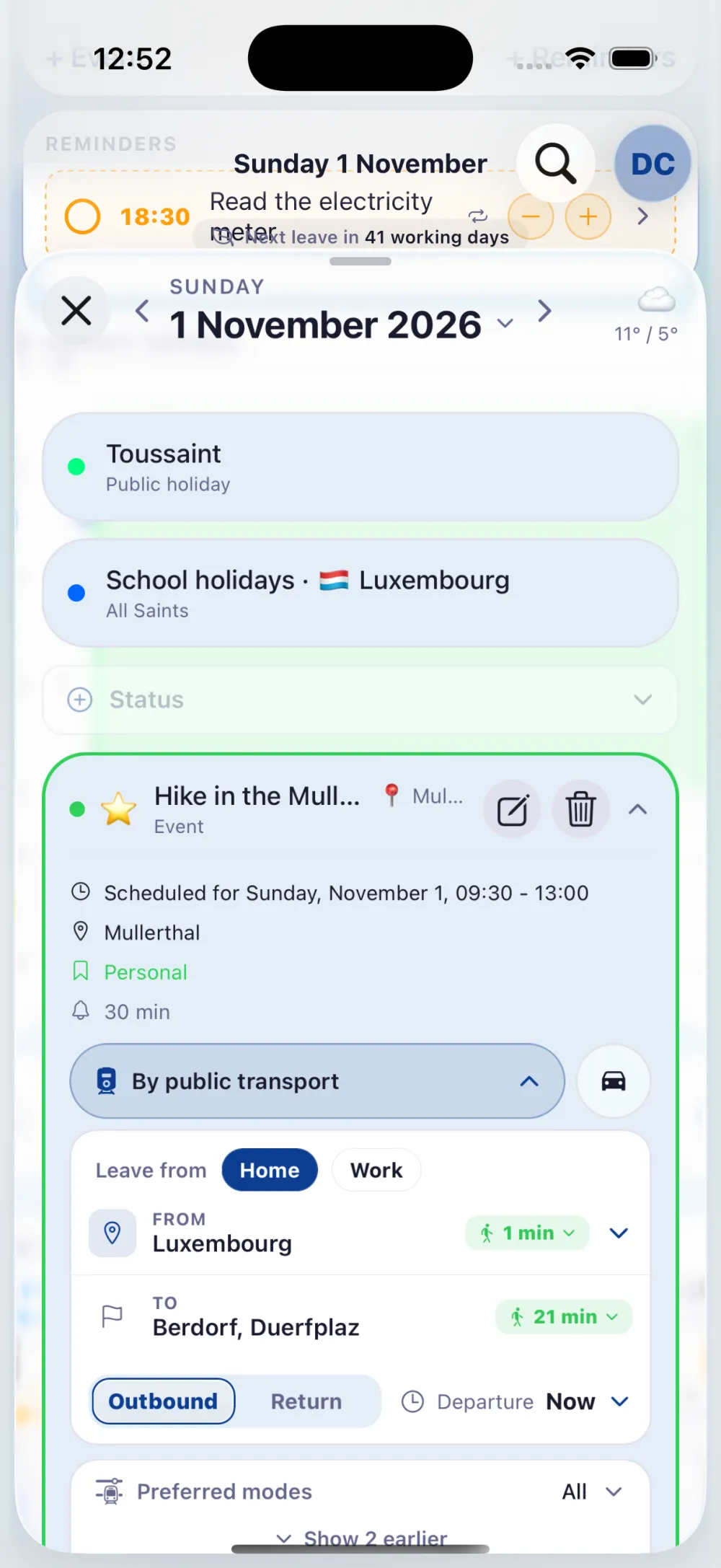
An appointment at an address: the connections that arrive on time, and the reminder before departure
Appointments

An appointment at an address? Leave on time.

Add the place to your event: Co Agendas finds the trains, buses and trams that get you there on time, from the stop nearest to you. Pick yours, and the app alerts you a few minutes before you need to leave.

  • The departure time worked out backwards: the journey, the walk to the stop and a margin to arrive early
  • “Alert me before departure”: a notification as many minutes ahead as you choose
  • There and back, in real time, without leaving the event
iPhone lock screen showing the banner of the followed journey: line, platform, countdown to departure and progress bar to arrival

On the lock screen: the line, the platform, the delay and the time left before departure.

Live times

The delay and the platform, before you reach the platform

Delays, departure platform, cancelled trains and disruptions: filtered to your exact journey, not the whole network.

  • The delay in minutes and the departure platform, as soon as they are published
  • Cancelled trains stay on screen, struck through, instead of vanishing
  • On the lock screen, the banner opens by itself if your train is delayed or changes platform
  • And when a line publishes no live data, it says so: “Timetable unconfirmed”
Apple Watch

Your next train, on your wrist

Raise your wrist and you know whether to run: the time, the platform, the delay. Without taking your phone out of your pocket.

  • The next departures from your station, with the platform and the current delay.
  • Your preferred modes follow along: train only, bus, tram, or direct journeys only.
  • Your month, your day and today's status, right on the watch face.
Apple Watch showing the Howald - Luxembourg journey in the Smart Stack: departure time, platform and delay in real time

The same banner on your wrist, in the Smart Stack: you don't even need to take out your phone.

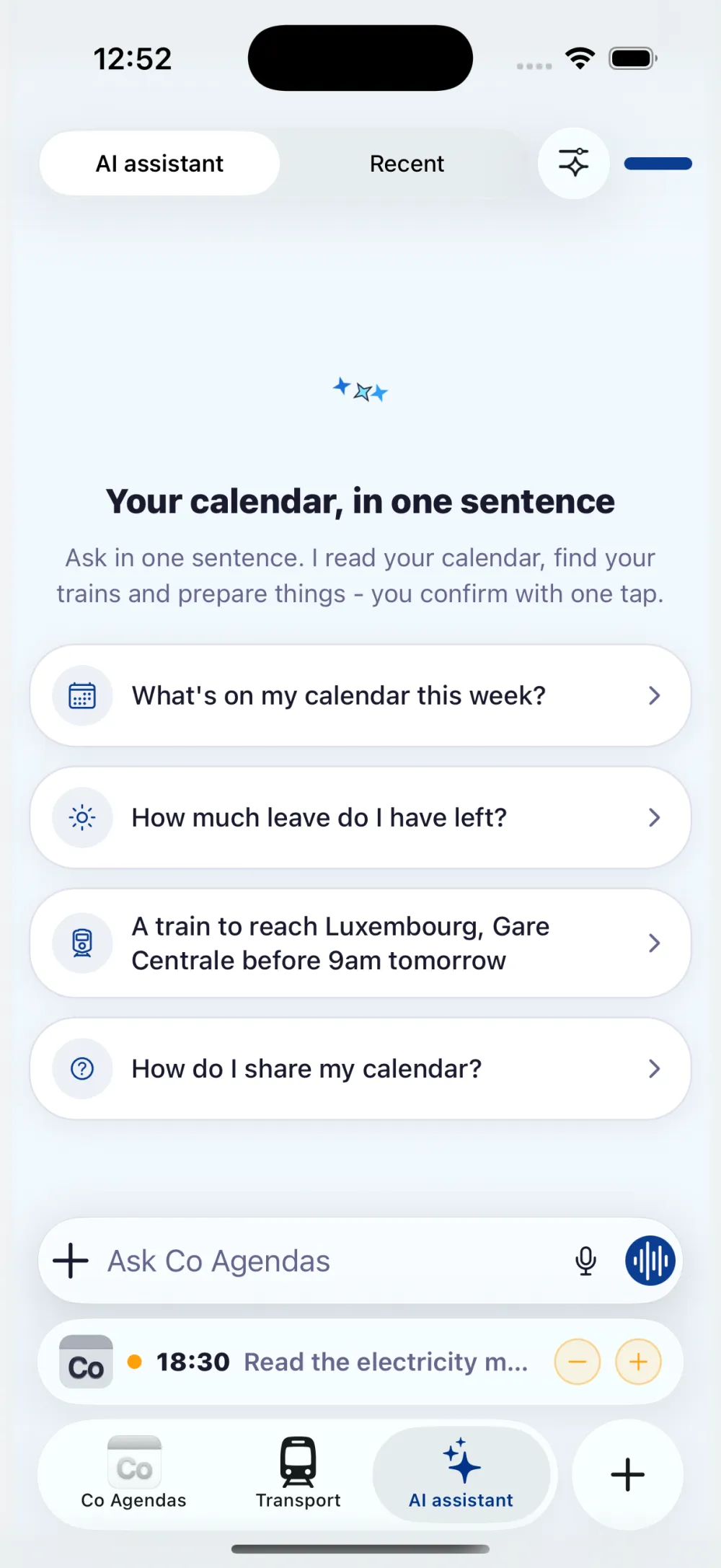
AI assistant screen: four suggested questions, including a train to Luxembourg before 9 am, and an input bar with voice dictation
AI assistant

Your calendar, in one sentence

Just ask in one sentence. It reads your calendar, finds your trains and prepares everything: you confirm with one tap.

  • “What do I have on this week?”, “How much leave do I have left?”
  • “A train to reach Trier before 9 a.m. tomorrow”: it actually searches the journey
  • It never changes anything on its own: it proposes, you decide
  • By text or by voice, in your seven languages
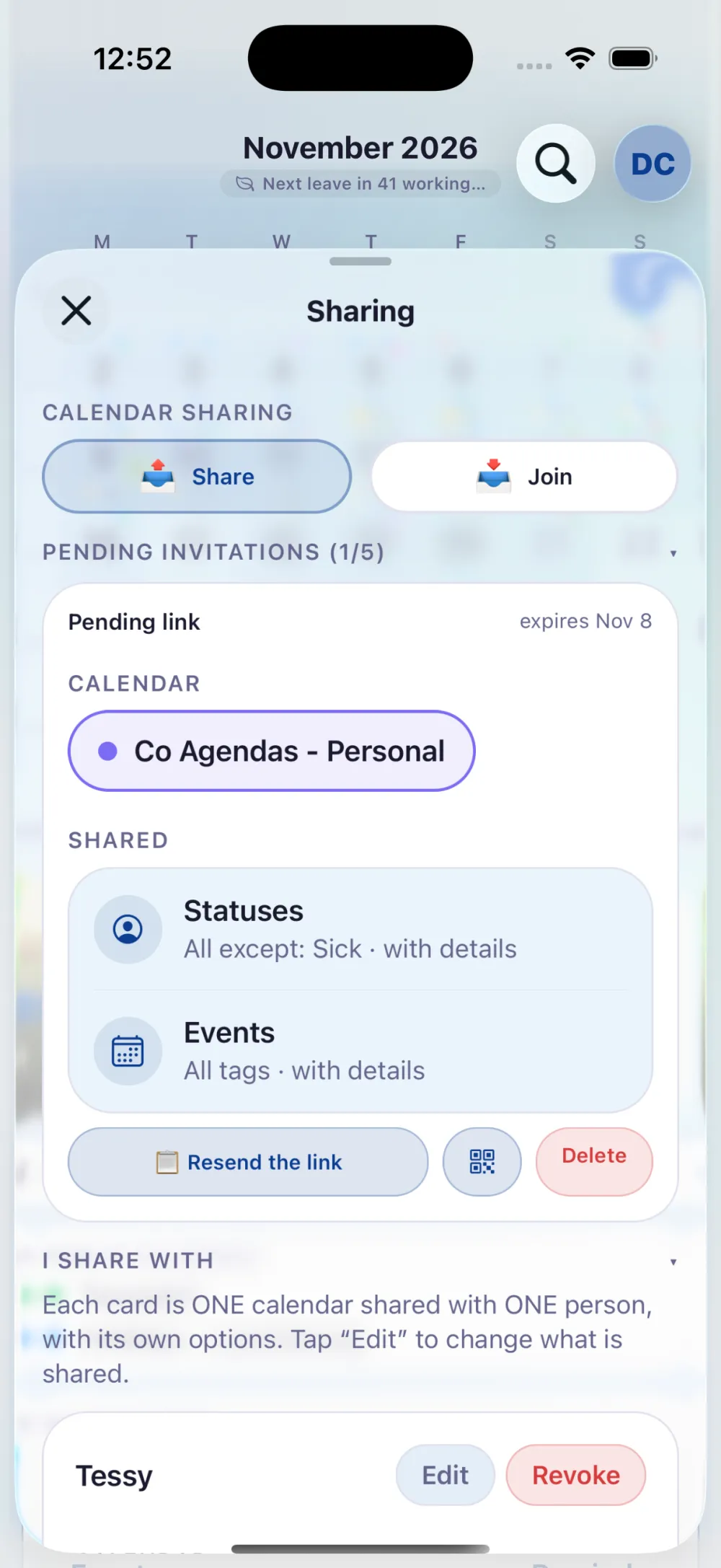
Sharing

Your calendar, on their side

A dedicated tab: you choose who sees what, and you take it back whenever you want.

  • Today's status, your events, or both: you tick what you share
  • You can exclude one type of absence from sharing (unpaid leave stays yours)
  • ‼️ A LIVE iCal feed: one address to paste into Outlook, Google or Apple Calendar
  • It updates by itself: it is not a frozen file you have to re-import
Sharing screen: share or join a calendar, the pending invitation and what it shares
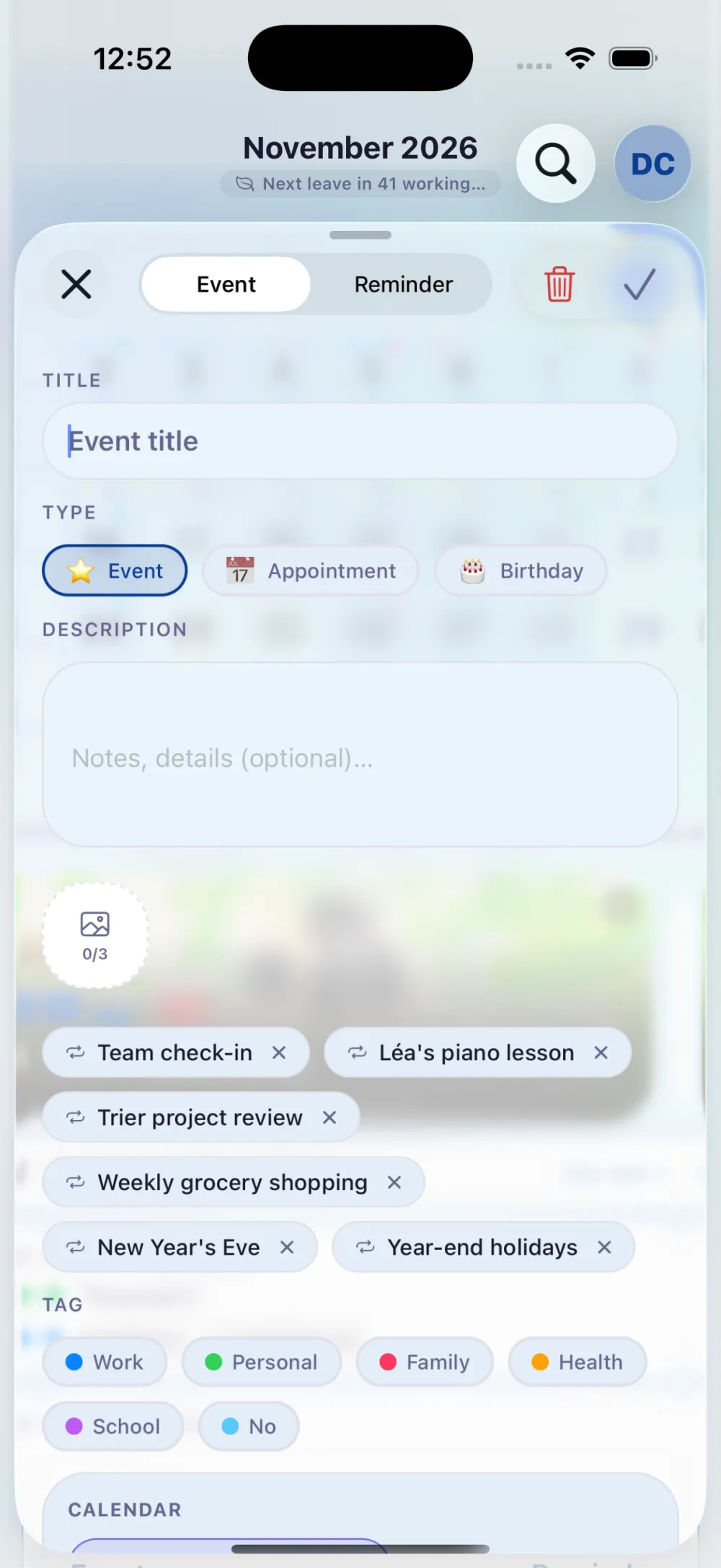
Event form: title, choice between Event, Appointment and Birthday, Description field and an add-images button showing 0 of 3
Event sheet

An event that carries your documents

The ticket, the directions, the booking screenshot: it all stays on the event, not in another app.

  • Up to three images right inside the description
  • Formatted text: bold, lists, checkboxes, quotes
  • Event, appointment or birthday: the sheet adapts
  • The place on a mini-map, with directions one tap away
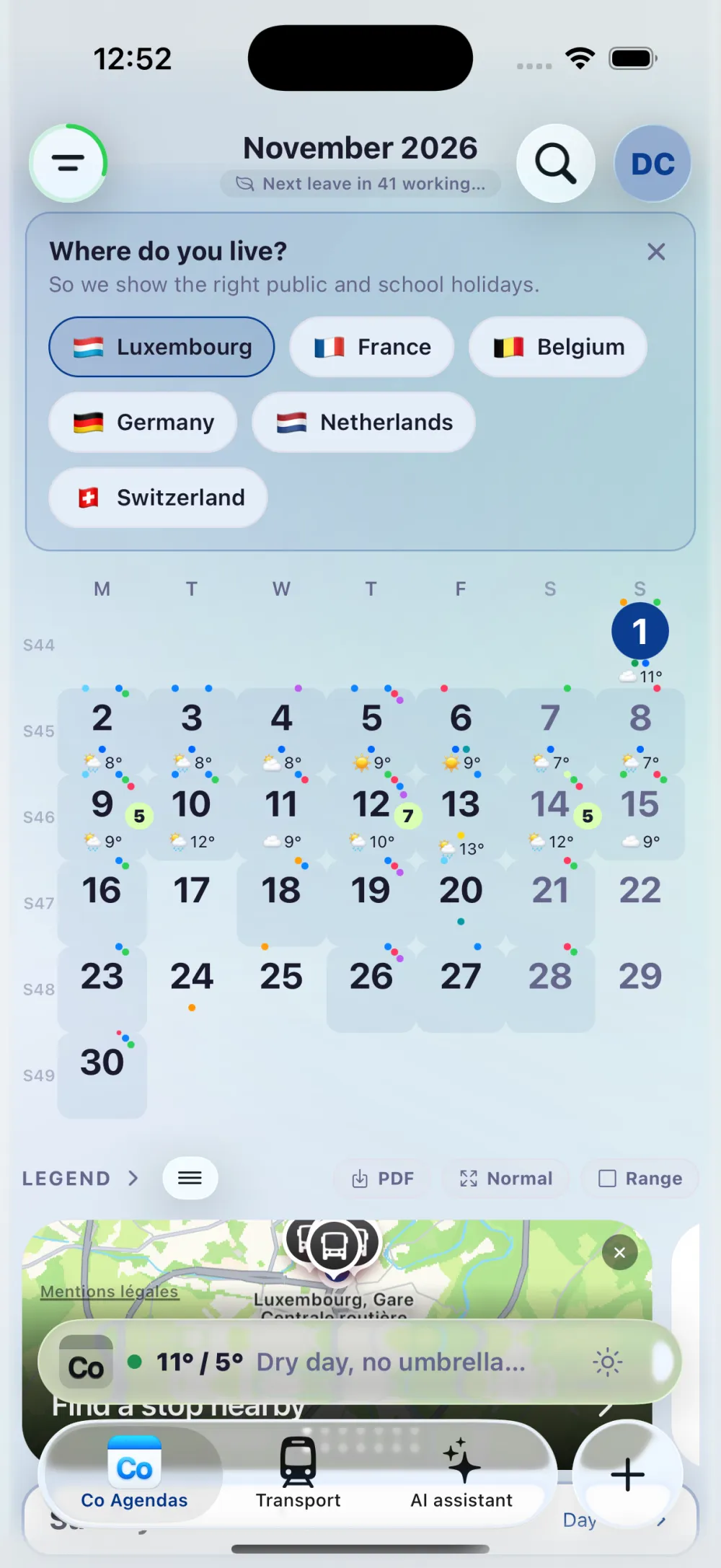
First launch of the app: the question Where do you live, with the seven countries Luxembourg, France, Belgium, Germany, the Netherlands, Switzerland and Italy
Getting started

A few screens, and you are set

On first launch, a short guide asks for the essentials: your country of work and your leave counters. After that, the app is yours.

Five views

Year, month, week, day, agenda

The same day, seen from five different heights. One tap to switch, and the date follows.

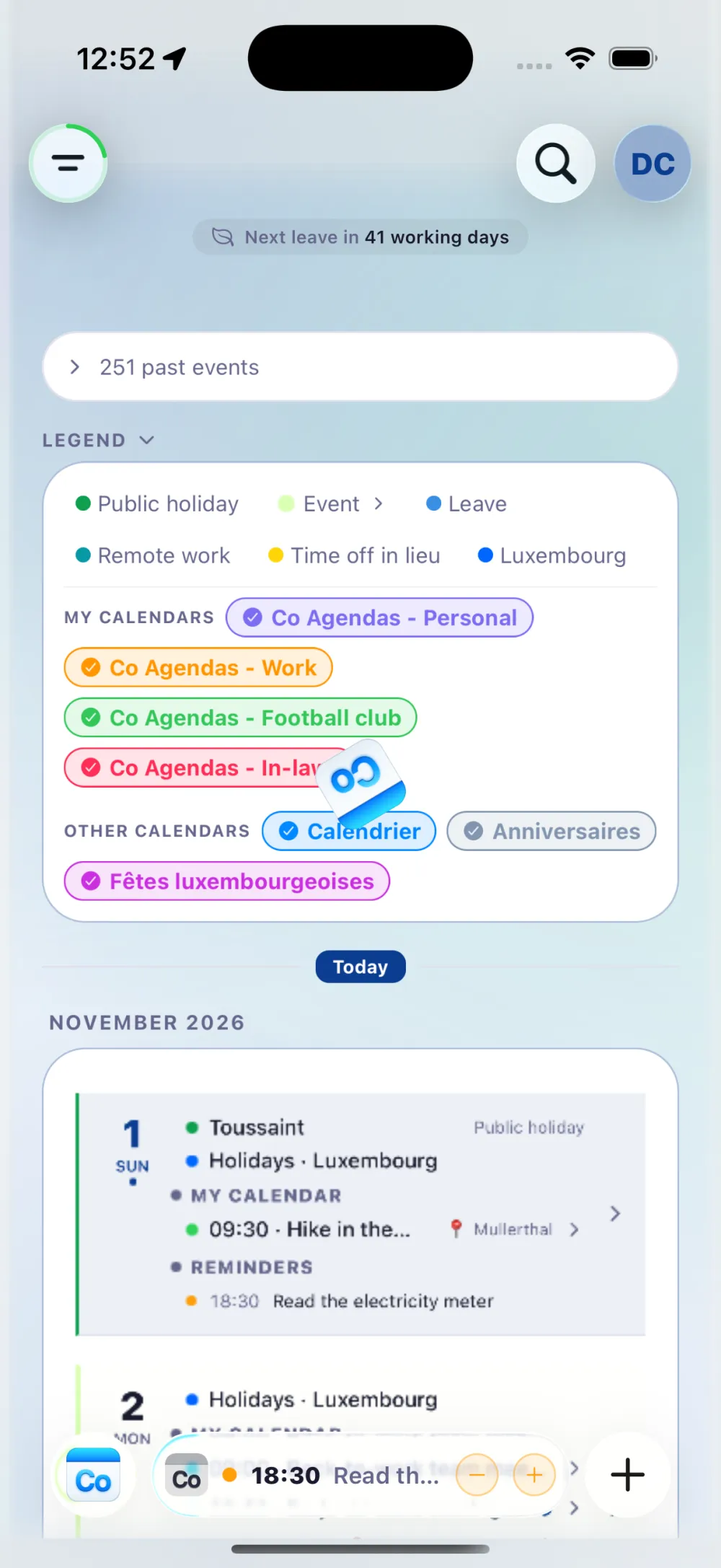
  • The agenda view strings your weeks together, leave and public holidays included
  • The week view switches to 1, 3, 7, 10 or 14 days
  • In landscape, the week takes the whole screen
Agenda view: the days follow one another with the events, the school holidays and the public holidays
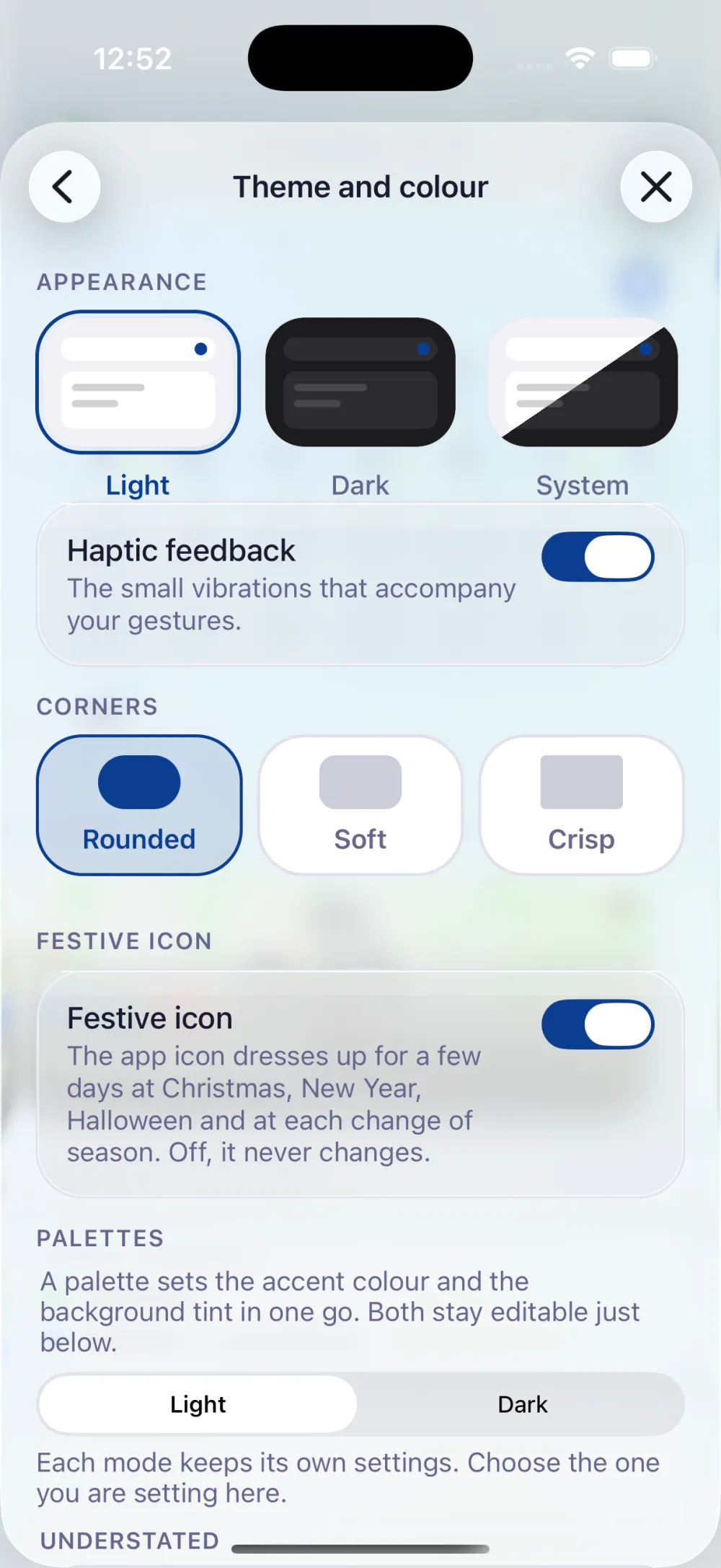
Theme and colour setting: Light, Dark or System, and the accent colour
Dark mode

As good at 6 a.m. as at 10 p.m.

Light, dark, or follow your phone. The calendar, the trains, the assistant and even the map switch to night mode, without losing any legibility.

  • Three settings: Light, Dark, System
  • Weather, colour dots and leave stay readable at night
  • Plus a colour theme of your own, on top of light and dark
Large Next trains widget: Outbound section Howald to Luxembourg and Return section Luxembourg to Howald, each with three real-time departures

The large widget: outbound on top, return below, the delay in colour.

Widgets

Outbound and return, without opening the app

The large widget stacks both directions: the morning train and the evening one, with platform and delay. You glance at your home screen, that is all.

  • Up to five departures per direction, with platform and current status
  • Four sizes, from the small tile to the large return-trip widget
  • On the lock screen too: your next train or your next appointment
  • And an agenda widget that runs today into tomorrow, hour by hour
See all the features in detail
Week view

Turn your phone, see the whole week

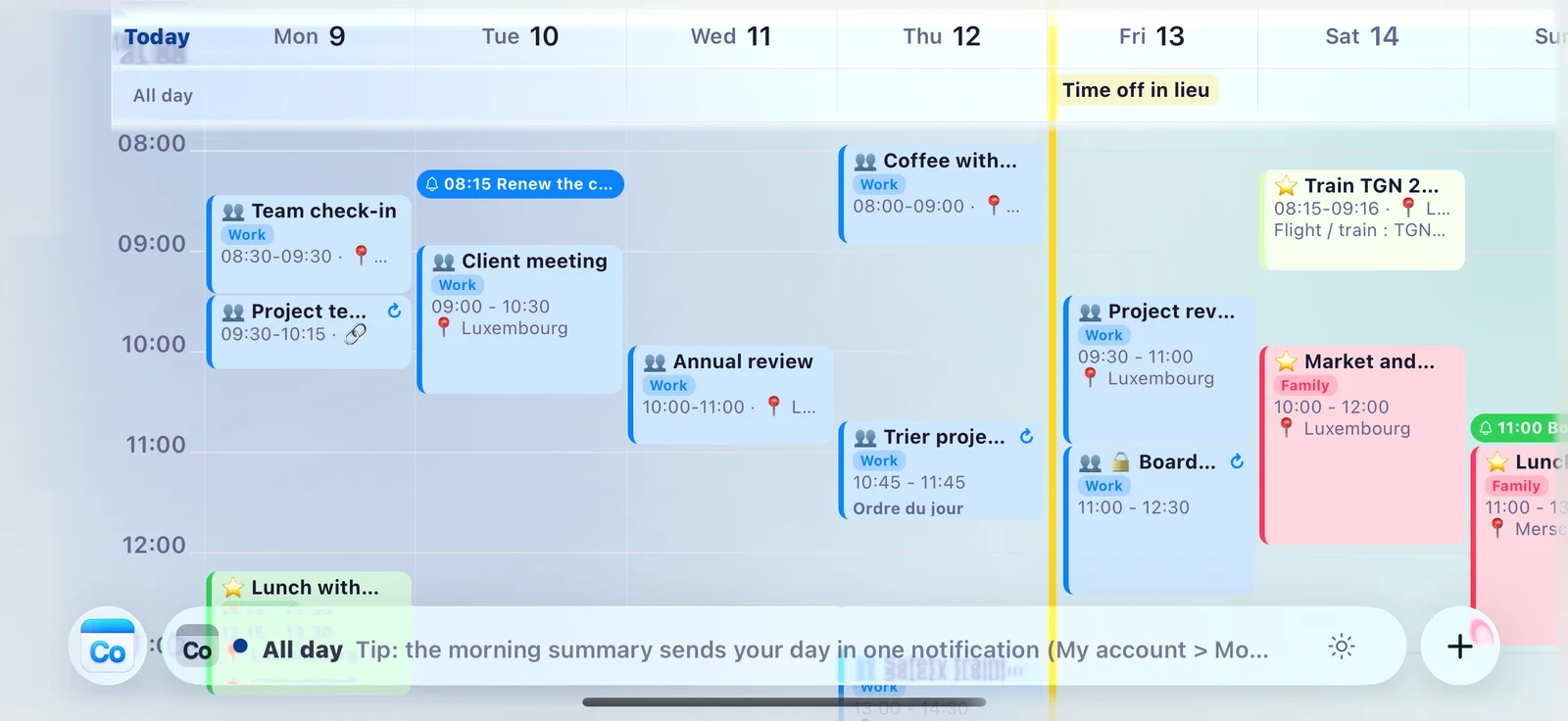
In landscape, the calendar switches to a full-screen week view: your seven days in hourly columns, events and remote-work days at a glance.

Week view in landscape: seven days in hourly columns with events, tags and reminders

And much more…

🔗

Shared calendars

Share your calendar via QR code or with a contact, one-way. iCal import/export (Google, Outlook).

📊

Yearly statistics

Leave, remote work, sick days, training, missions: your years at a glance, month by month.

🏷️

Tailored events

Ephemeral (binned once they pass) or private (never shared). Work tags at the office, family tags in private - shared according to context. Reminders before the deadline.

👨‍👩‍👧‍👦

For the whole family

The Plus plan for several people: you choose how many, up to 6, and everyone gets every feature. One single subscription.

Your data 100 % protected

🔒For you and your loved ones only
🚫No ads, no reselling of data
Secure hosting in Europe, GDPR compliant

Situations you know by heart 😄

The small moments of a shared daily life.

🗓️
Family, friends, colleagues: each their own calendar

One calendar per circle, and each person only sees the one you opened to them.

💡
Who is free? At a glance

Tap a person's name: their calendar shows or hides, and their availability appears at once.

🚆
No more excuses for being late

Schedule your journey: Co Agendas tells you in advance which train or bus to take to arrive on time.

🎒
Busy, without the details

Your team sees you are not free on Thursday at 2 pm, not that it is the doctor.

📊
The weekend with friends, invitations included

Create the event, invite, and everyone gets their reminder.

🔗
One reminder, two people notified

The children's dentist appointment: the reminder reaches you both, with no message to retype.

🌉
Will I make it?

In real time, the app tells you whether you will catch your next bus, train or tram. No more running for nothing.

🎒
Your journey live for your people

Share your route live: they follow your progress, without a call or a message.

🏠
Who is picking up the children on Thursday?

The household calendar is shared: everyone sees the others' leave, remote-work days and appointments, without having to repeat them.

📍
At the dentist at 2 pm, by tram

The address is in the event: the app finds the tram that drops you off before 2 pm, and alerts you 10 minutes before it leaves. All you have to do is head out.

Launch

It's here.

Free for the essentials, and the first month is on us if you want to try everything. Your leave days will thank you.

App Store is a service mark of Apple Inc. Google Play and the Google Play logo are trademarks of Google LLC.