Features

Everything Co Agendas really does.

No empty promises: here is the app as it is, screen by screen. To share your daily life with the people who matter.

Available on the App Store
The calendar

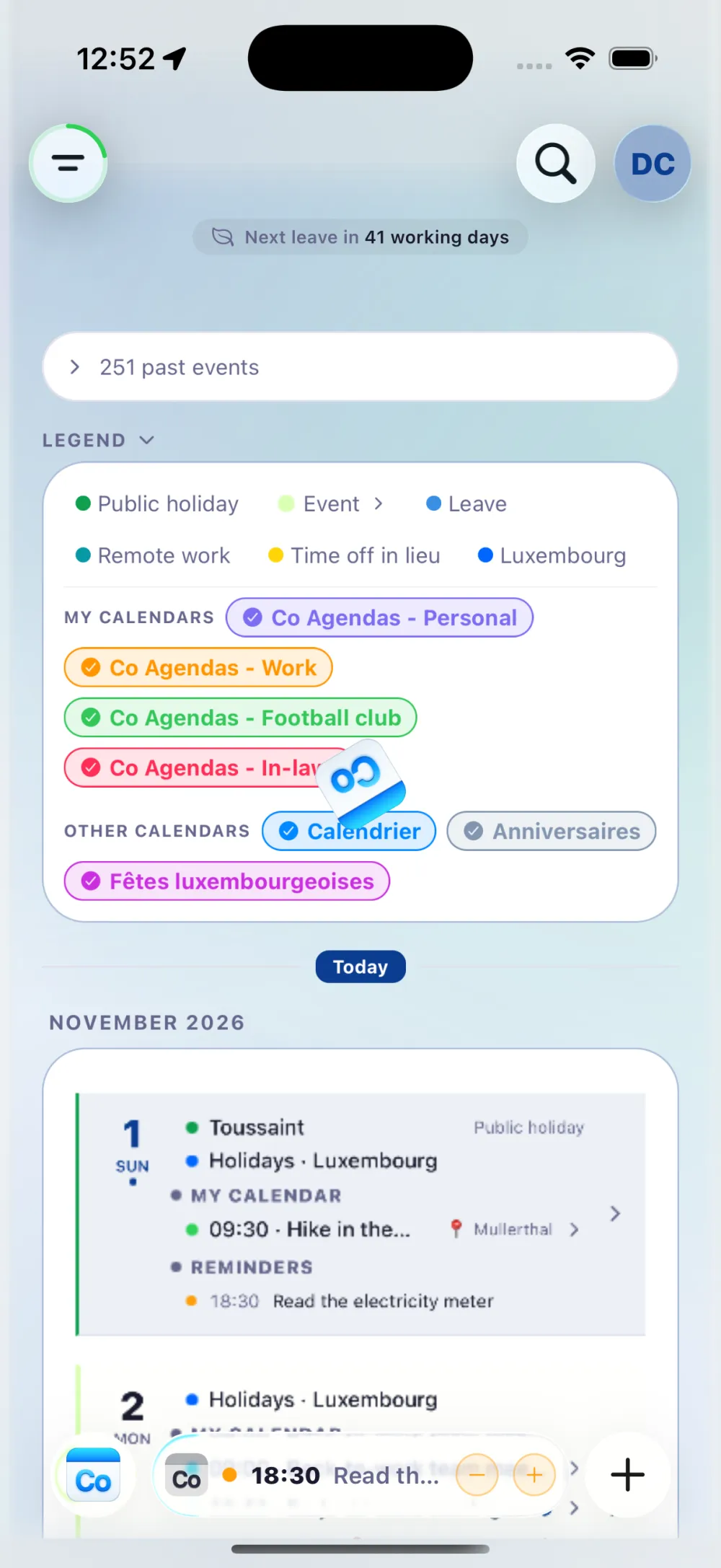
The month, all in

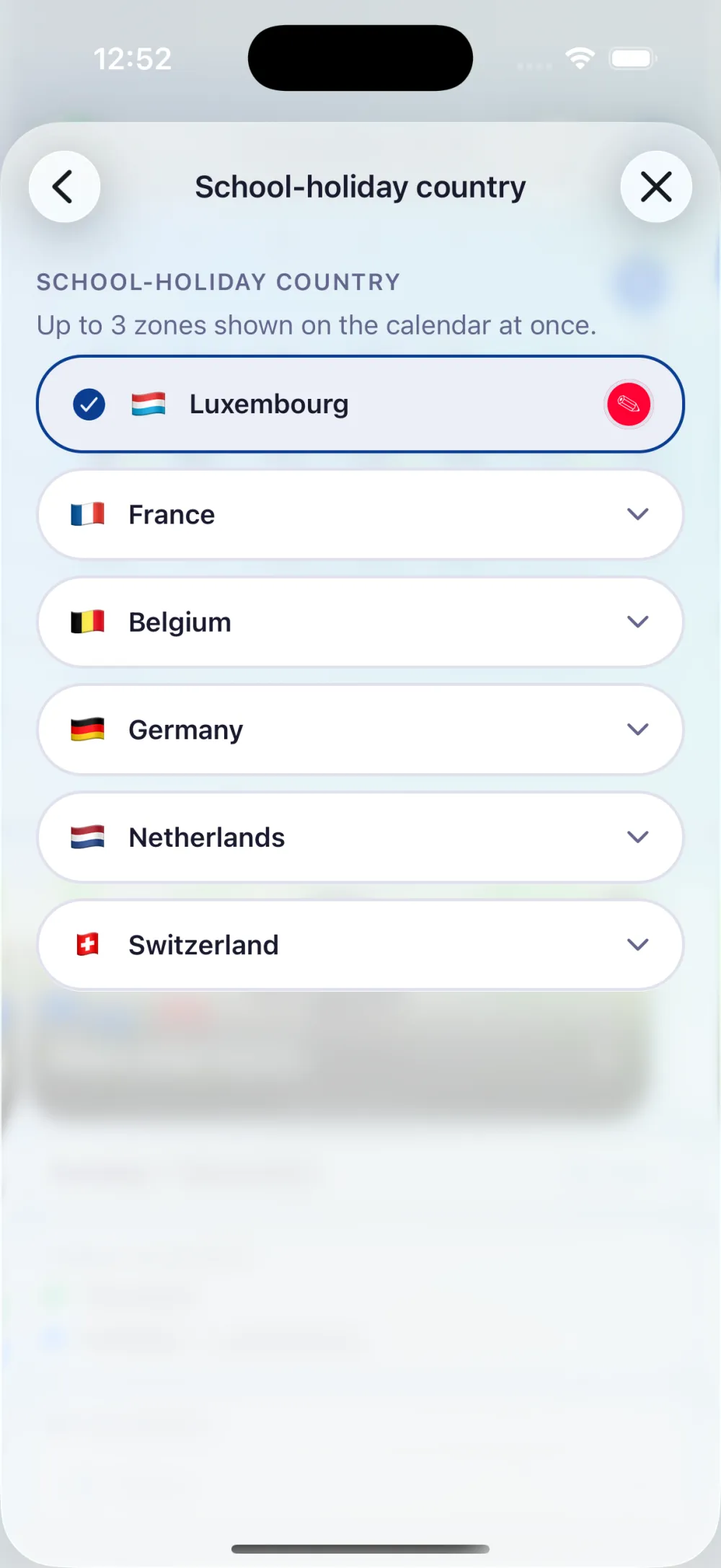
Leave, remote work, public holidays and school holidays from seven countries, the weather in each cell. Six ways to leaf from one month to the next.

The day

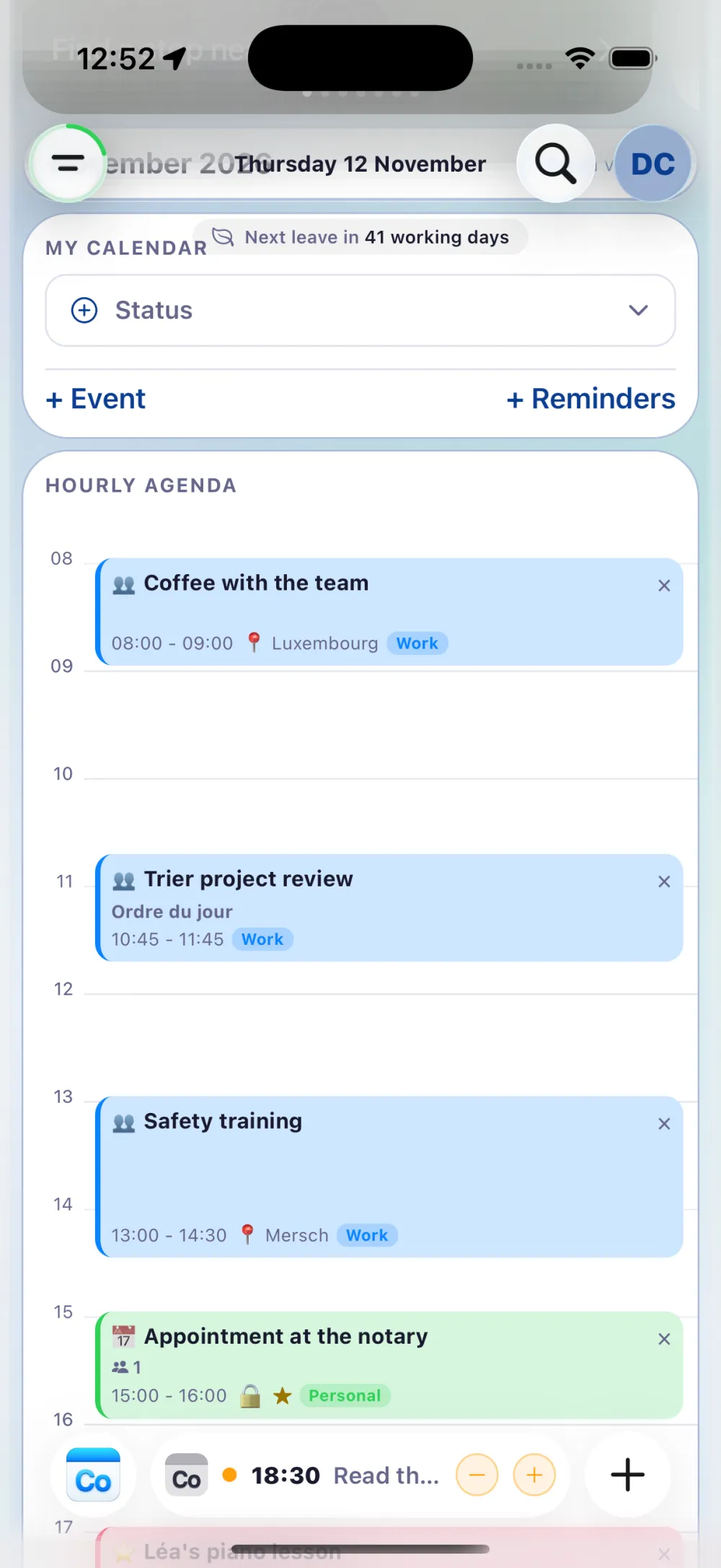
The hourly agenda, hour by hour

The events, the reminders, the statuses and the next departure, in a single column you read at a glance.

Live Activity

Your train on the lock screen

The arrival time, the next stop and the platform number update by themselves, without opening the app.

Transport

Your train, tracked to the platform

Delays, cancellations and platform number, stop by stop, with the map following the journey.

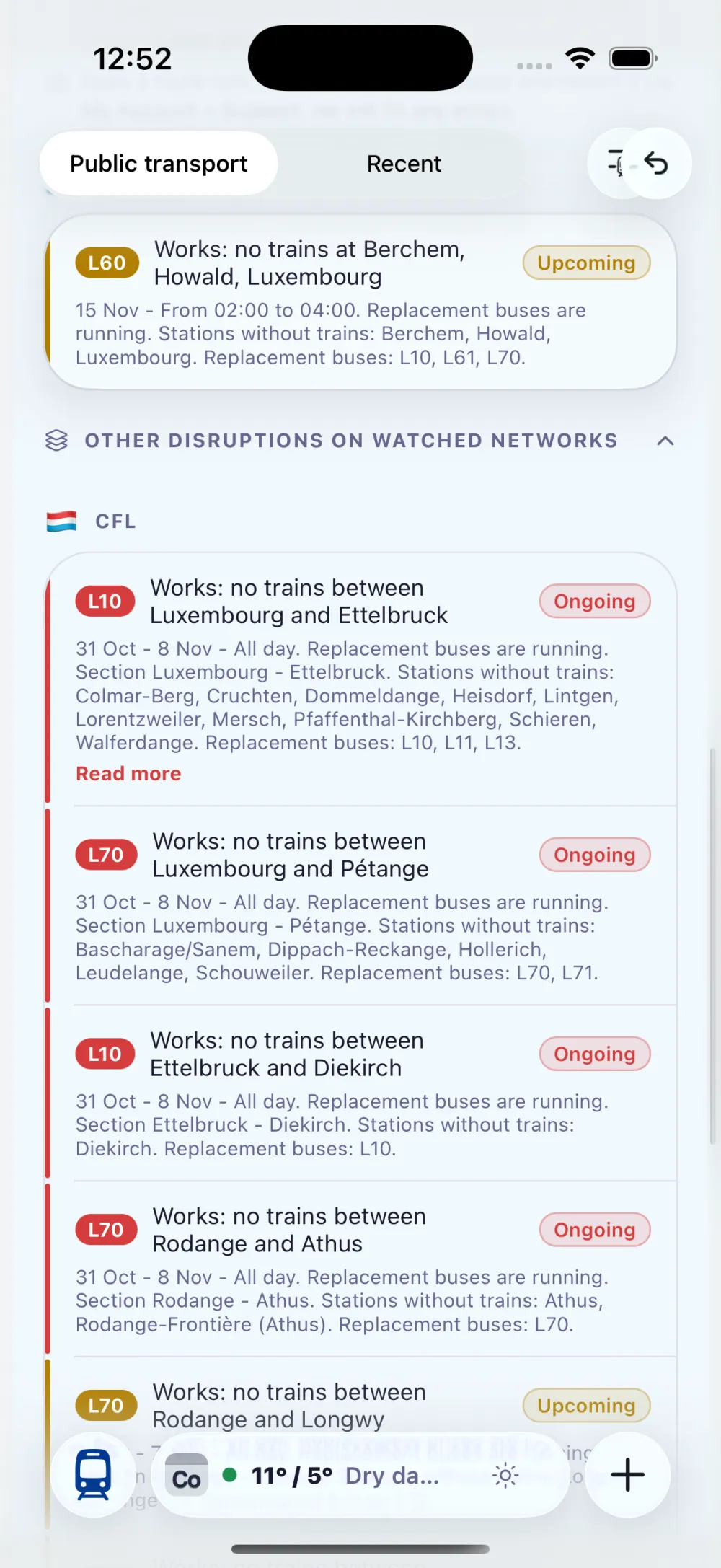
Disruptions

Warned before you leave

The lines you follow alert you as soon as a delay or a cancellation lands, on the days you take the train.

Leave

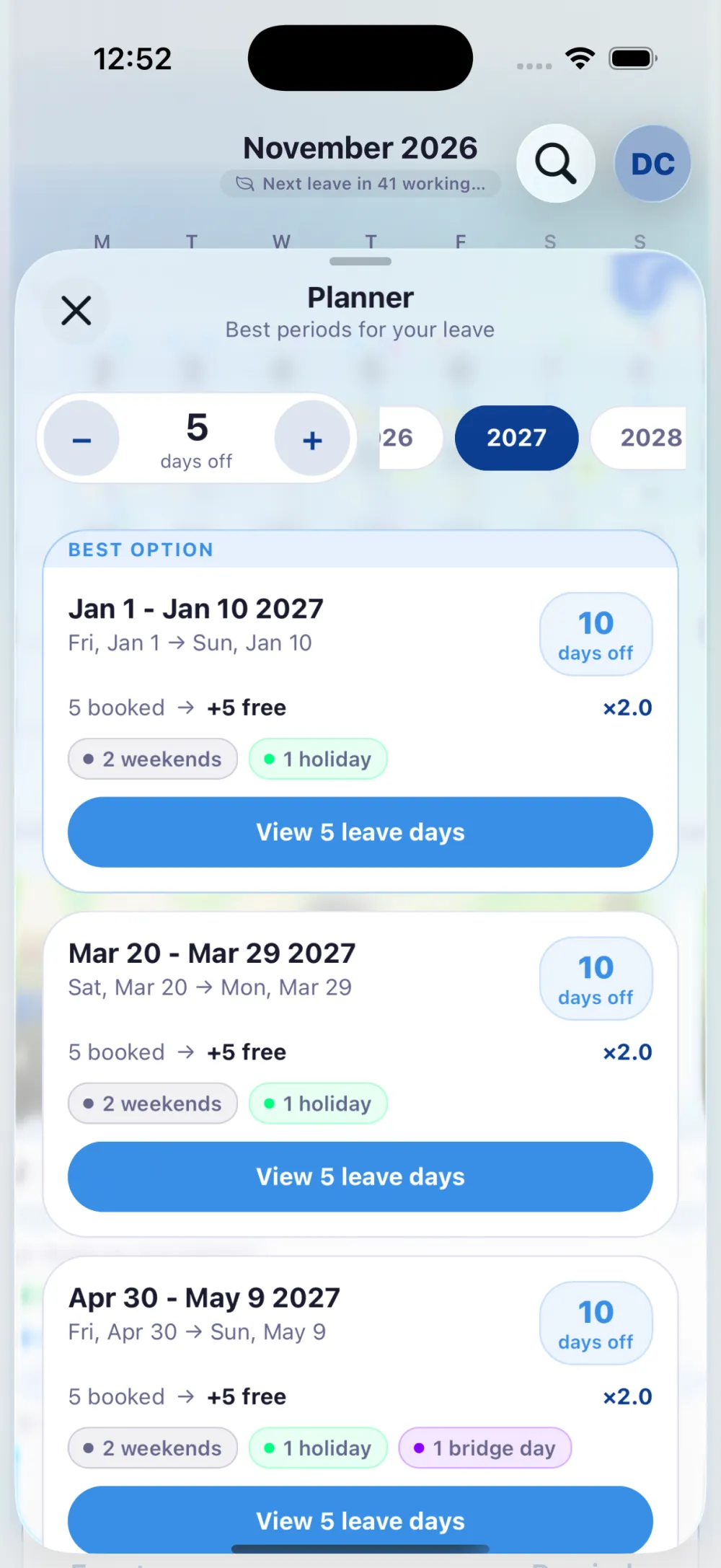
Book two days, take five

The planner looks for the bridging days, the adjoining weekends and the public holidays of both countries. The quota follows.

Sharing

Status by status, you choose

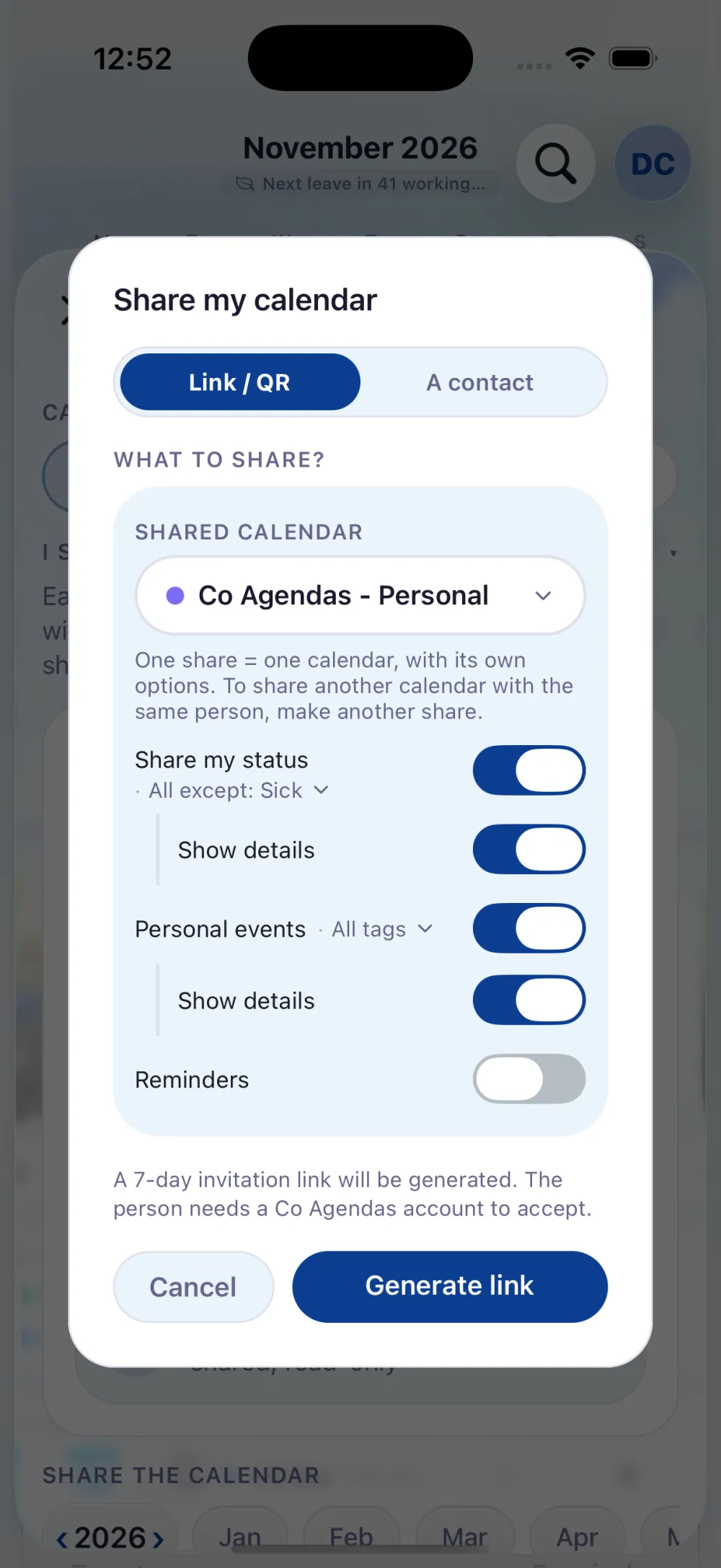
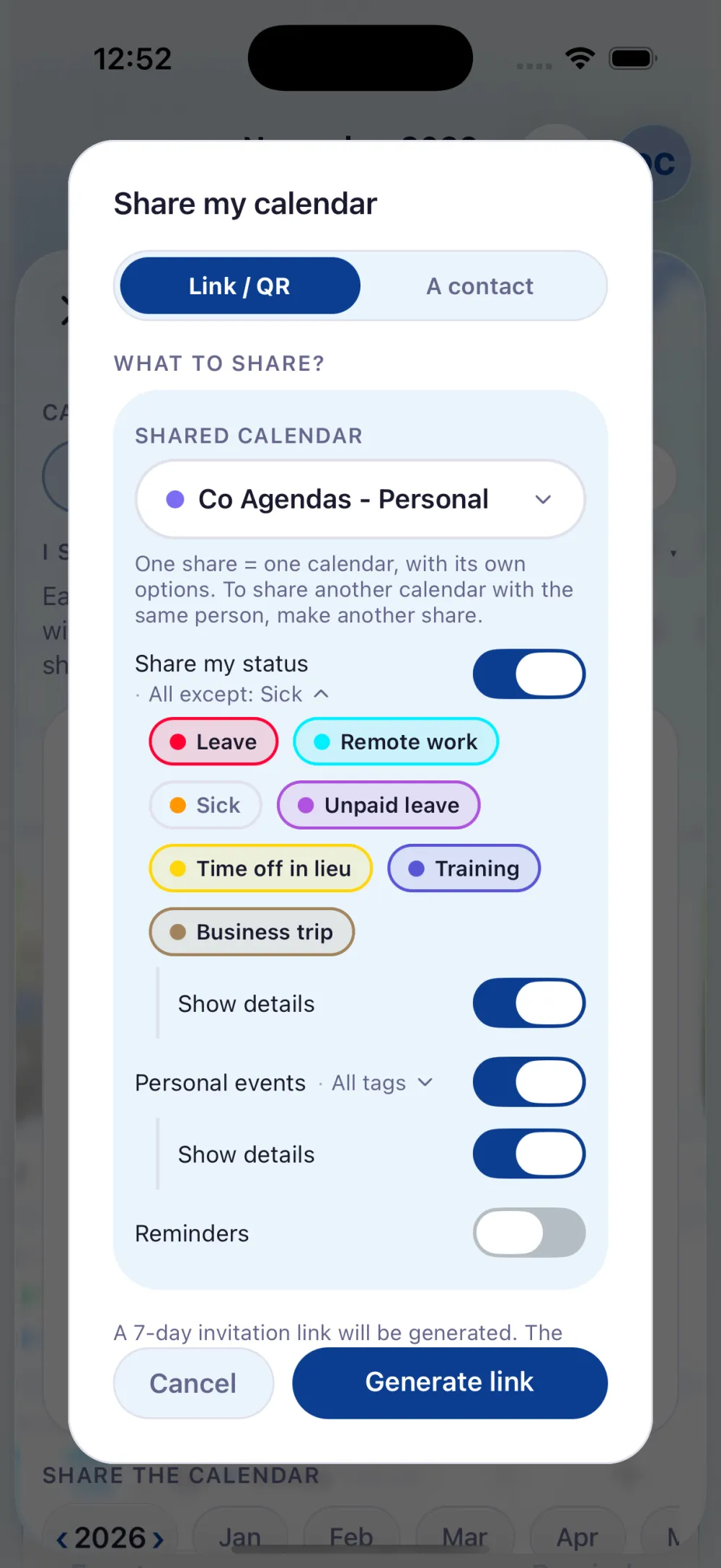
Leave, remote work, sick leave, time off in lieu: each has its own switch. A link, a QR code, or an iCal feed.

Assistant

Your schedule, in one sentence

It reads your calendar, looks up your trains and drafts the answer. You confirm with one gesture.

Widgets

On the home screen, and on your wrist

Your day, the next departures out and back, and the watch complications. In seven languages.

The calendar

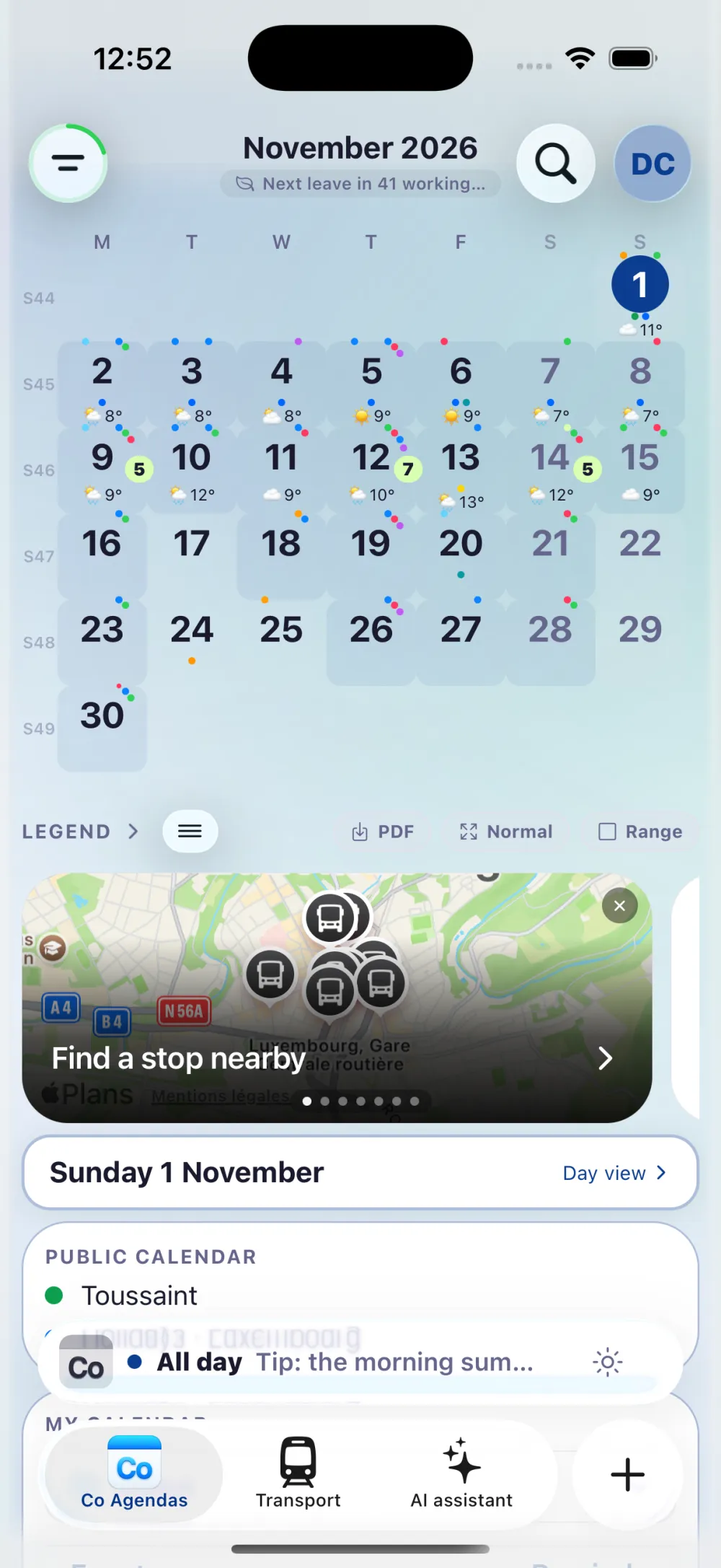
The month, all in one

A single view brings together what a cross-border worker really checks: the weather, days off, school holidays. At a glance.
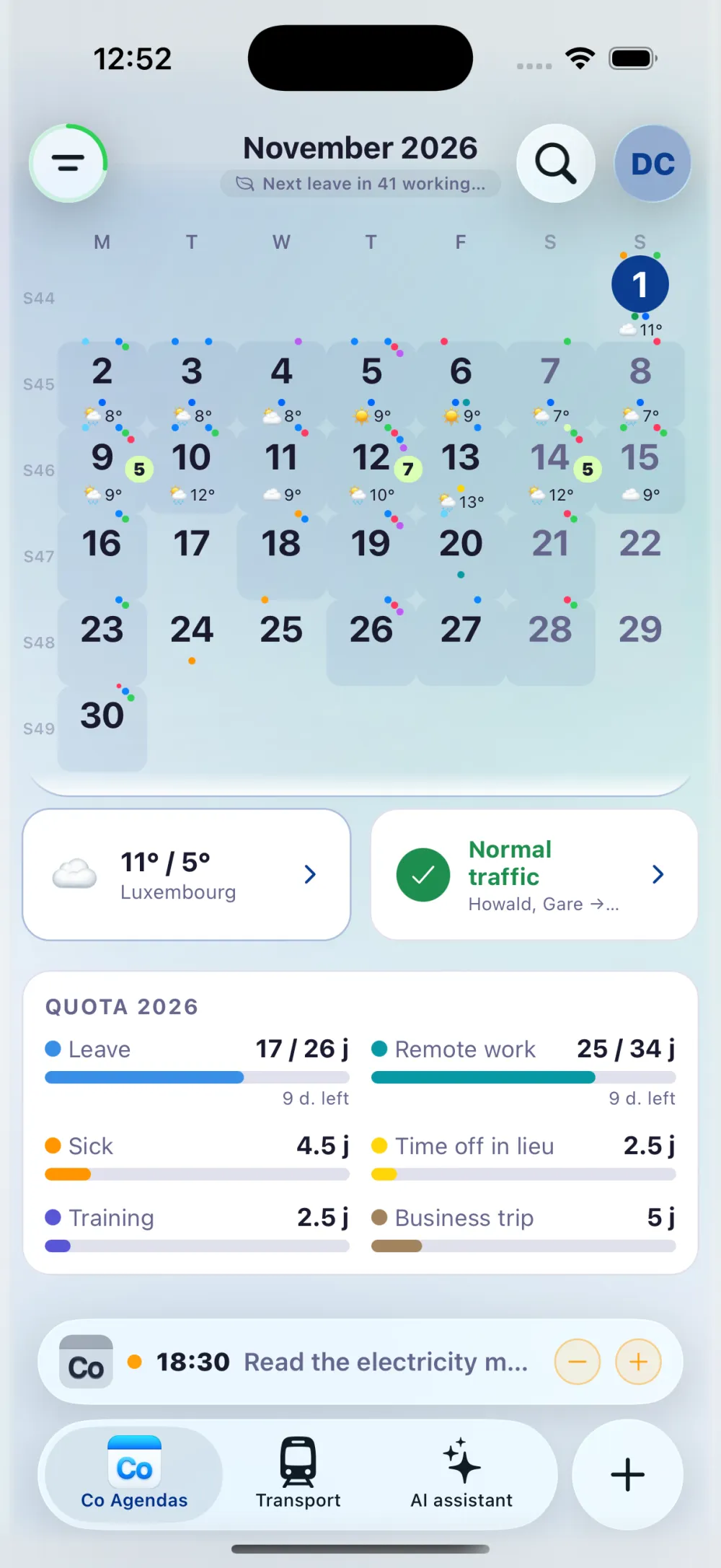
  • 15-day weather right inside every cell
  • Time off, remote work and events as coloured dots
  • School holidays for 7 countries, up to 3 zones overlaid
  • Month, day, week and year views
Month view with the weather in each cell, the school-holiday dots, the reminders and the quota counters for leave and remote work
Week view

Turn your phone, see the whole week

In landscape, the calendar switches to a full-screen week view: your seven days in hourly columns, events and remote-work days at a glance.
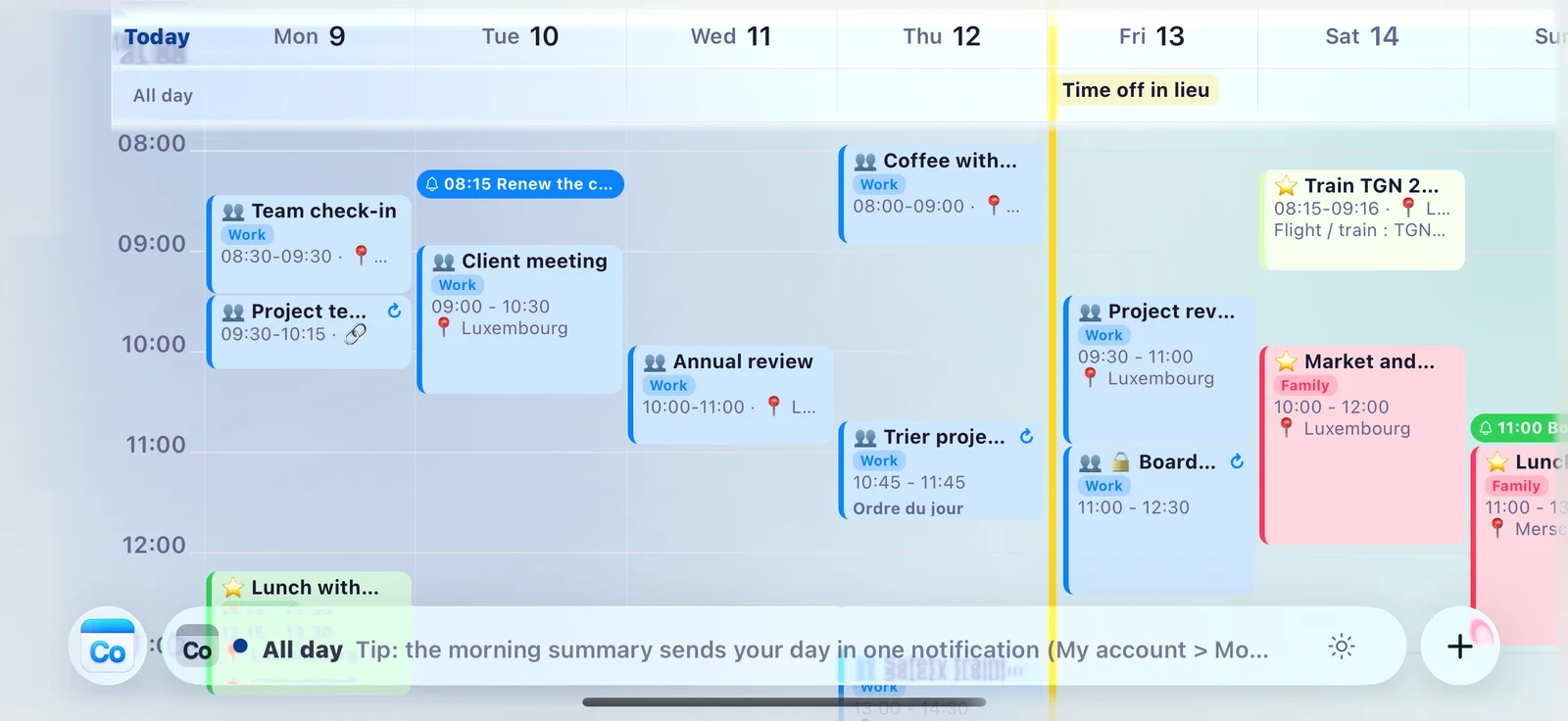
Week view in landscape: seven days in hourly columns with events, tags and reminders
Widgets

Your day on the home screen

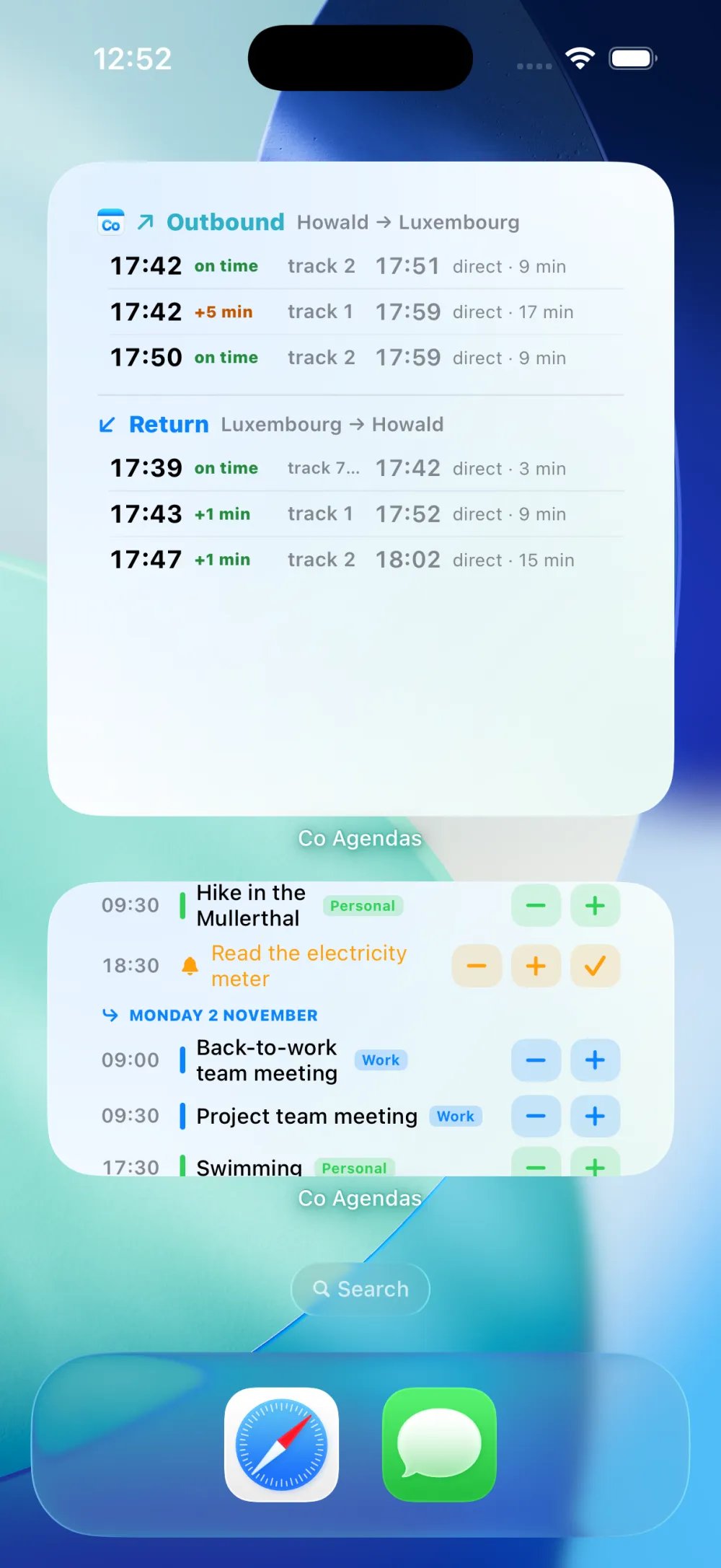
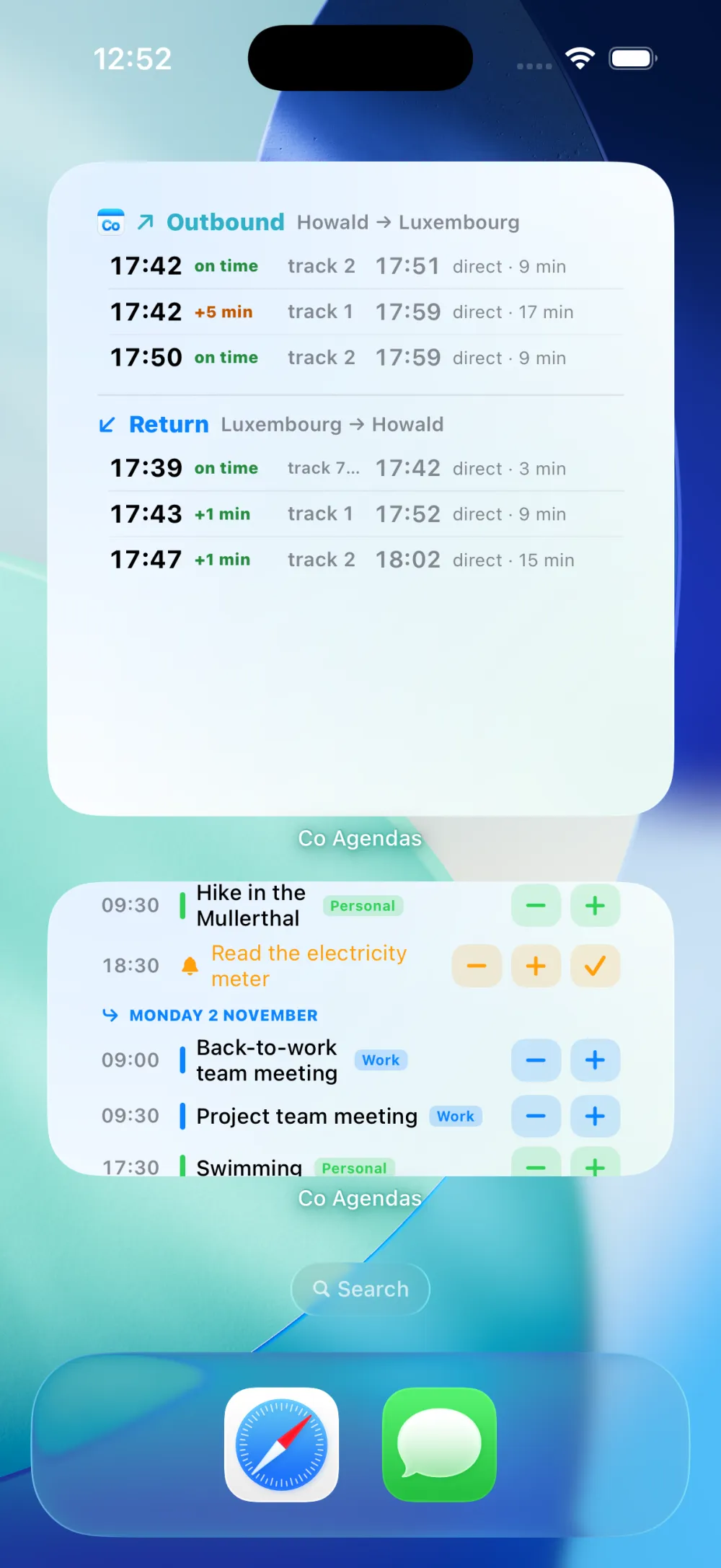
Without opening the app: put the Co Agendas widgets on your home screen AND your lock screen. Today's agenda and your next trains, both directions, updating by themselves.
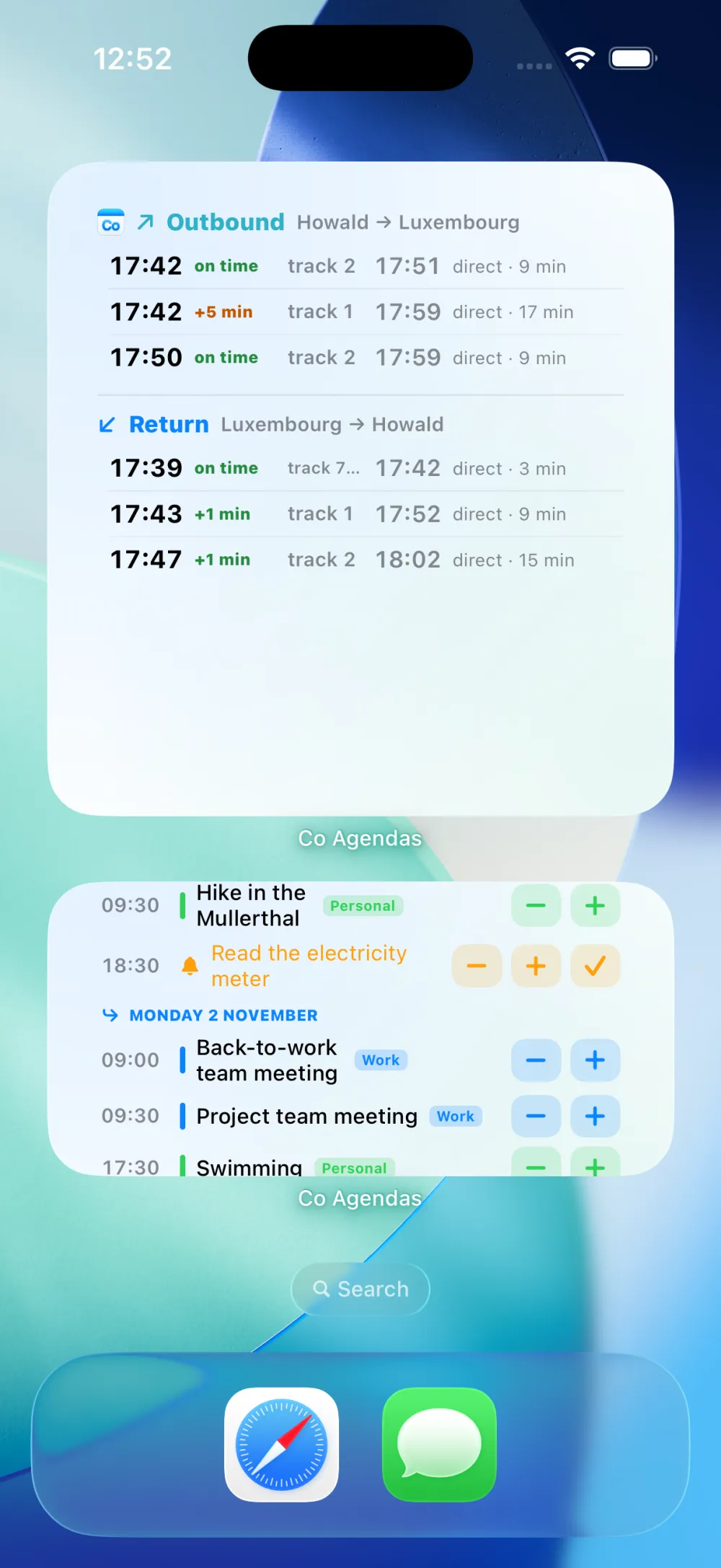
  • Day's agenda widget: your appointments, hour by hour
  • Next trains widget: outbound AND return, up to five departures each way
  • Always up to date, without opening the app
  • On the lock screen too, and in Control Center controls
Home screen with the Co Agendas widgets: next trains out and back in real time, and today's agenda
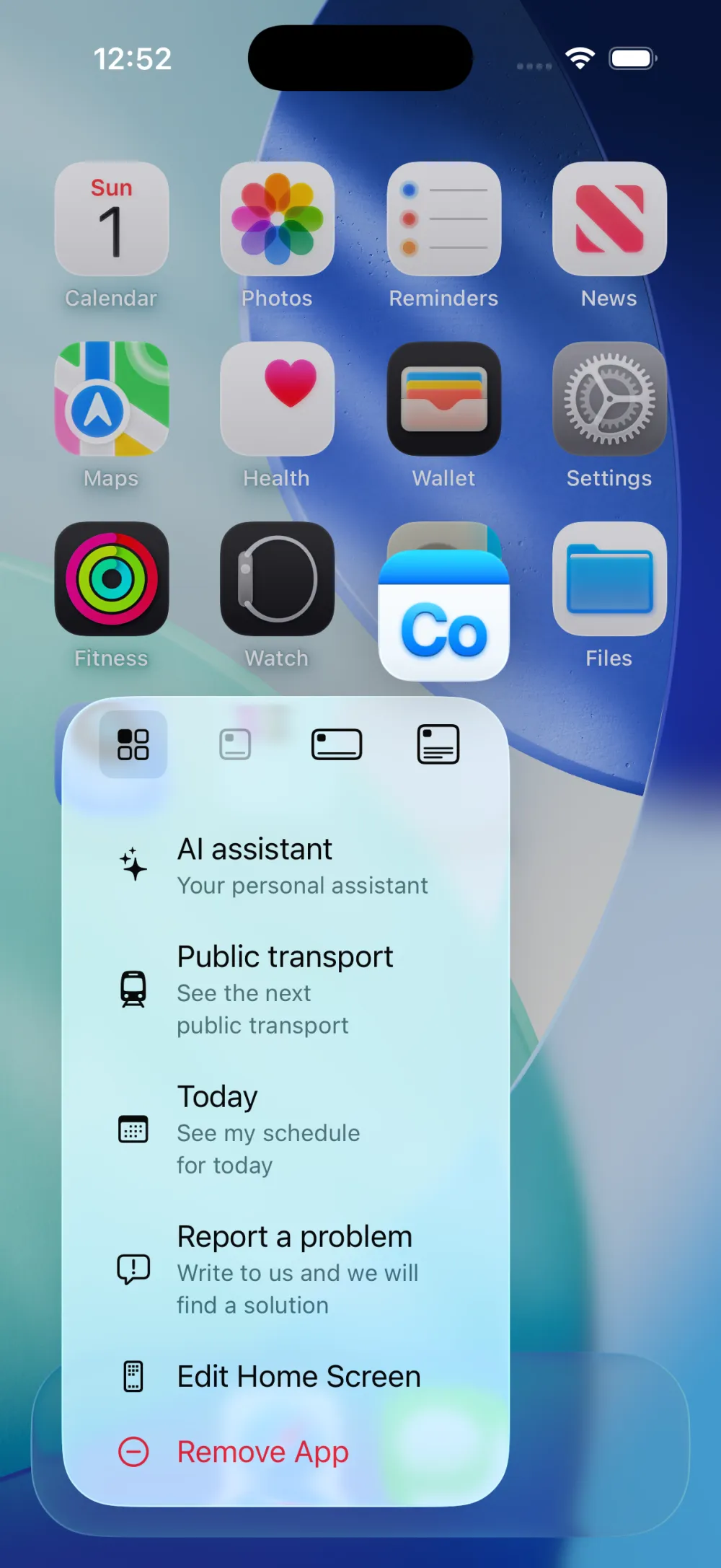
Long press on the Co Agendas icon on the iPhone home screen: the four shortcuts AI Assistant, Public transport, Today and Report a problem
Shortcuts

Press and hold the icon, you're already there

Four shortcuts wait on your iPhone home screen. Press and hold the Co Agendas icon and you land straight on the screen you wanted, without going through the app's home page.
  • AI Assistant: ask your question right away
  • Public transport: the next departures, in one gesture
  • Today: your day's plan, straight away
  • Report a problem: write to us without hunting for the form
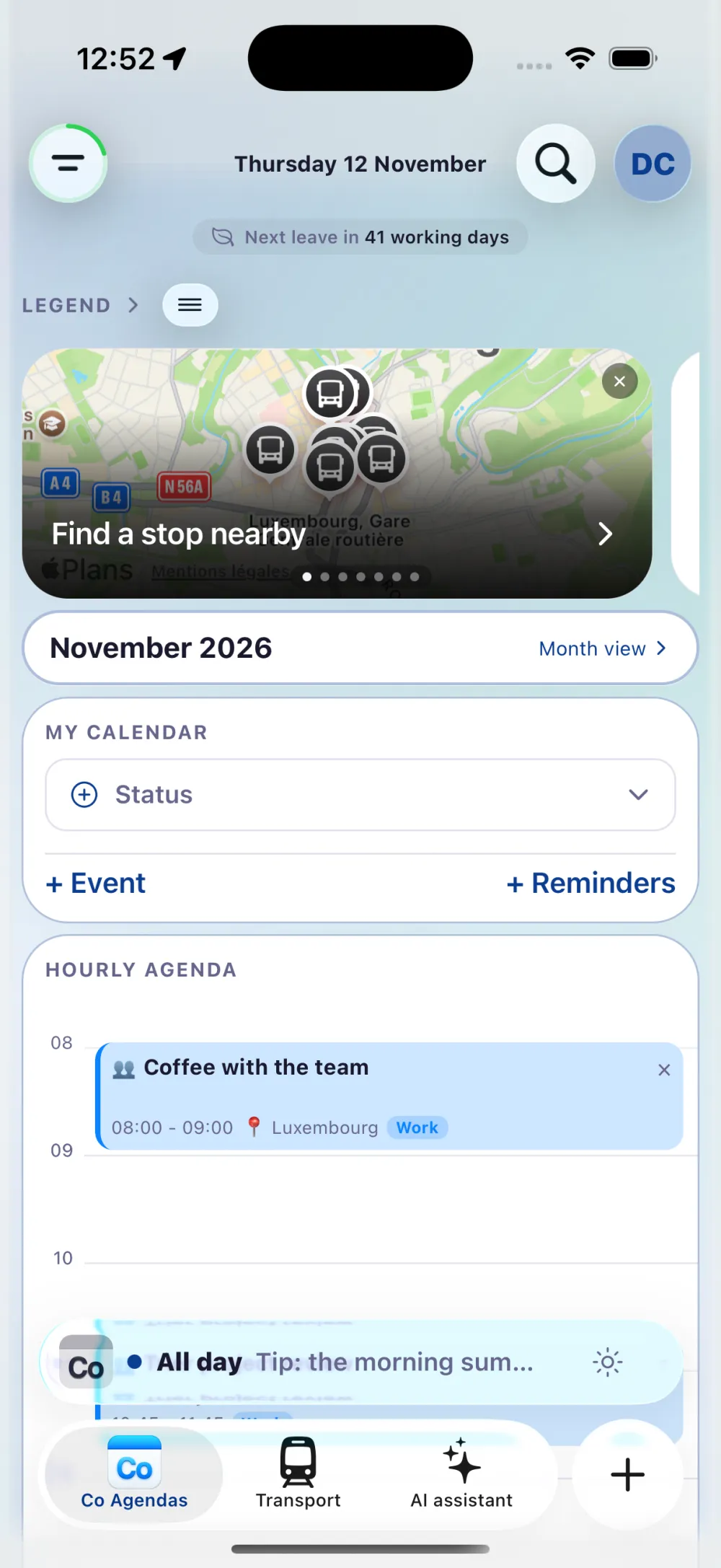
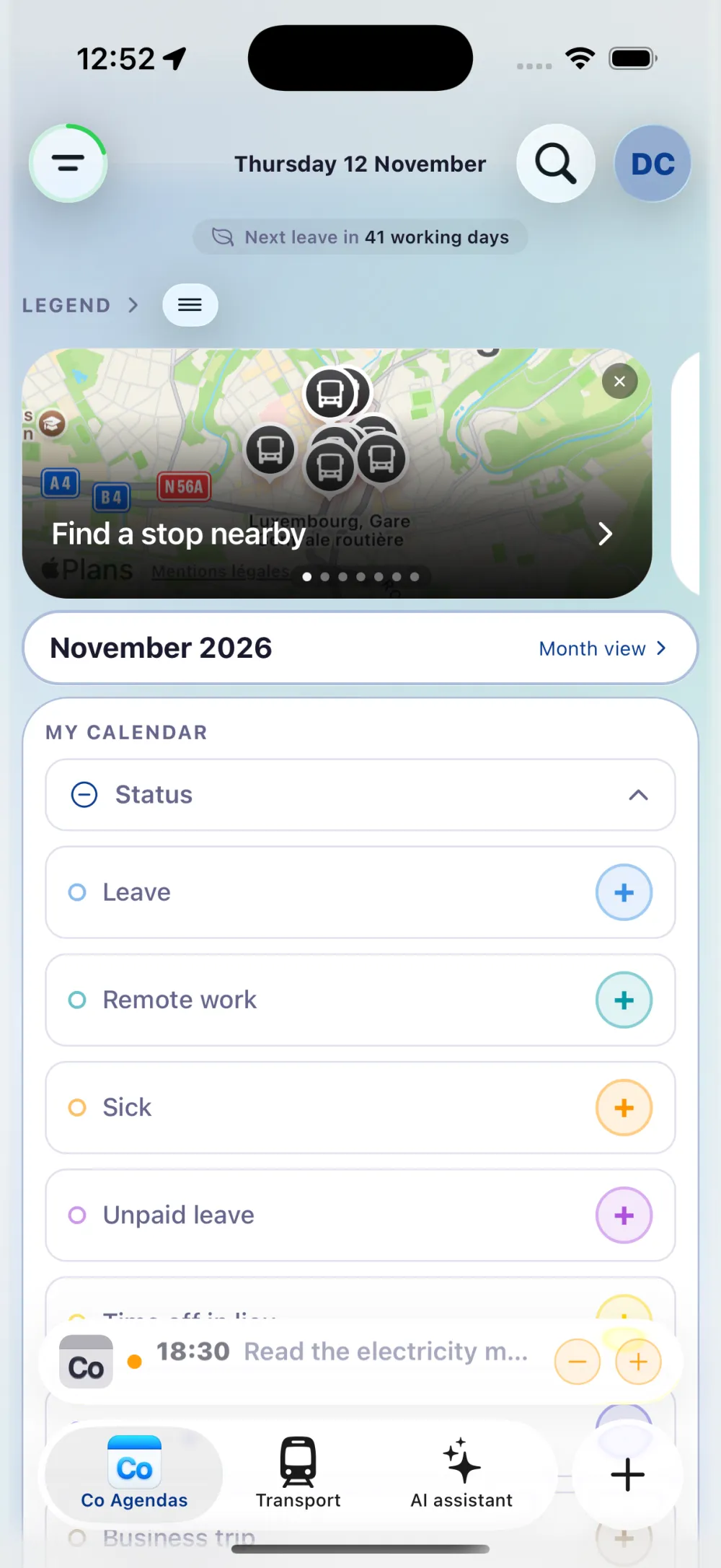
Day view: the nearby stops map, the public calendar, the status and the day's hourly agenda
The day

Your day, all in one

Open a day and it's all there: the weather, your commute traffic, your reminders and your leave counters. A single screen to see what your day looks like.

  • The day's weather and your line's traffic, side by side
  • Reminders and events of the day, hour by hour
  • Leave and remote-work counters always visible
Real-time route

Your journey, minute by minute

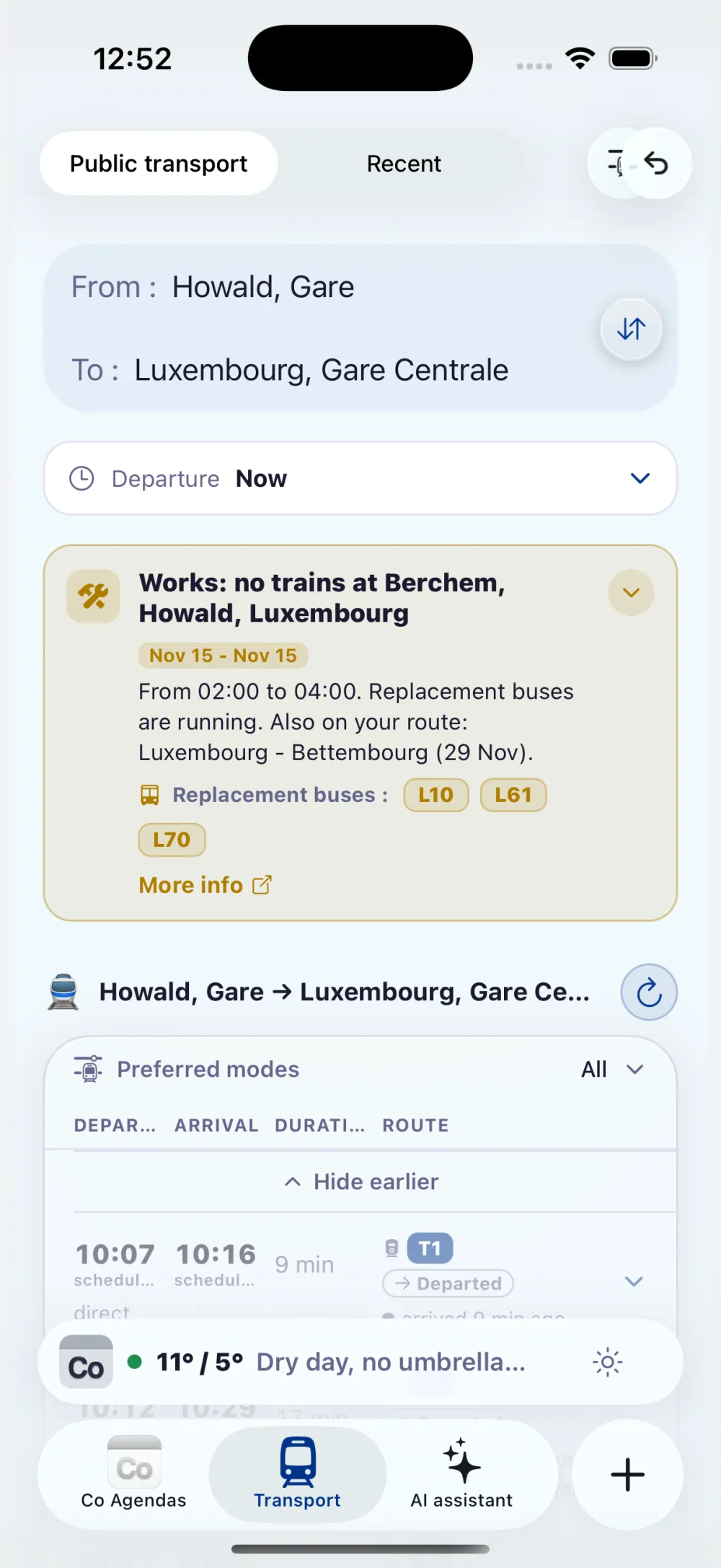
Enter your departure and arrival station: the app works out the next trains, the connections and the real travel time, changes included, updated live.
  • Next departures and travel time, live
  • Detailed connections (e.g. change at Luxembourg)
  • Train, bus and tram across the 7 countries, in one place
  • Automatic update every 5 minutes
Real-time traffic: Howald to Luxembourg journey, engineering works notice on the line and the next trains, on time or delayed

Real-time data: something beyond our control

The departure platform and the delay to the minute are not produced by Co Agendas: they depend on what the transport networks broadcast live. That broadcast is limited, uneven from one line, stop or time of day to the next, and entirely beyond our control. When live information does not exist, the app shows the scheduled times and tells you so clearly. Real-time is therefore extra information shown when it is available, never a guarantee on every journey.
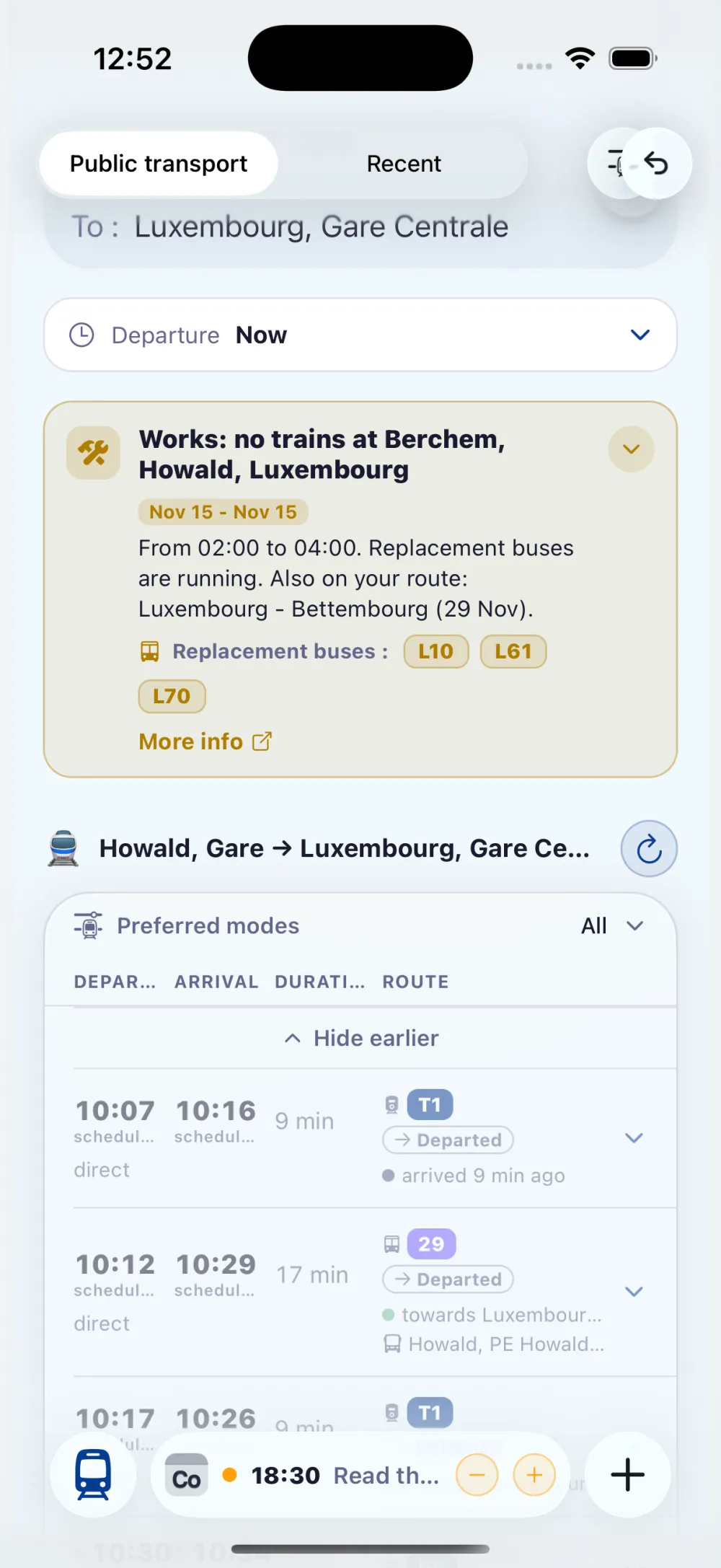
Traffic alerts: the engineering works notice for your line, at the top of your Howald to Luxembourg journey
Transport

Your train, watched for you

Set your line once, from your border station to all of France. The app watches disruptions on your line and only alerts you on the days you take the train.

  • Nearby stations by GPS
  • Your journey departure → arrival (e.g. Thionville → Luxembourg)
  • Rail networks of the 7 countries, including RER and Transilien
  • Push notifications only on your train days
Weather

15-day weather, wherever you want

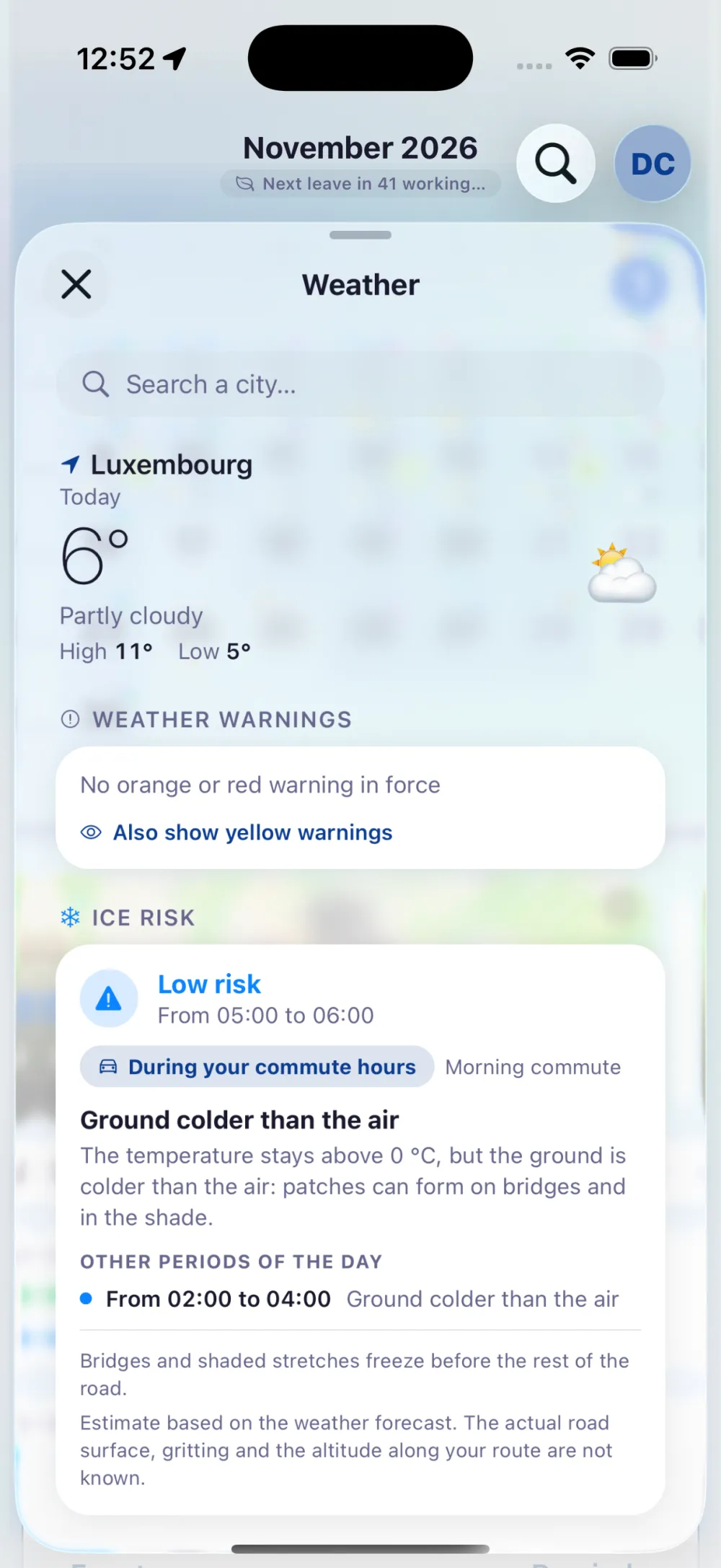
Your location or any city: the 15-day trend, down to hour-by-hour detail. And it also shows right inside the calendar cells.
  • 15-day forecast, hour by hour
  • Several cities: home, work, weekend
  • GPS location or search by city name
  • Temperatures shown in every cell of the month
Weather: city search, recent cities, 15-day forecast and hour-by-hour detail for Luxembourg
Day view with the Status panel, the hourly agenda and the day's events
Absence statuses

7 statuses, not just "time off"

Real life is more than just holidays. Book each type of absence in its own colour, as a full day or half day.

  • Time off, remote work, sick leave, unpaid leave
  • Time in lieu, training, assignment / travel
  • Half days (½) counted in your totals
  • Quota tracked live, remaining days shown
Bridge day planner

Book less, get more time off

The algorithm combines public holidays, weekends and your balance to find the best windows. It tells you exactly what to book.
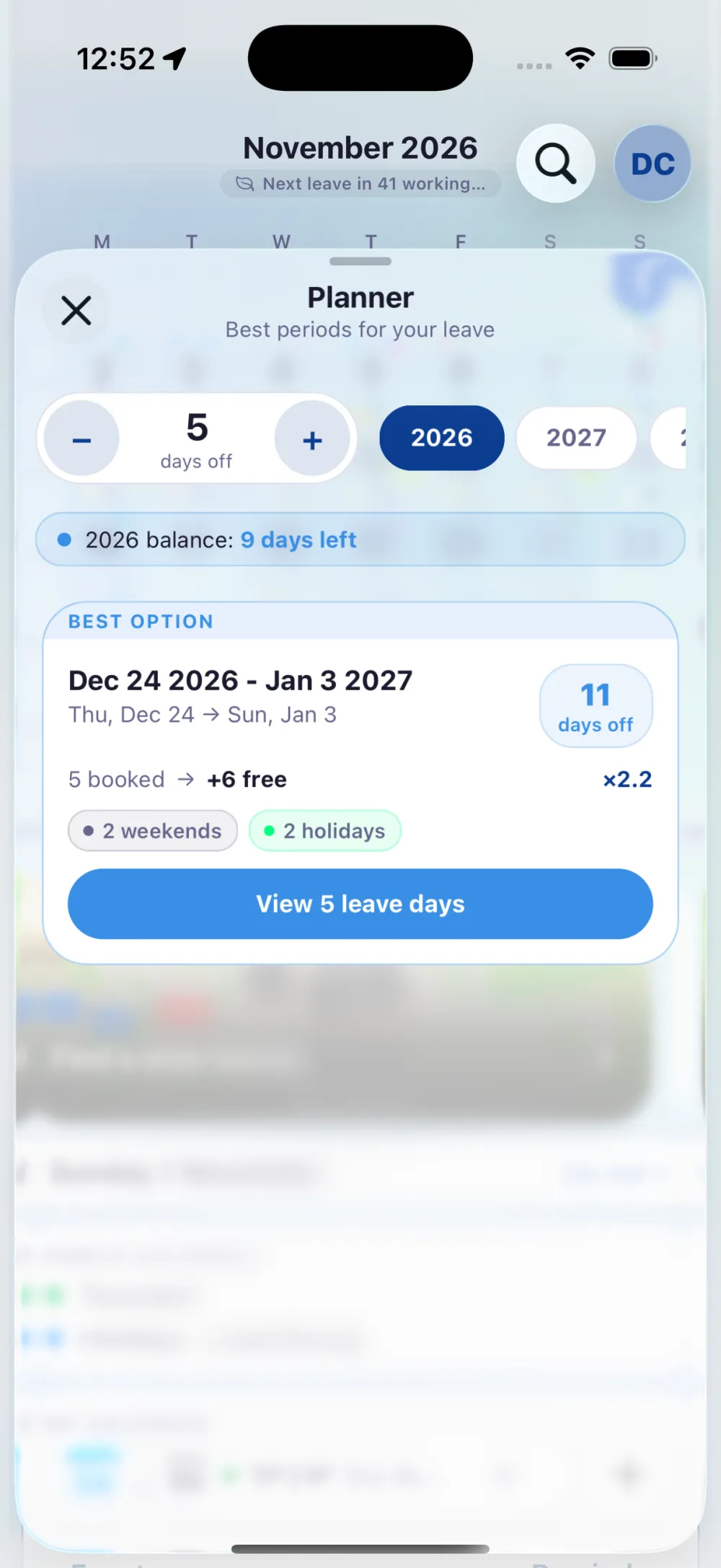
  • Best periods ranked, calculated from your balance
  • Multiplier shown: ×2.2, so 5 booked → 11 days off
  • Book in one tap, straight into the calendar
  • Plan for the current year and the ones ahead
Long-weekend planner: 5 days booked from 24 Dec. to 3 Jan. give 11 days off, multiplier x2.2
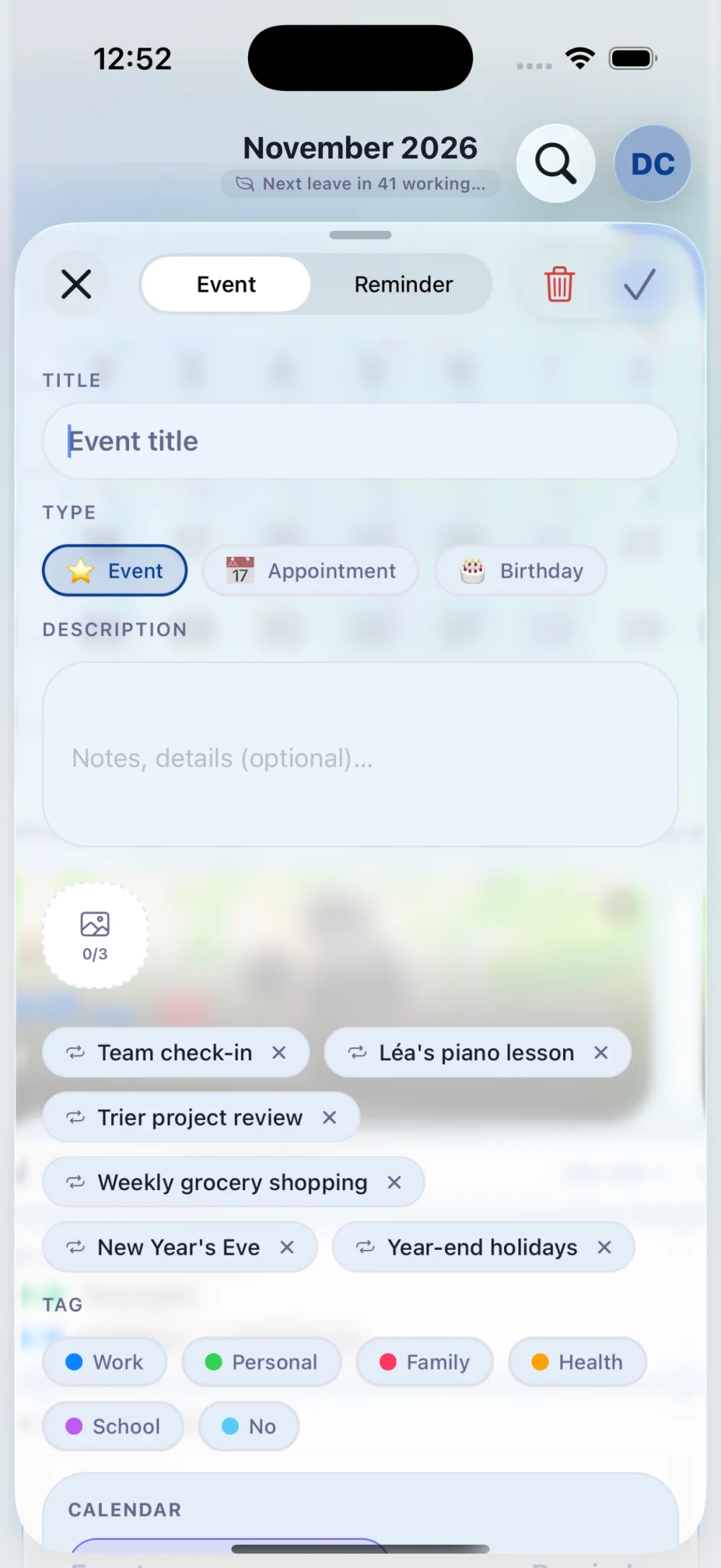
New event: type, description, tags Personal, Work and Family, recurrence, reminders and place
Events

Events that are truly yours

A reminder, an appointment, a note that clears itself... each event can be finely tuned, and stays private if you want.

  • Ephemeral: sent to the trash once past (recoverable for 30 days)
  • Private: "do not share", hidden from shared calendars
  • Personal, Work, Family tags (colours) + your own tags
  • Recurrence, multiple days, custom reminders
Location

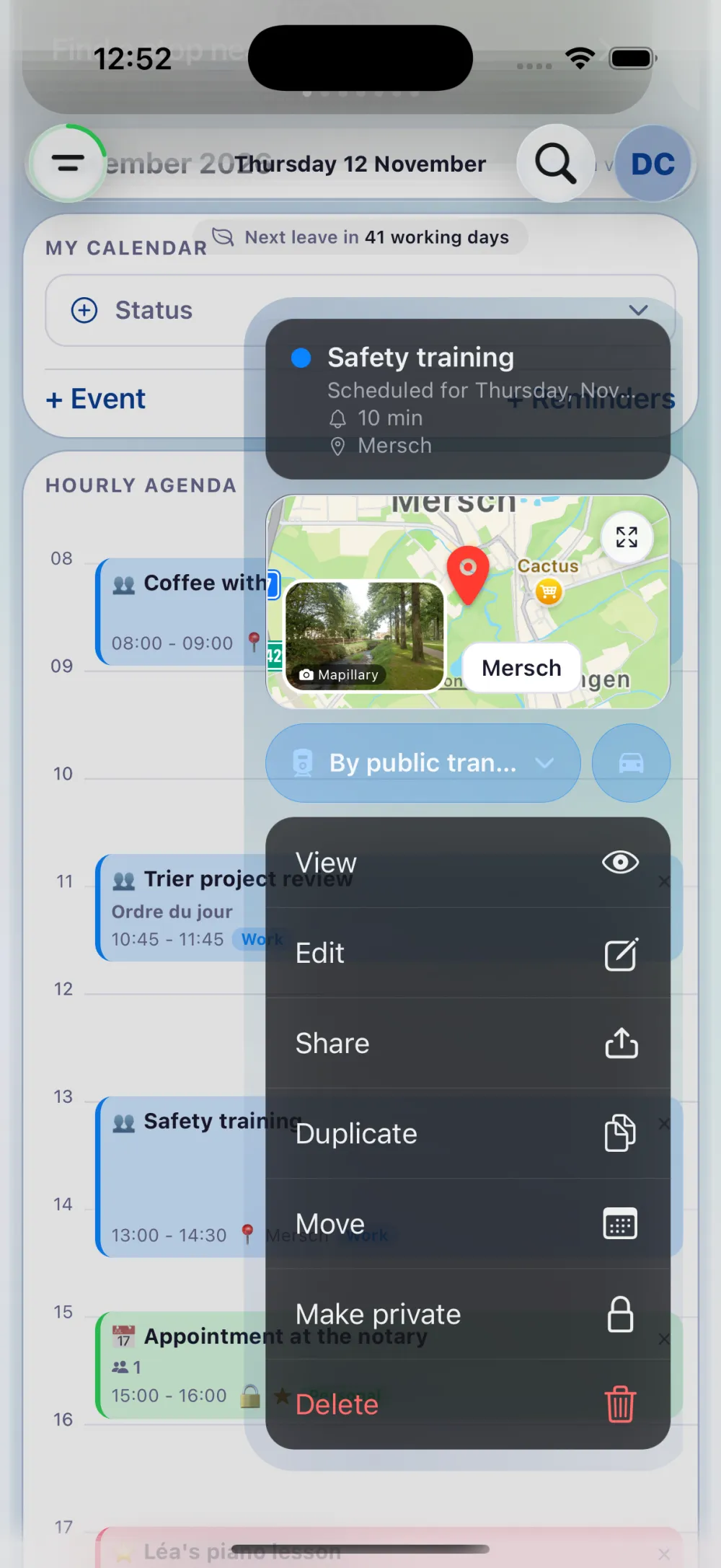
An event's location, on the map

Add an address to an event and the app shows a mini-map with a street thumbnail, right in the details. One glance, and you know where to go.
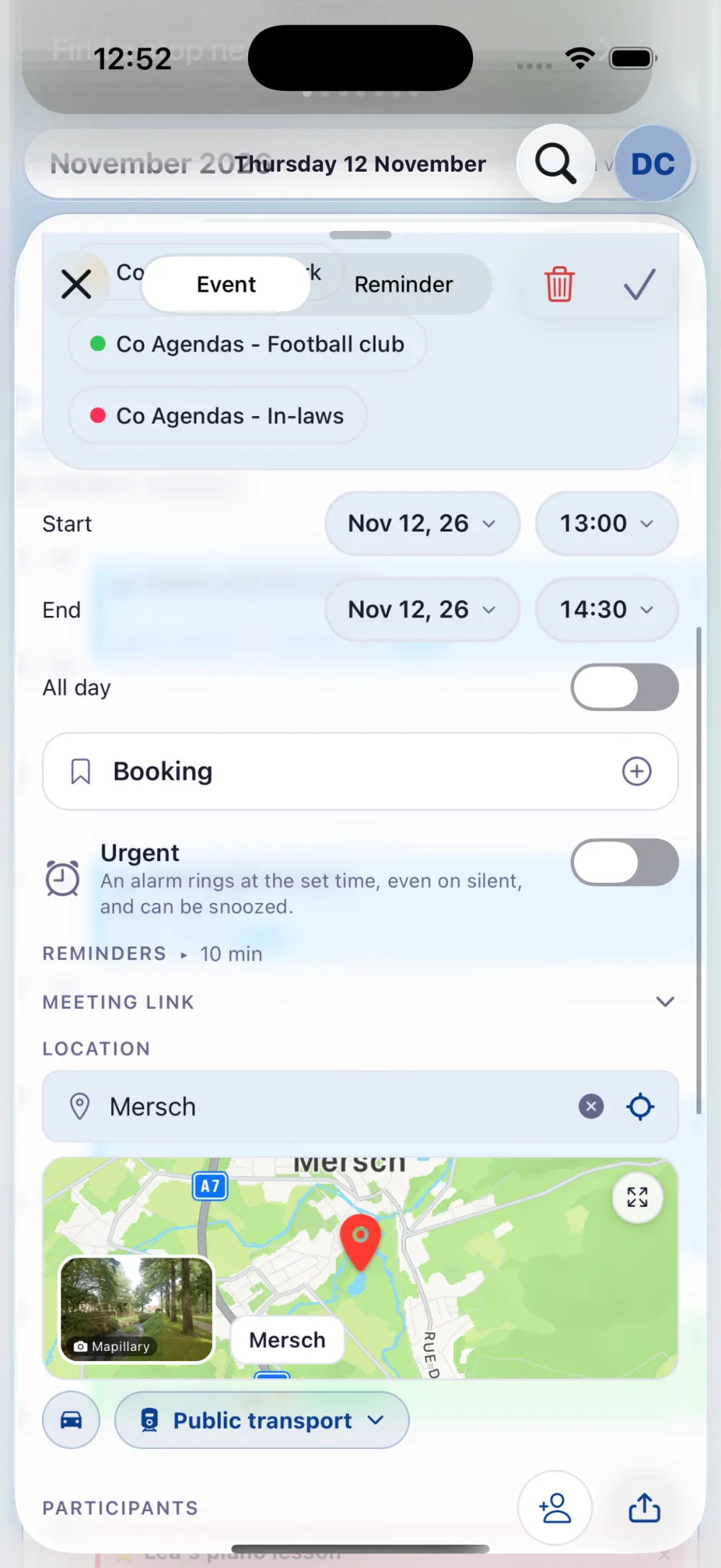
  • Mini-map and address in the event details
  • Street photo thumbnail (where available)
  • Edit, duplicate, move or delete in one gesture
  • Public or private event, your choice
Event editor: the place on an Apple map with a street thumbnail, and the Public transport button
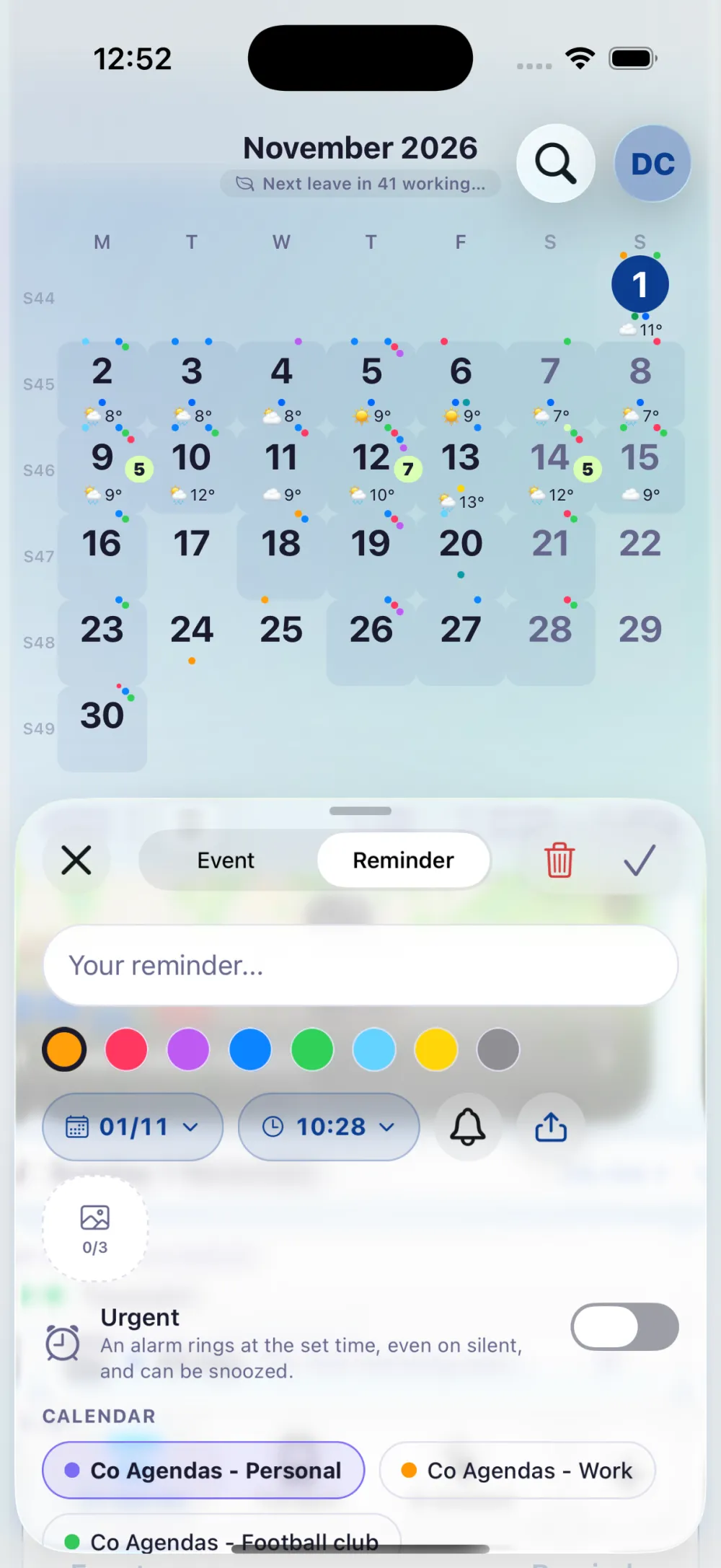
New reminder: the text, colour, date, time and calendar, in three taps
Reminders

A reminder in three taps, no more

A quick reminder takes three taps: the + button, your text, done. And the app warns you on its own before your events, time off and remote work days.

  • Reminder in 3 taps, adjustable time
  • Pre-written reminders: your usual ones in one tap
  • Automatic reminders before events, time off and remote work
  • Trash: nothing is lost by mistake
Notifications

Notifications that tell you more

Not just a line of text: the notification already shows you your day, or the meeting place on the map. And you act without opening the app.
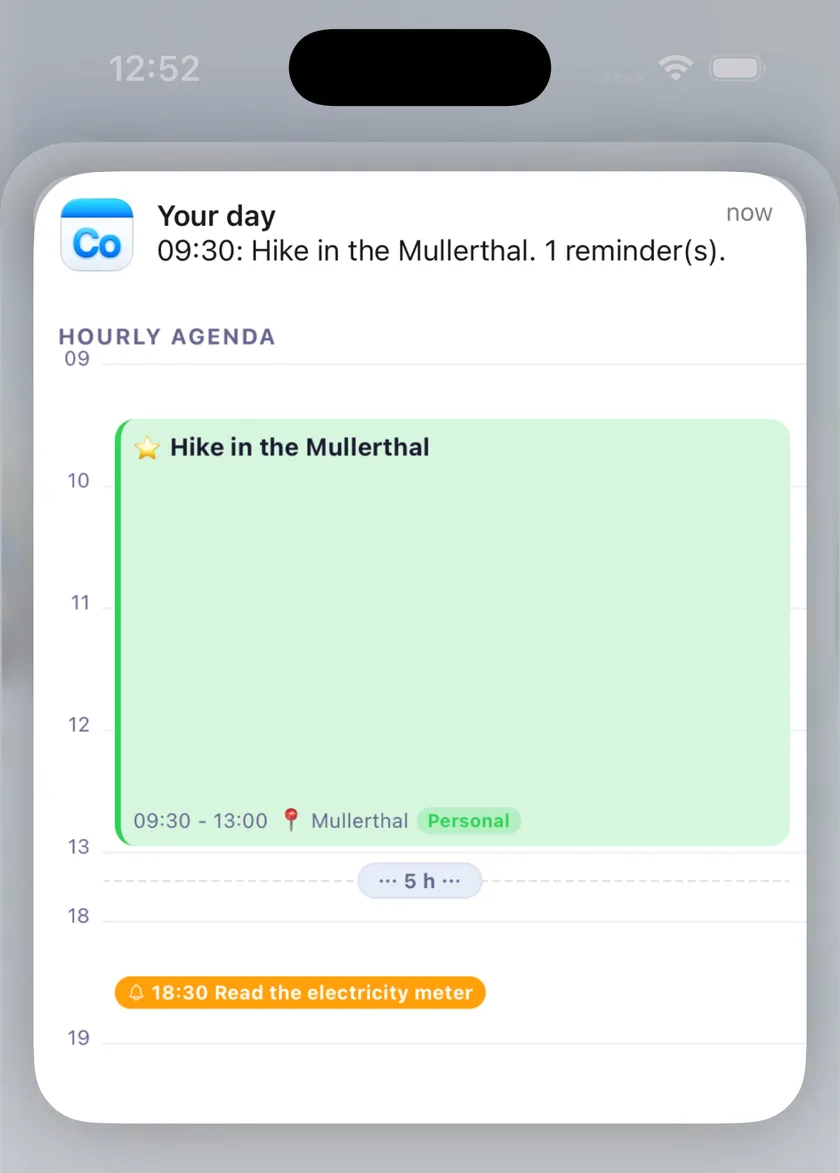
Reminder notification showing the day's overview hour by hour, with the snooze options in 5 min, 15 min or 1 h

A preview of your day inside the reminder, with one-tap snooze: in 5 min, 15 min or 1 h.
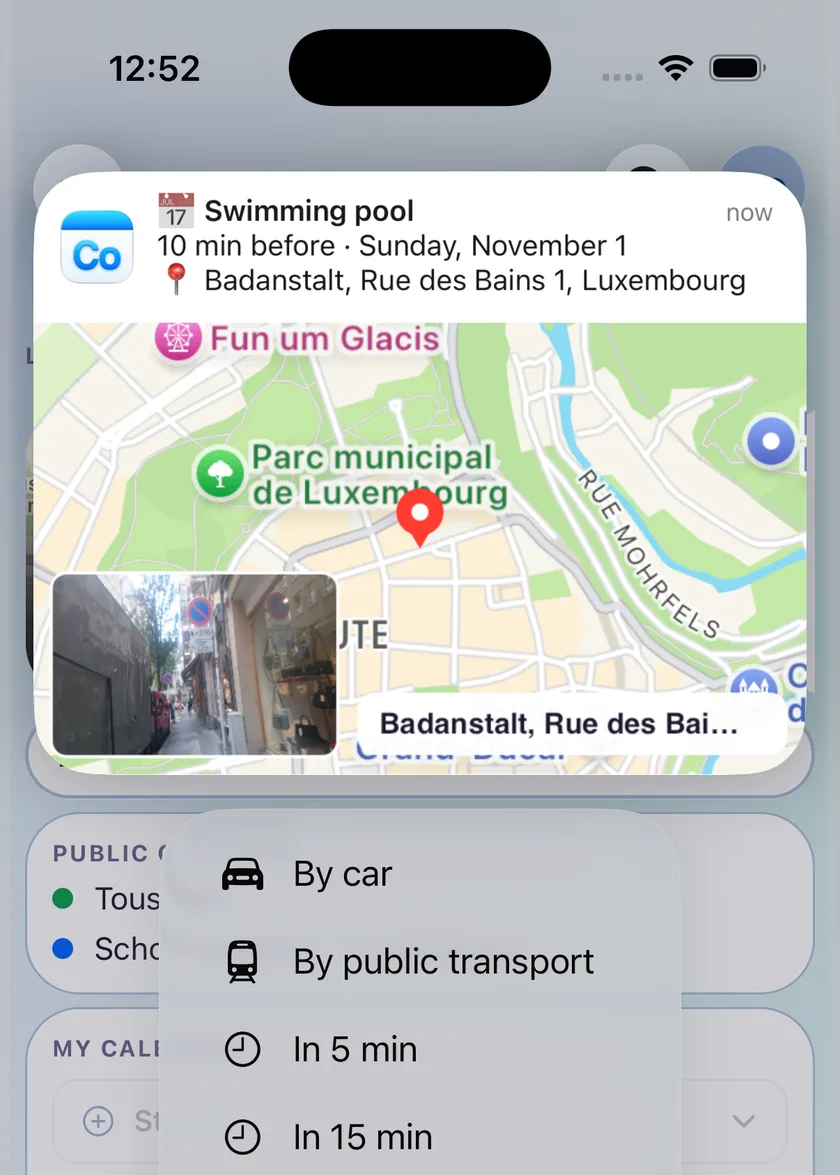
Event notification showing the place on a map with a street thumbnail, and the actions By car and By public transport

The location on the map, with call and directions straight from the notification.
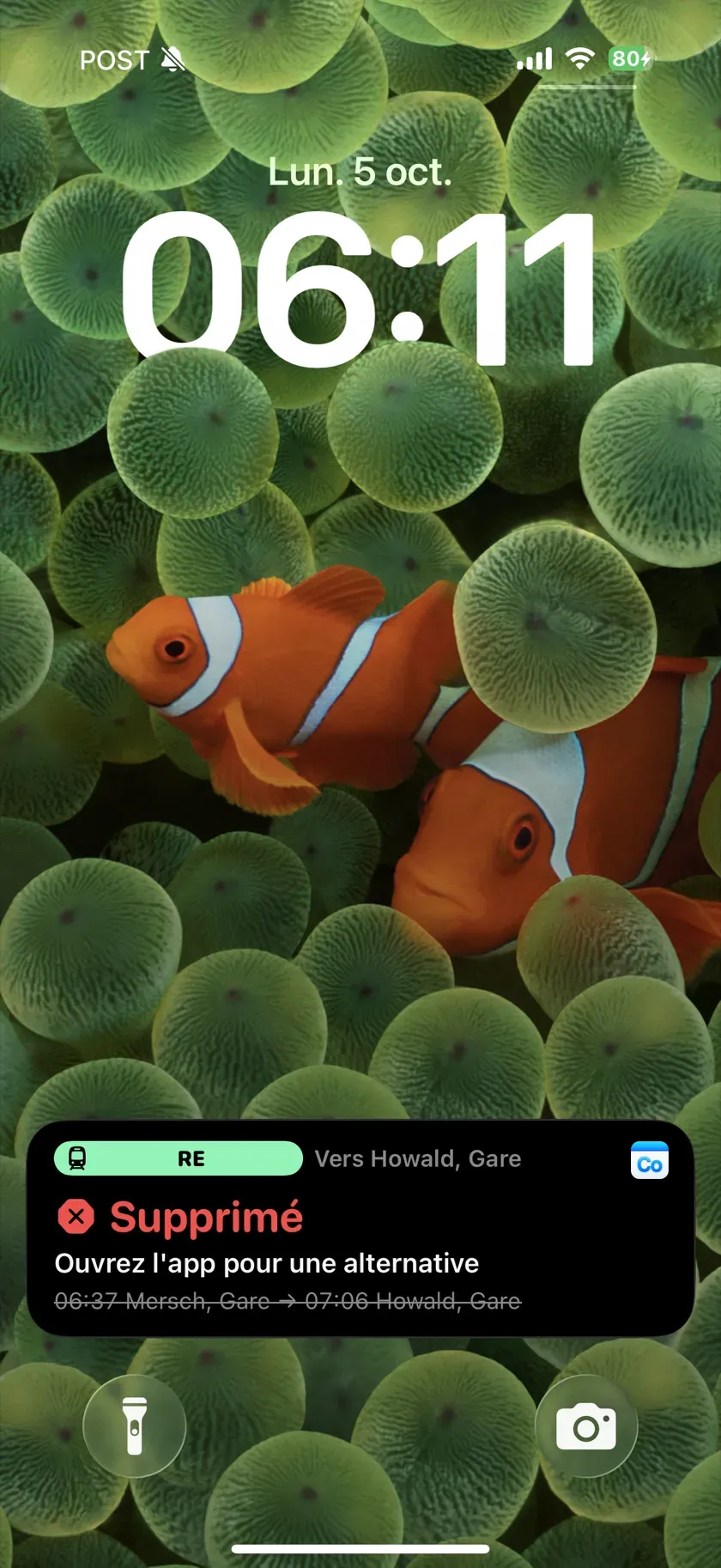
Lock screen showing a Co Agendas alert: the RE train to Howald, Gare is cancelled, with a prompt to open the app for an alternative

Train cancelled: you find out on the lock screen, before you leave - and the app already has an alternative.

Year view

The whole year on one screen

All 12 months at a glance, with everything that matters already in place. Perfect for planning holidays well ahead.
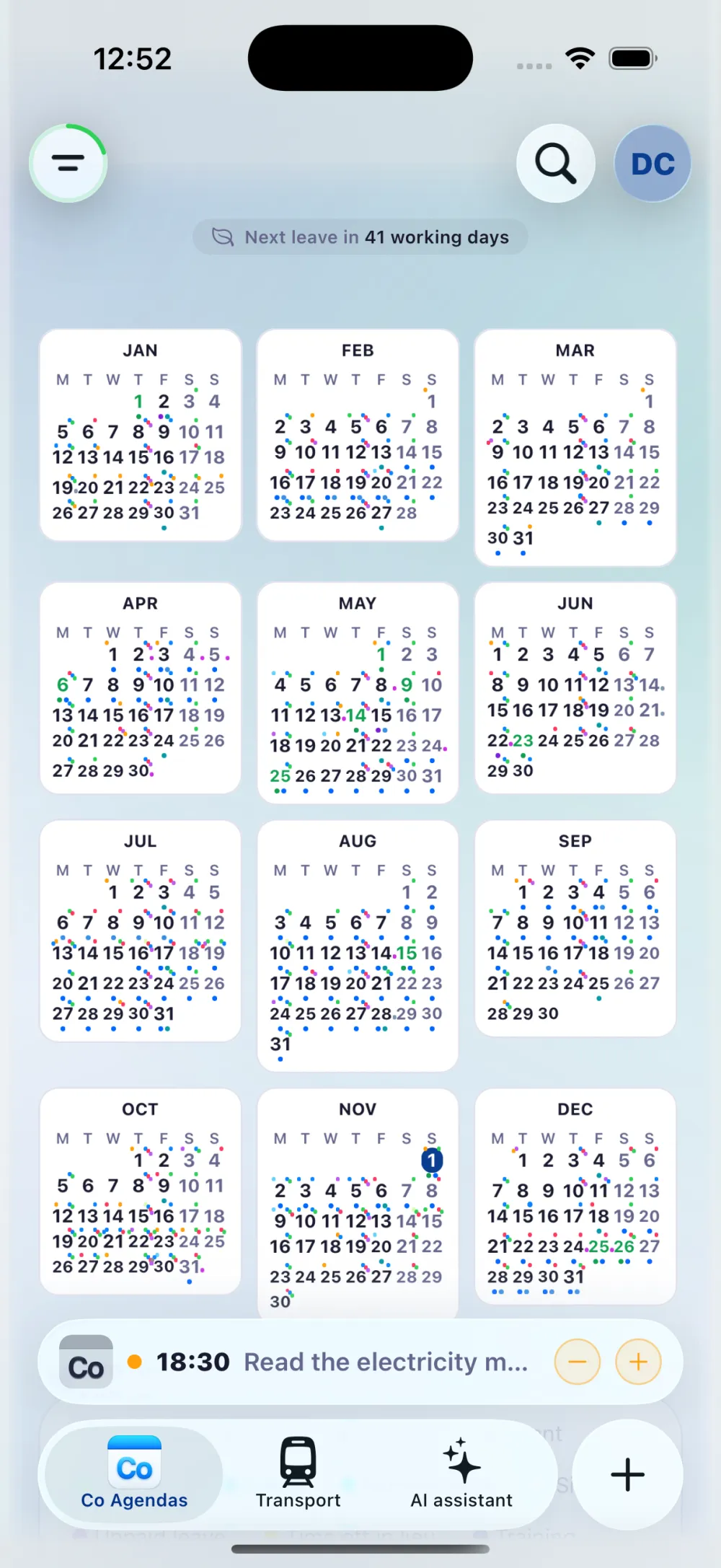
  • Public holidays, bridge days, time off, remote work and events together
  • Full legend: every type is easy to spot
  • Select a date range directly on the year
  • Time off and remote work counters always in view
Year view 2026, the 12 months with the legend for public holidays, bridging days, events and school holidays
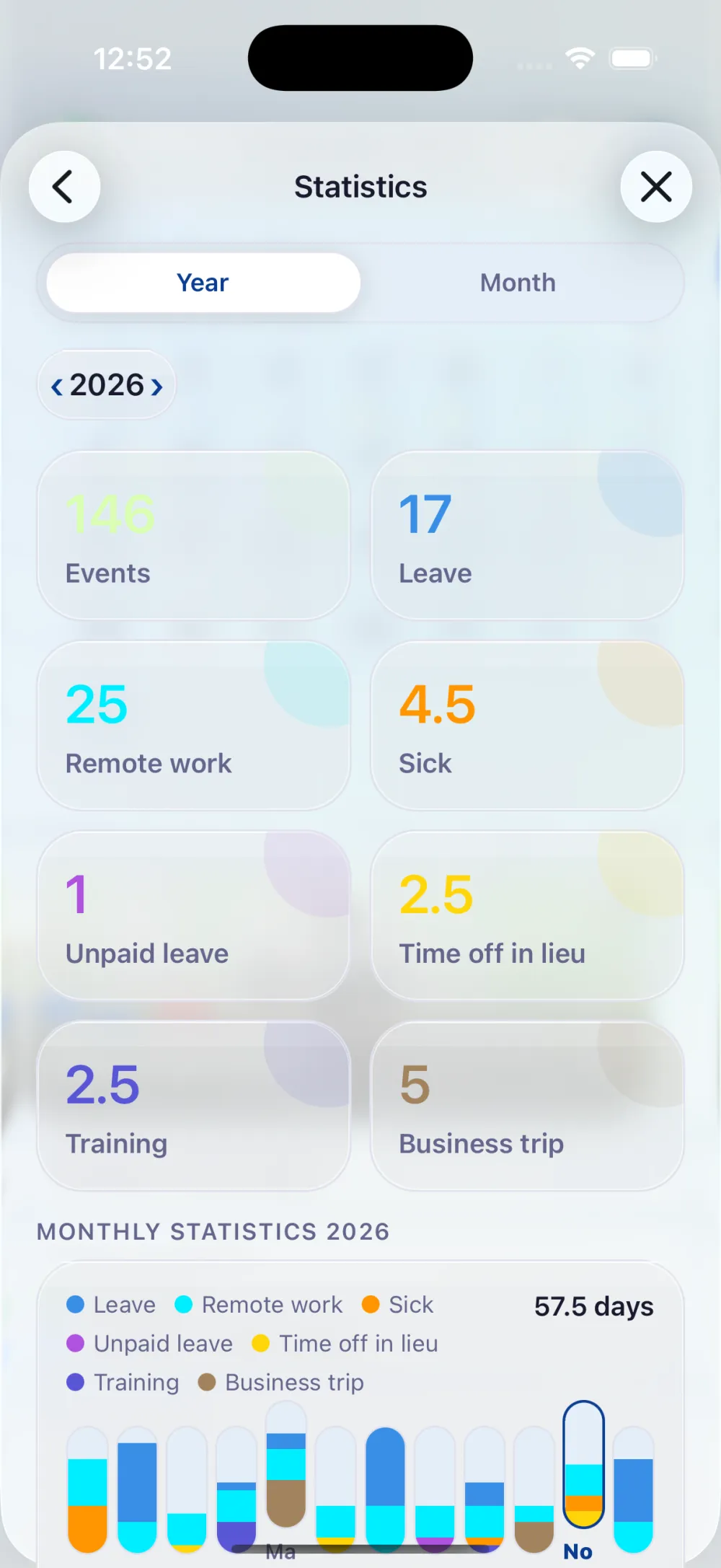
Statistics dashboard: counters by type and the monthly chart of the year
Statistics

Your years in numbers

How many days off, remote work, sick days? Everything is counted and visualised, month by month and day by day.

  • Counters by type: events, time off, remote work, sick leave, assignments
  • Monthly chart of your activity
  • Yearly activity map, each day coloured by type
  • Switch between year view and month view
Cross-border by design

Made for cross-border life

Country of work, country of residence, days worked, tax and social security remote work thresholds: the app tracks your ceilings and projects where you'll stand at year's end.
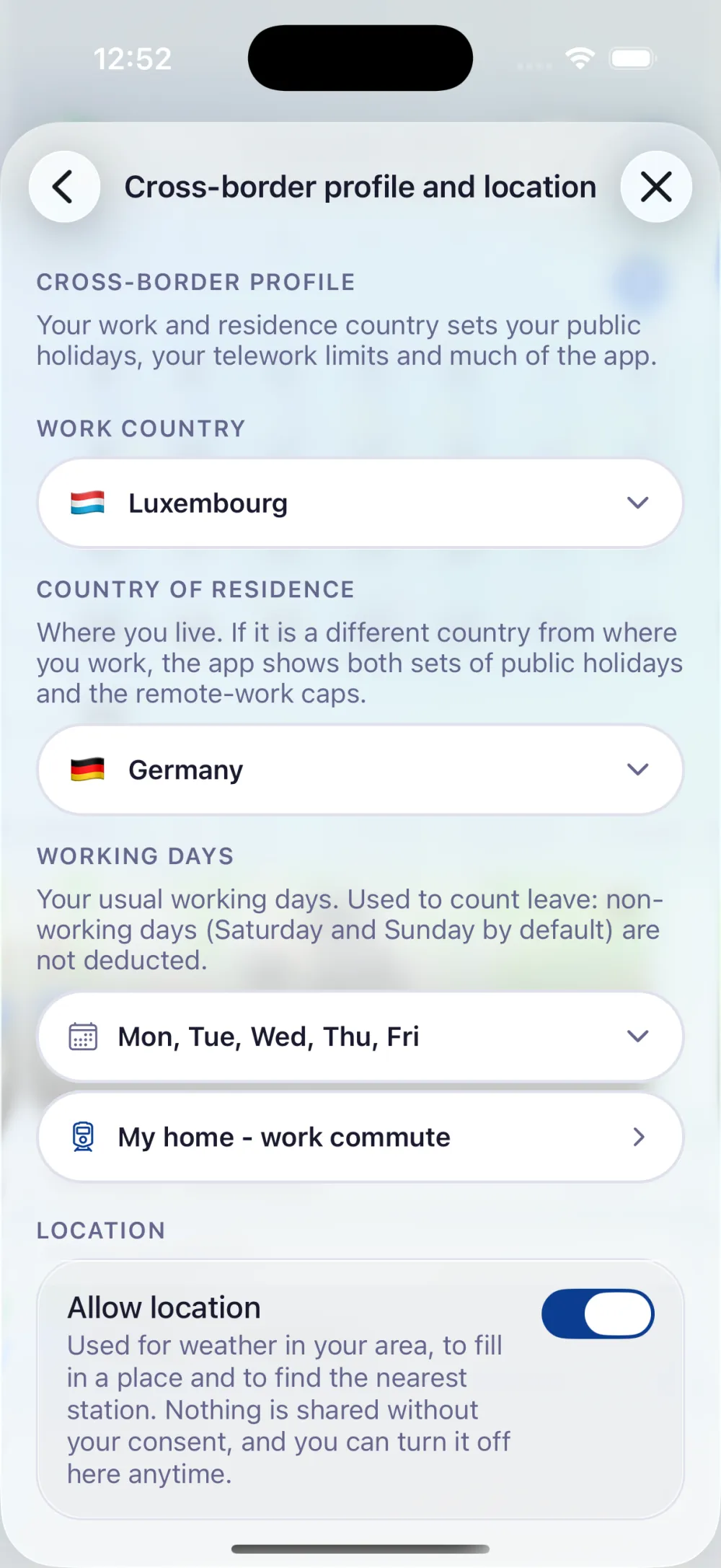
  • Remote work thresholds: tax and social security
  • Projection: where you'll stand at the current pace
  • Public holidays of the country of work AND of residence
  • School holidays for 7 countries, up to 3 zones
Cross-border settings: country of work Luxembourg, country of residence Germany, working days and home - work journey
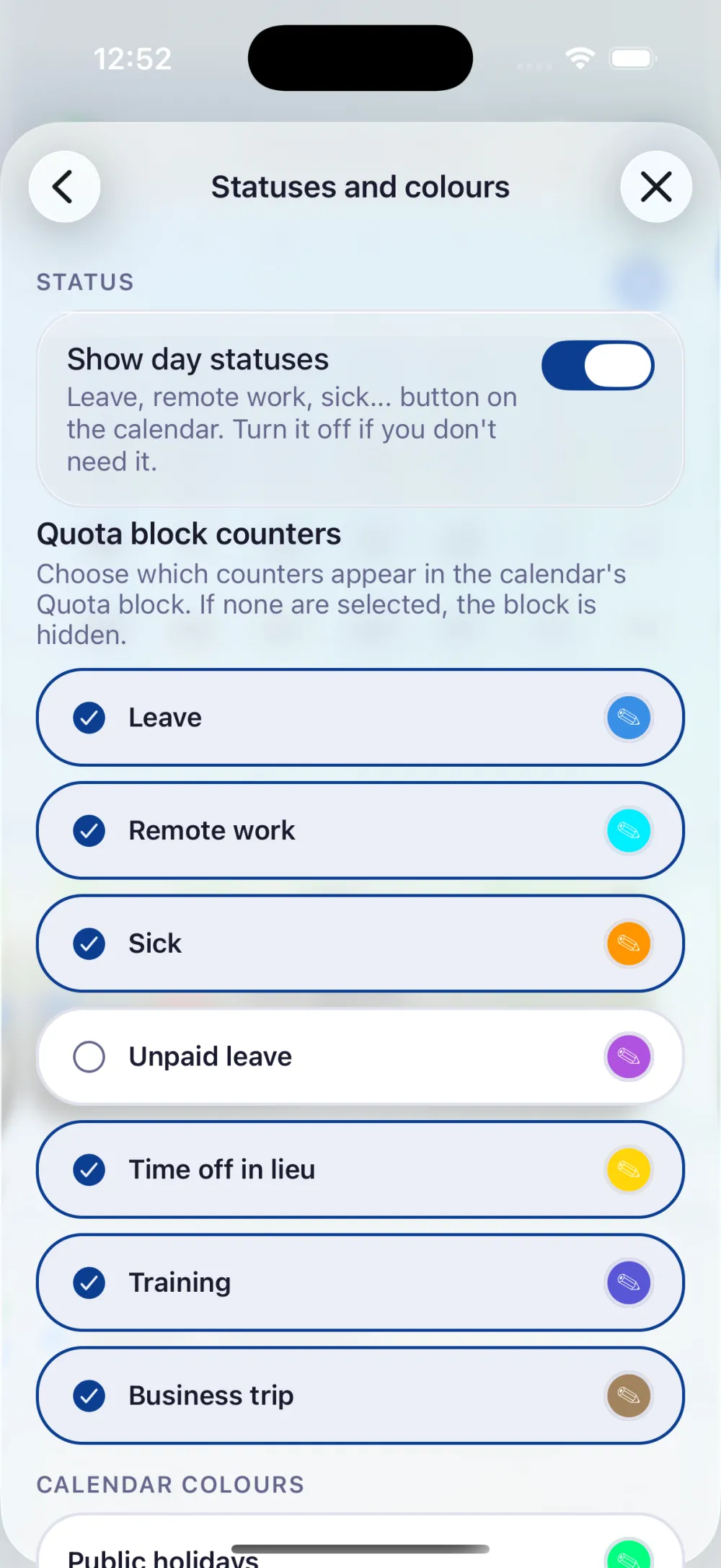
Statuses and colours: each absence status and each calendar with its own colour
Personalisation

Your colours, your calendar

Each type of absence, each tag, each counter: give them the colour that speaks to you, from a full palette or a precise code.

  • Full palette for every type and every tag
  • Custom colour with a precise code (e.g. #FF0090)
  • Choose which counters appear in the Quota block
  • Every category easy to spot at a glance
Sharing

Share in two seconds

Show your month's plans to your partner or colleagues, or sync with your usual calendar.
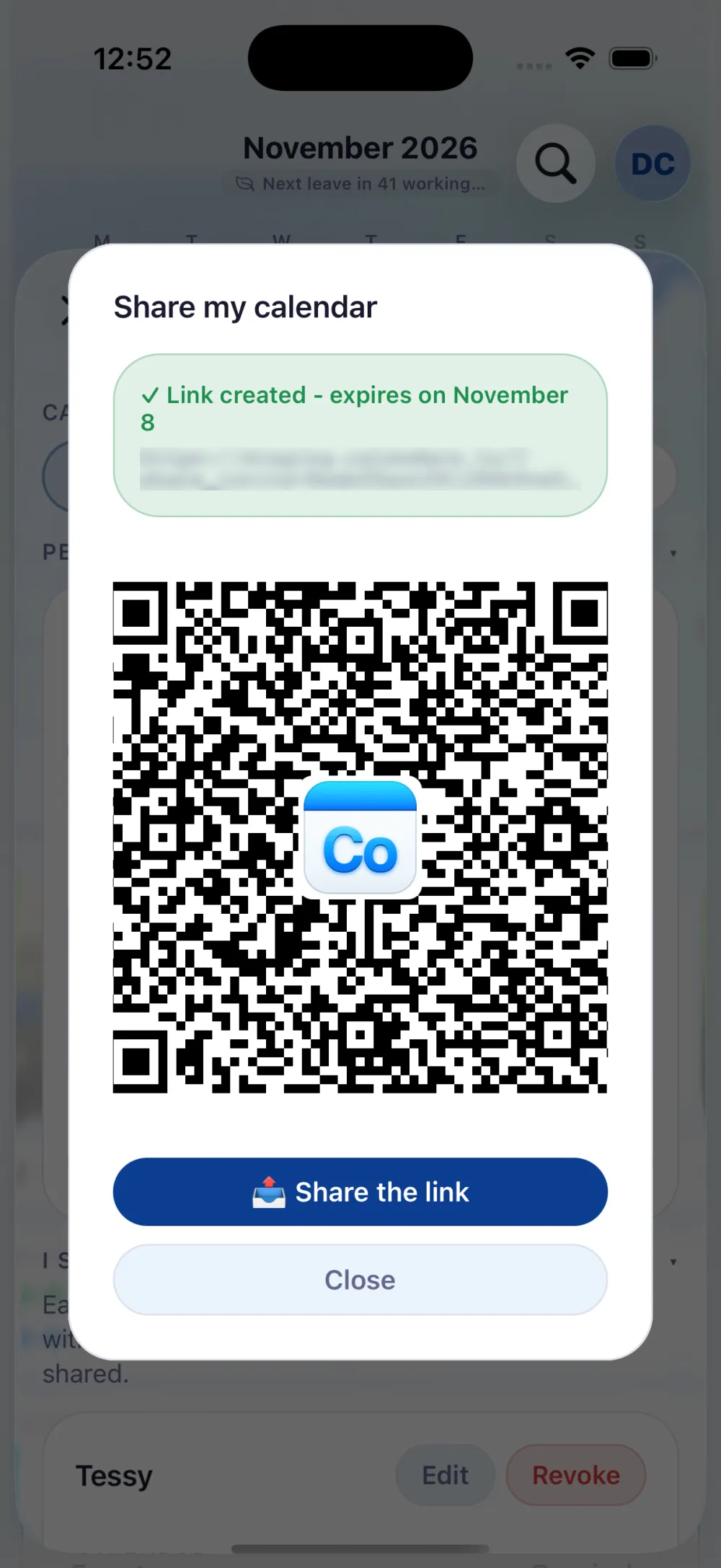
  • Invitation QR code to be scanned
  • Direct share link
  • iCal synchronisation (Google, Outlook...)
  • Share with several contacts at once
Sharing: invitation QR code with the Co Agendas logo in the middle and a share-link button
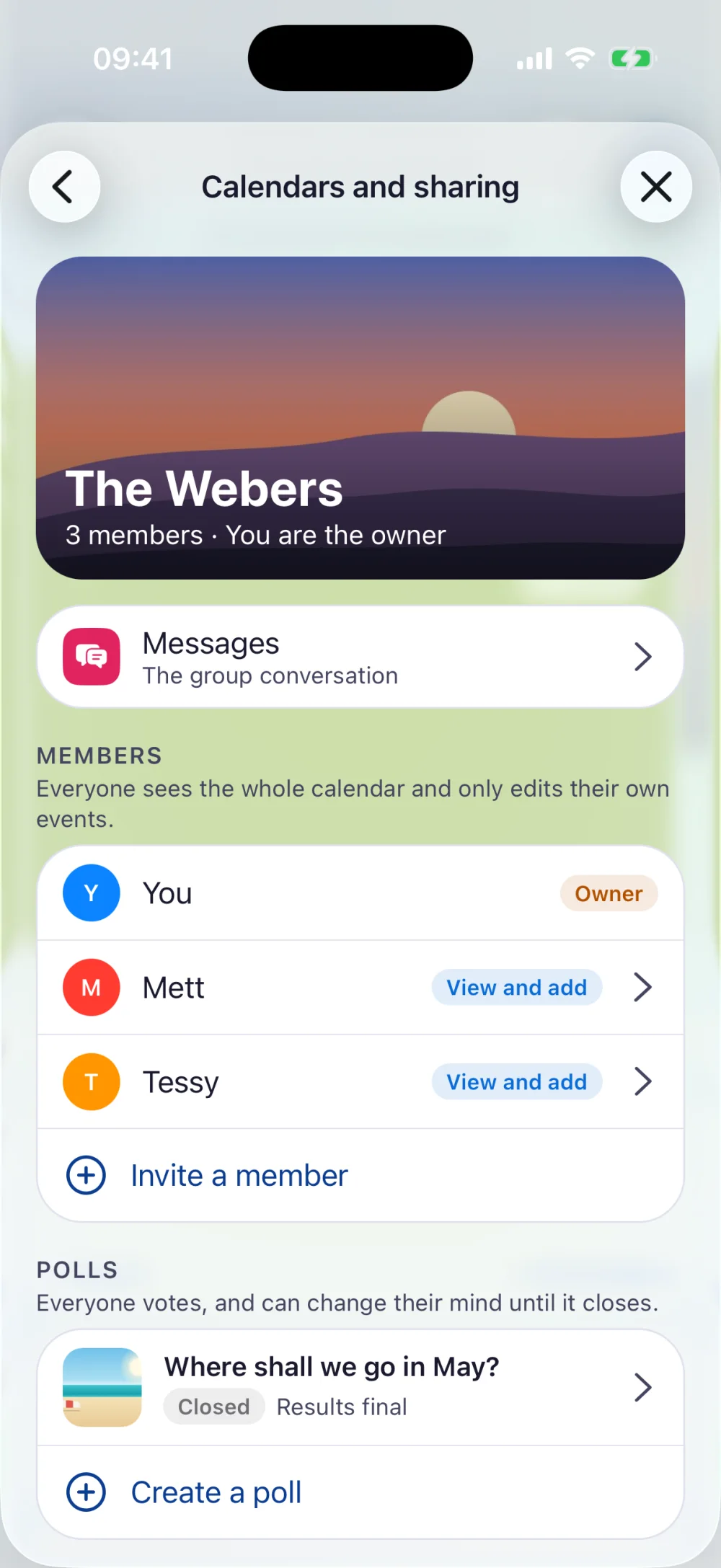
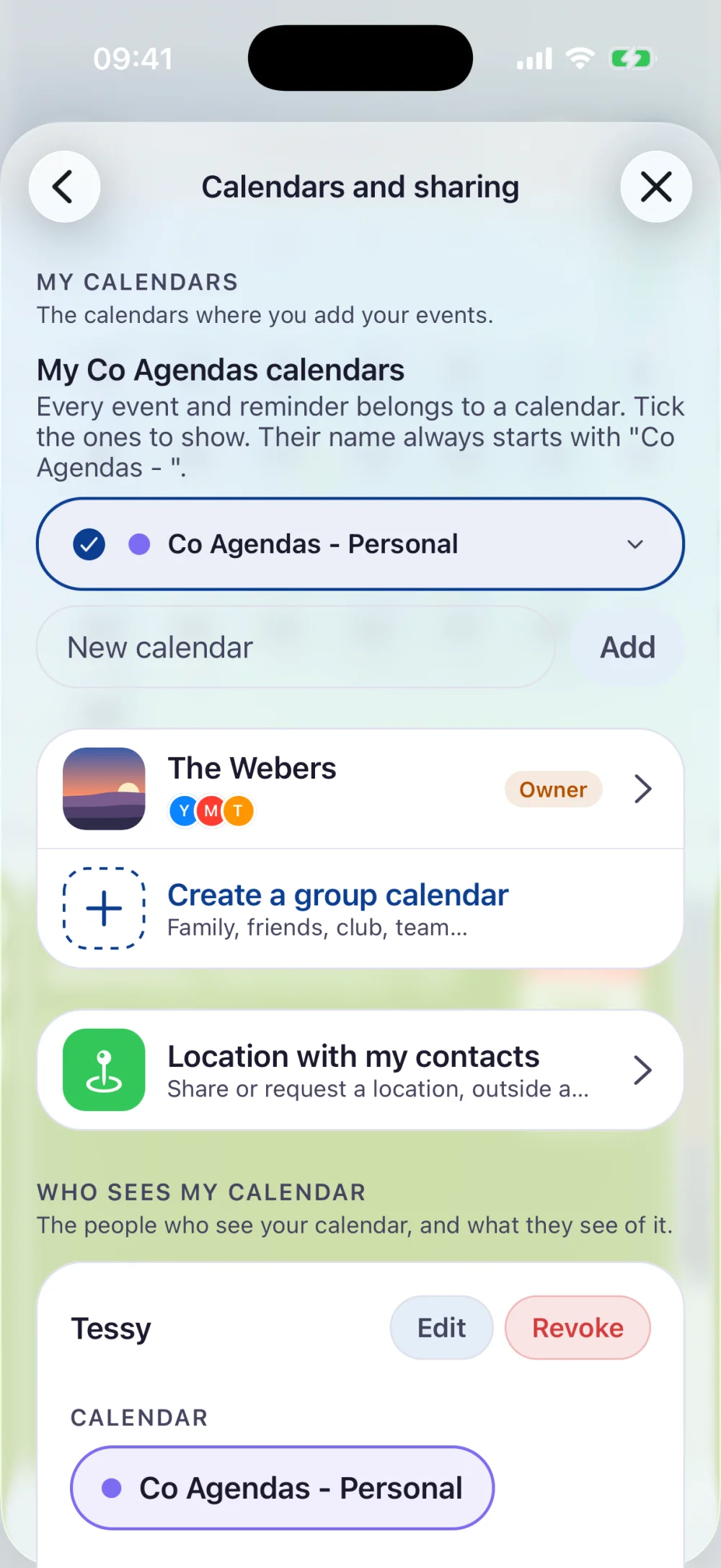
Group calendar: group photo, members with their rights, and the list of polls
Group calendars

One shared calendar, everyone keeps their own

Family, friends, club, team: create a group calendar with its own photo, invite the members, and everyone adds their own events.

  • “View only” or “View and add”, member by member
  • Everyone only edits their own events
  • A day card per group, with its photo, at the top of the calendar
  • Nothing from the group goes to your personal shares
Polls

Decide together, without a message thread

In a group calendar, ask a question with up to five choices, a photo and a colour. Everyone answers from the notification or the app, and can change their mind while voting is open.
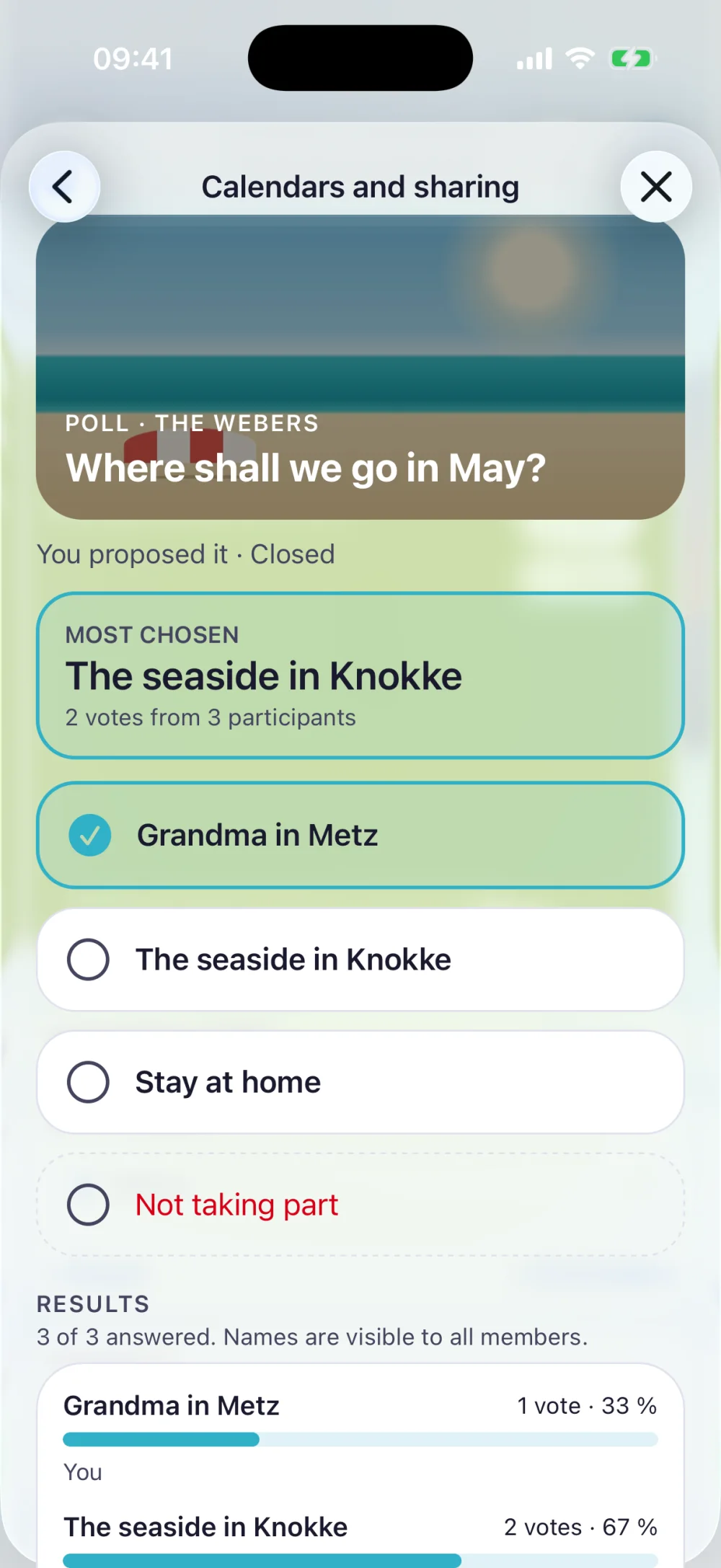
  • One or more answers, and “Not taking part” always offered
  • Draft until sent, changes announced to members
  • Reminders for those who have not answered yet
  • Results as a picture, with names or anonymous
Poll: the question, the choices, “Not taking part” and the results with names
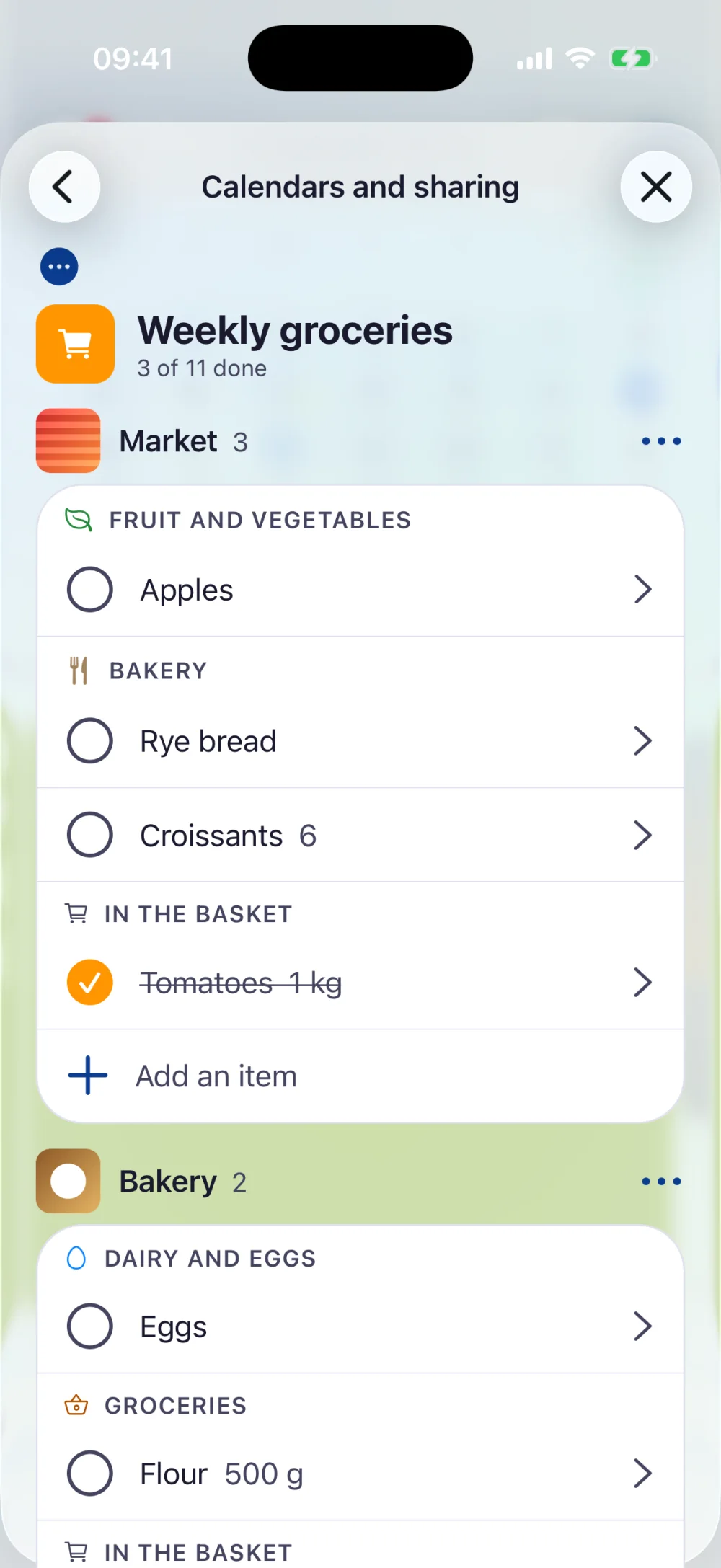
Group shopping list: stores, aisles and items to tick off
Lists and shopping

Shopping, together

A shopping or to-do list for the group: everyone adds to it, items are ticked off in the shop, and the list follows for everyone.

  • Sorted by store and aisle, with photos of the items
  • Scan a paper list or a receipt
  • To-dos with who takes care of them
  • Ticked off in the shop, updated for everyone
Messages

Family messages, in one place

One conversation per group and a discussion for each event, right inside your calendar.
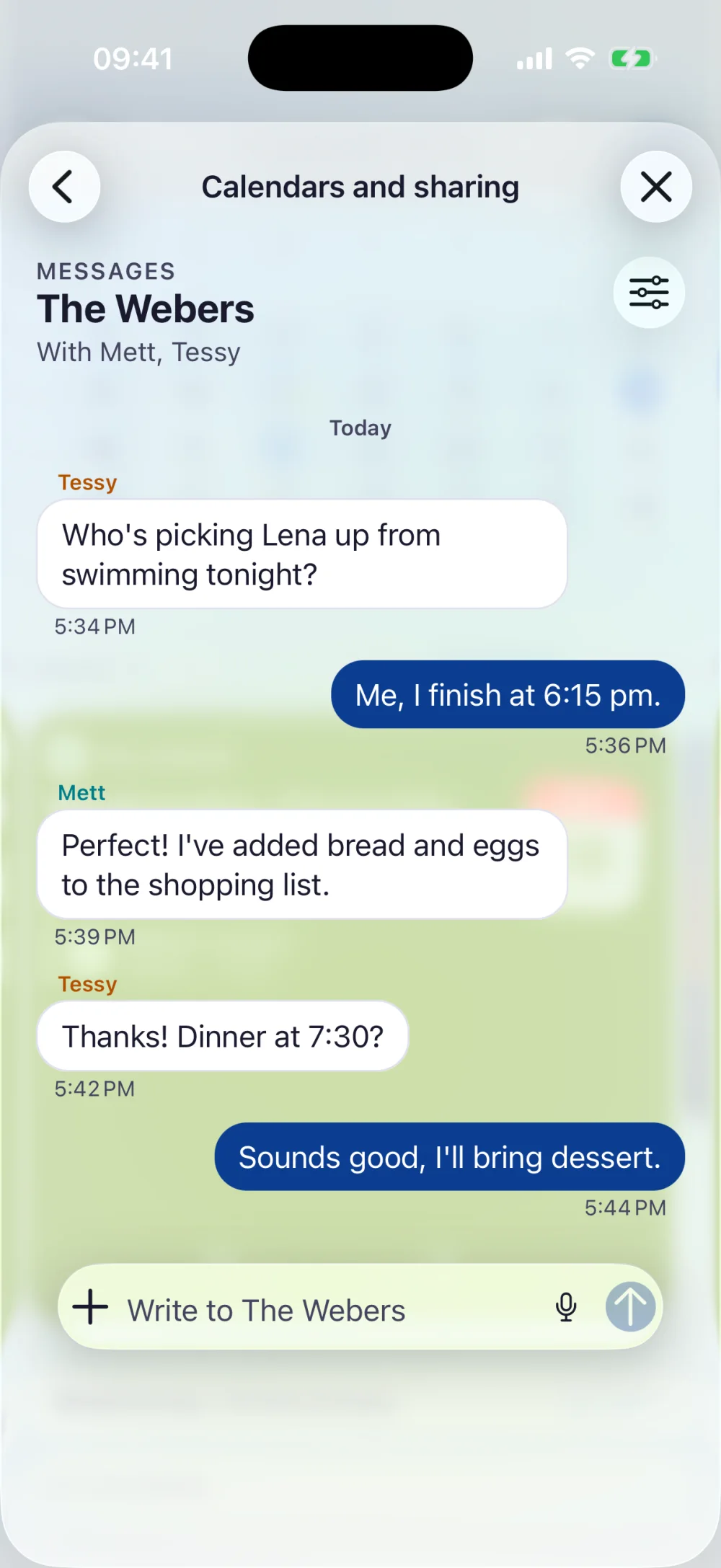
  • Photos and voice dictation
  • Disappearing messages: 24 h, 7 days or 90 days
  • Report or block in one gesture
  • Discreet notifications, without the message content
Group conversation of the Weber family
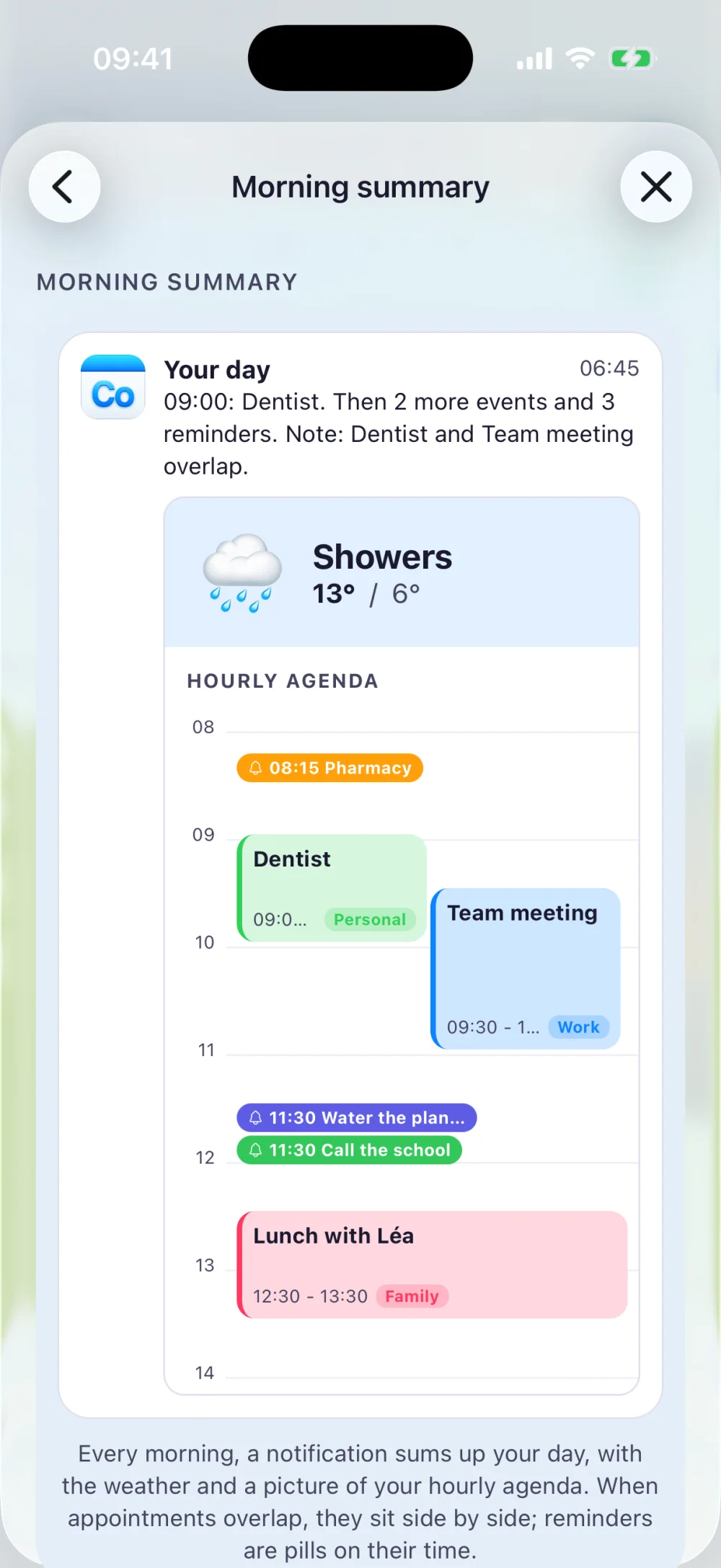
Morning summary: the day's weather and hourly agenda as a picture
Morning summary

Your day, in one picture

Every morning, a notification sums up your day with the weather and your hourly agenda. In the evening, tomorrow's weather arrives as a picture, with a warning for black ice, snow or storms.

  • Overlapping appointments, side by side
  • Today's reminders, at their time
  • Tomorrow's weather, in the evening at the time you choose
  • Set up in the app, with a preview
Timetable

The children's timetable, in the calendar

Take a photo of it: the lessons are added by themselves, A and B weeks included, and the whole family sees it in the group.
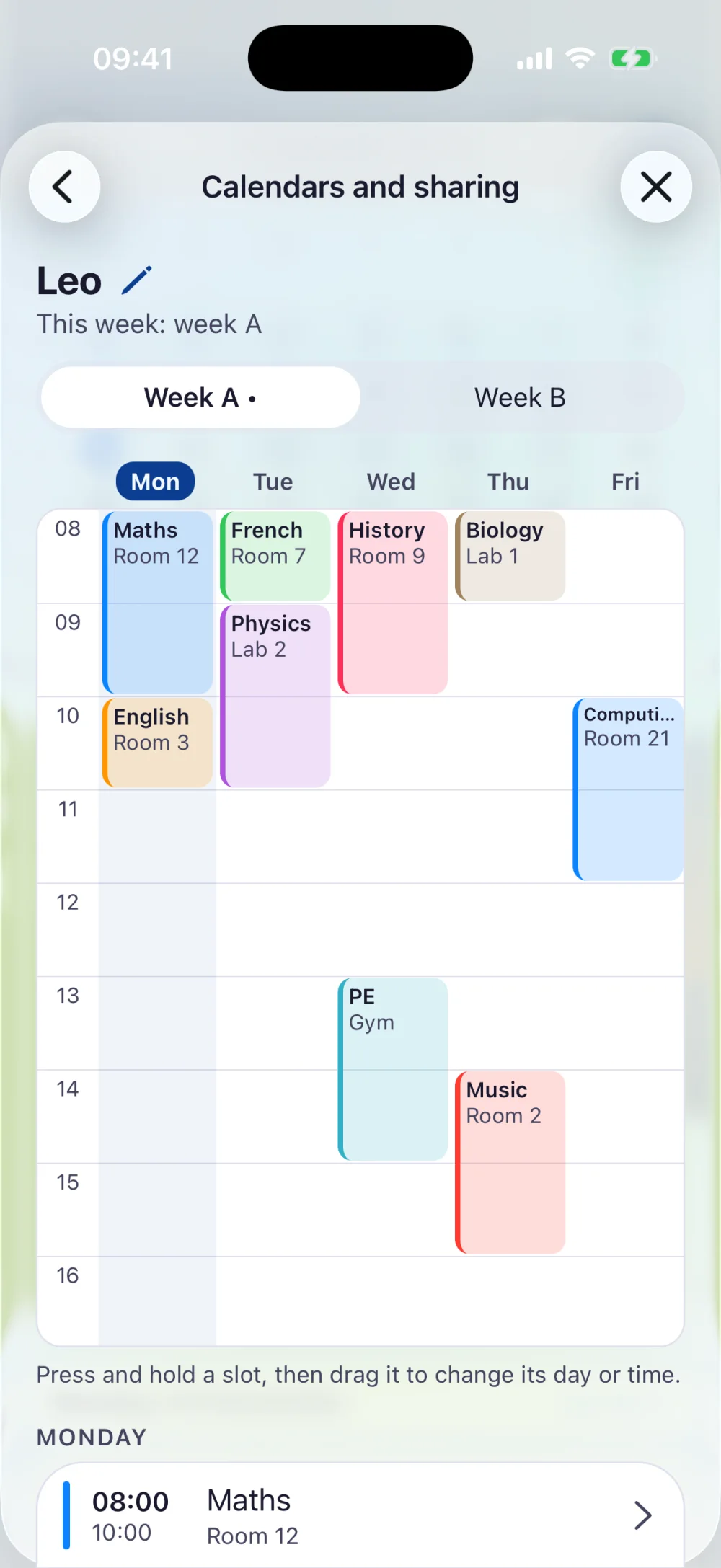
  • A and B weeks, with the current week
  • Press and hold to move a lesson
  • Shared with the family group
  • One timetable per child
Leo's timetable: week A, lesson by lesson
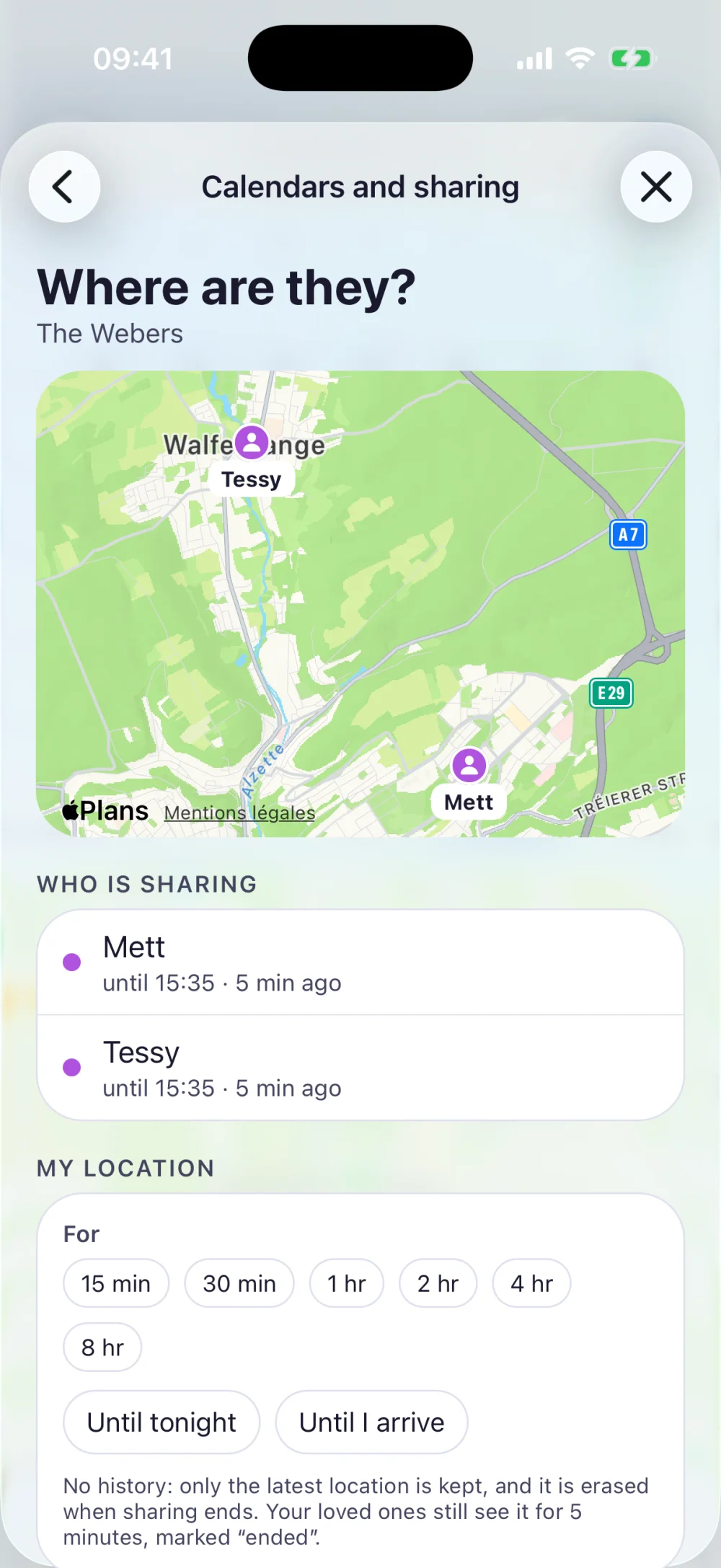
Where are they? Mett and Tessy on the map, with the end of their sharing
Location

Know where your loved ones are, when they want

Everyone shares their location with the group for a time they choose, or until they arrive. Never permanently, and with no history.
  • 15 min, 1 h, tonight or until I arrive
  • A scheduled reminder offers to share, at the time you choose
  • Ask a loved one for their location, they accept or decline
  • Only the last location is kept, then erased
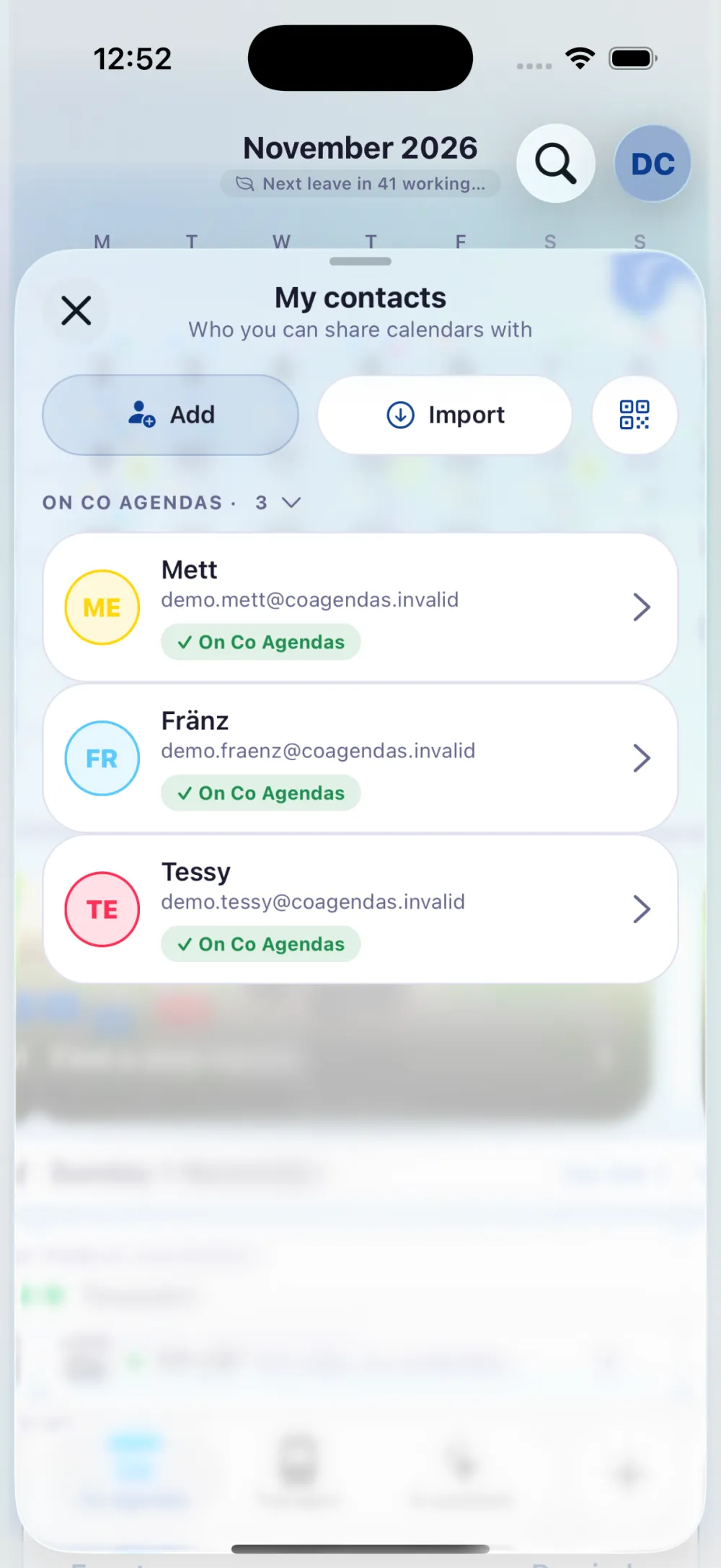
Contact directory: the people you share your calendars with, to add or import
Contacts

Your contacts, neatly organised

The address book of the people you share your calendars with - imported from your phone or added by hand, sorted as you like.
  • Add by hand or import from your phone's address book
  • Custom groups (Family…) to organise your loved ones
  • Everyone's status: on Co Agendas, invited, or invitation pending
  • Email invitation if the person doesn't have the app yet

In pictures

And also…

🌙

Dark, light, auto

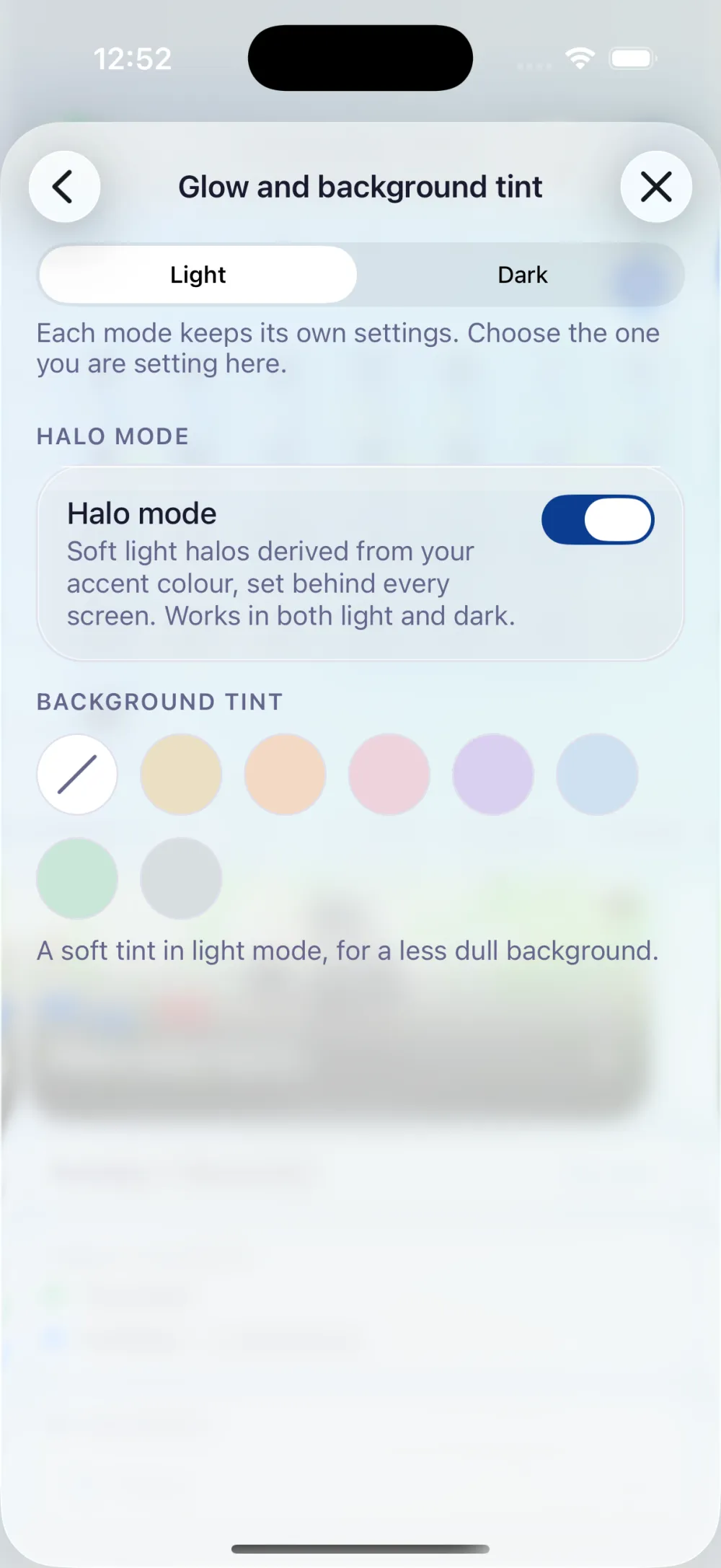
The theme follows your habits, or the time of day.

🌍

7 languages

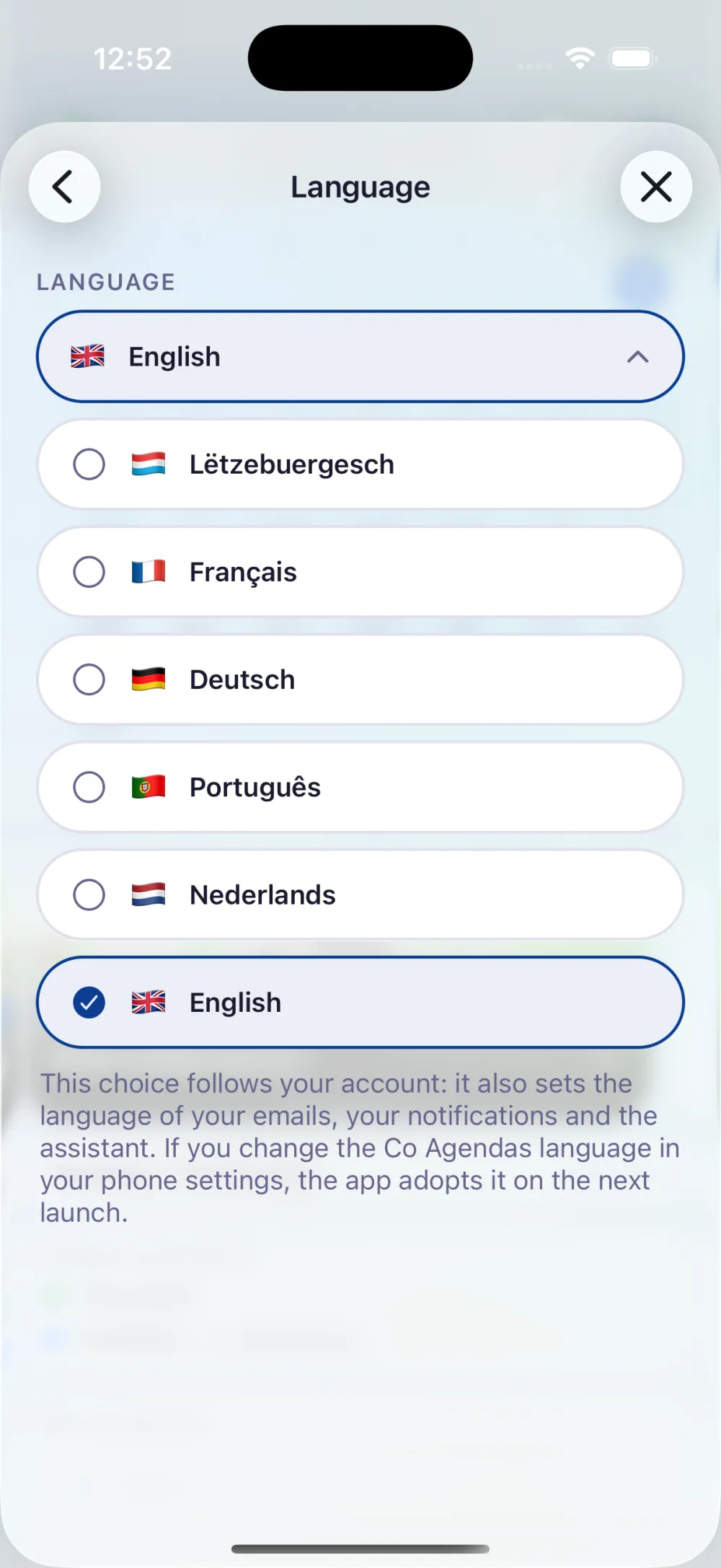
FR, EN, DE, PT, NL, LB - the whole app translated.

🔤

Text size

Enlarge the text throughout the whole app.

🗑️

Trash

Ephemeral events stay recoverable for 30 days.

👥

Contacts

Manage the people you share your calendars with.

🔄

Device calendar

Show your Google, iCloud, Outlook events alongside.

🔔

Automatic reminders

Before every event, day off or remote work day.

📍

Locations on the map

A mini-map and the address in every event.

In your hands.

The app is on the App Store, and is coming to Google Play. Free for the essentials - your days off will thank you.

Télécharger